

Valuta is billed as a simple and fast conversion tool. It’s designed for people who want to frequently convert between different currencies.
Installation
We evaluated Valuta using Manjaro, an Arch-based distro, as well as Ubuntu.
With Manjaro, Pamac (Manjaro’s front-end installation tool) lets us install Valuta from a Flatpak.
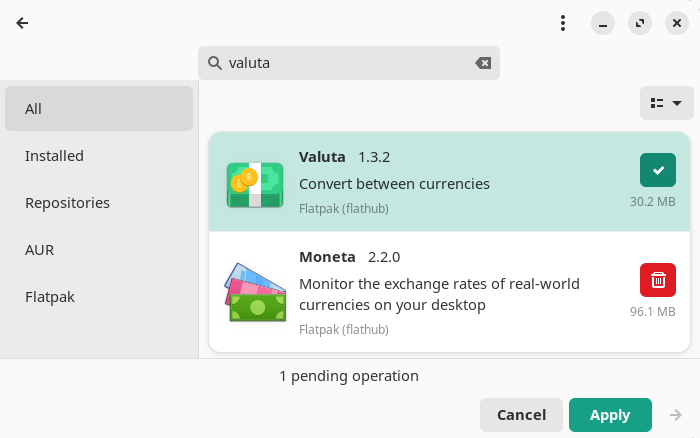
Flatpak is an open source containerized package format similar to Snap. While Snap relies on a central repository for software, Flatpak can be installed from different sources. The primary source is Flathub.
In Operation
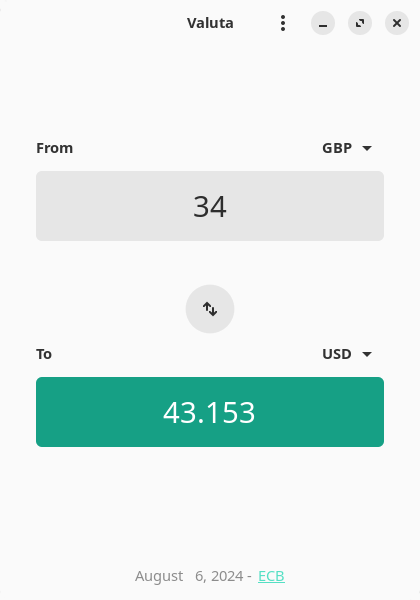
Here’s an image of Valuta in action. The program has a very simple interface. Choose the two currencies and input an amount. That’s about it.
The software lets you access three providers:
- European Central Bank.
- Google (which is flagged as unstable).
- Moeda.
Summary
Valuta is a very simple currency converter. It only has very basic functionality.
Website: apps.gnome.org/Valuta
Support: GitLab Code Repository
Developer: Ideve Core
License: GNU General Public License v3.0
Valuta is written in Python. Learn Python with our recommended free books and free tutorials.
Please read our Comment Policy before commenting.
For a command-line programme, I have the cgk.sh which uses CoinGecko API (free)a nd converts between Bank Currencies and Crypto, too!
500 THB to USD is $14.17 according to krunner – it seems a bit much that I’d need to install a whole flatpak app to do such a simple job… so one would assume this might be required for more lightweight and featureless desktops than KDE…
But then Qalculate also does the job: though usually the web browser is most likely to be handy for the job.
Web browser currency converter sites are well known for not being privacy focused.