

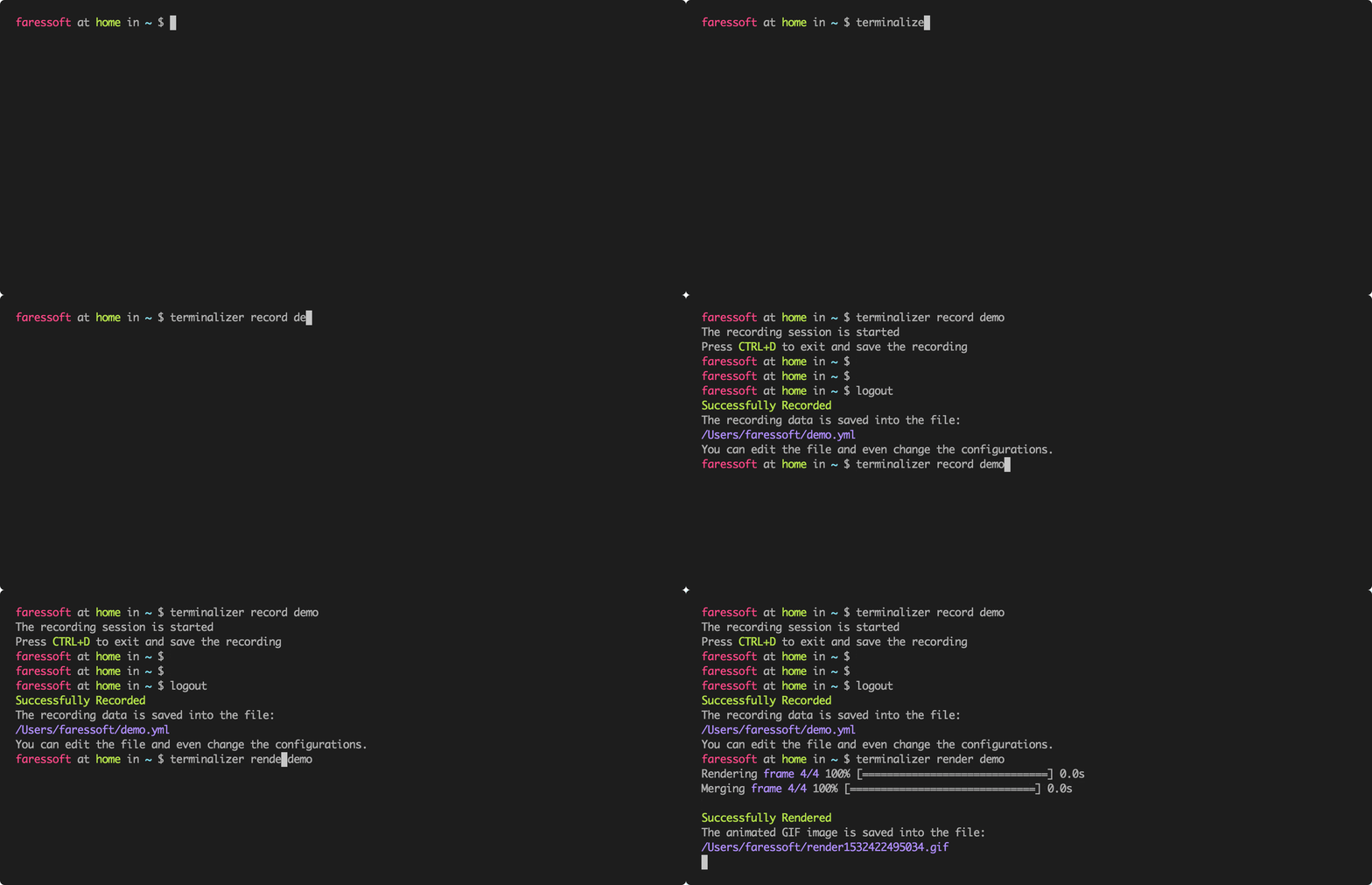
Terminalizer records terminal sessions and turns them into animated GIF images or recordings that can be replayed and shared. Sessions are saved to editable recording files, making it possible to adjust the captured frames and timing before producing the finished animation.
Rather than simply capturing pixels from an existing terminal window, Terminalizer renders the stored terminal contents. This gives considerably more control over the appearance of the resulting animation, including fonts, colours, terminal dimensions and decorative frames.
Recordings can also be replayed directly in the terminal. A configuration file controls recording and rendering behaviour, allowing commonly used settings to be retained between sessions.
This is free and open source software.
Key Features
- Record terminal sessions to editable recording files.
- Replay recordings directly in the terminal before rendering them.
- Render recordings as animated GIF images.
- Share recordings through a web player.
- Generate a web player from an existing recording.
- Edit individual frames and adjust delays before rendering.
- Skip frames at configurable intervals to reduce the number of rendered frames.
- Configure the shell or other command that should be recorded.
- Set the working directory and additional environment variables for a recording.
- Automatically use the current terminal dimensions or specify rows and columns explicitly.
- Control GIF quality, repetition and maximum idle time between frames.
- Configure cursor style, font family, font size, line height and letter spacing.
- Customise terminal colours and themes.
- Add a watermark image with CSS styling.
- Includes several terminal window-frame styles with further CSS customisation.
- Cross-platform support – runs under Linux, macOS and Windows.
Website: github.com/faressoft/terminalizer
Support:
Developer: Mohammad Anas Fares and contributors
License: MIT License
Terminalizer is written in JavaScript. Learn JavaScript with our recommended free books and free tutorials.
Related Software
| Console Screencasting Tools / Terminal Session Recording | |
|---|---|
| Terminalizer | Generates animated GIF images of your terminal |
| VHS | Wwrite terminal GIFs as code for integration testing and demoing |
| ttyd | Shares your terminal over the web |
| asciinema | Record and share terminal sessions |
| t-rec | Generates animated GIF images for the web |
| agg | asciinema gif generator |
| ffscreencast | Shell wrapper for ffmpeg that allows fool-proof screen recording |
| IPBT | High-tec terminal player |
| rec | Records terminal sessions and turns them into reusable workflows |
| TermSVG | Record terminal sessions and export them as animated SVG files |
| termrec | Set of tools for recording and replaying tty sessions |
| screencast | Interface to record a X11 desktop |
| script | The granddaddy of terminal recorders |
Read our verdict in the software roundup.
 LinuxLinks helps you discover the best free and open source software for Linux. Explore our extensive collection of recommended applications, including alternatives to popular proprietary software. We also publish software reviews, Linux tutorials, hardware reviews, free programming books and articles covering the wider open source community. Browse our Linux resources to discover more. Know a useful free and open source Linux application we haven't covered? Suggest a program for inclusion. Has your software been featured on LinuxLinks? Display one of our Featured on LinuxLinks badges on your website or GitHub README. |
Please read our Comment Policy before commenting.