

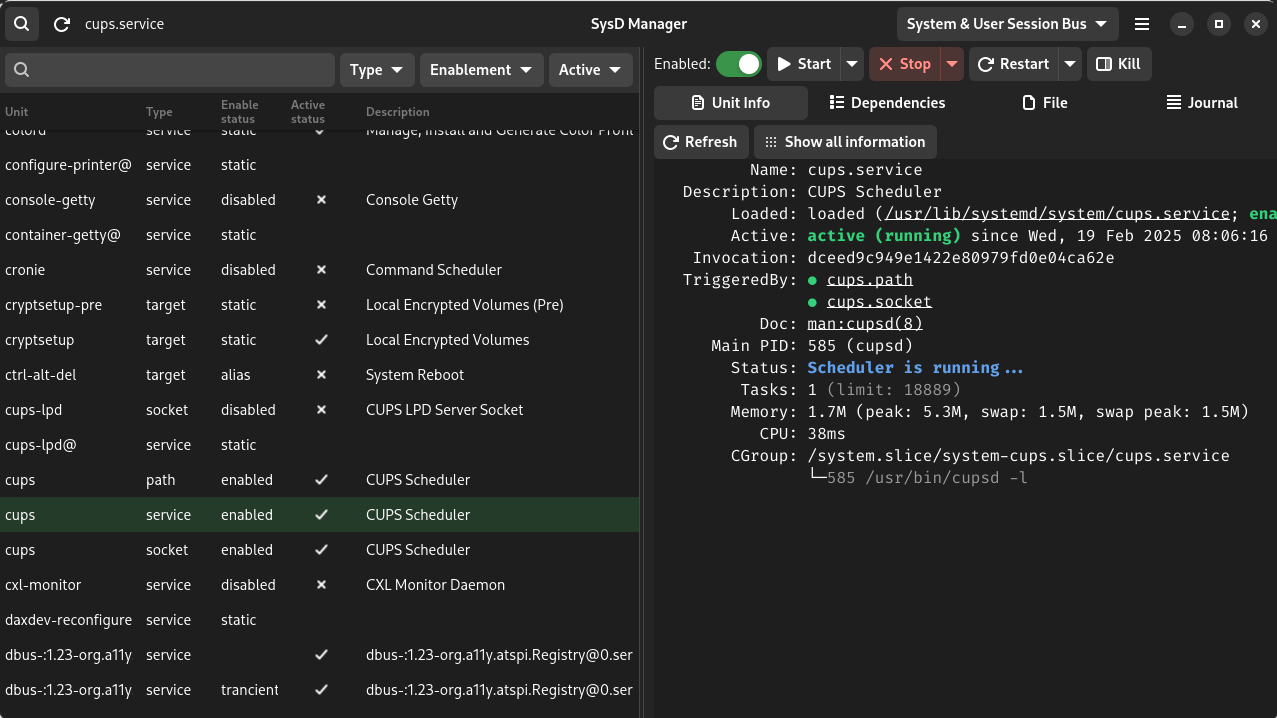
SysD Manager allows user to manage their systemd units via a GUI.
Not only are you able to make changes to the enablement and running status of each of the units, but you will also be able to view and modify their unit files and check the journal logs.
This is free and open source software.
Key Features
- Unit file browser with search and filtering.
- Enable or disable a unit.
- Activate or deactivate a unit.
- View and modify unit file.
- View and navigate unit’s dependencies.
- Unit file syntax highlighting.
- Journal file syntax highlighting.
- List of all running units, ordered by the time they took to initialize systemd-analyze blame.
- Follow Dark and Light style switching.
- Select a unit at program opening by passing a unit name as cli argument.
Website: github.com/plrigaux/sysd-manager
Support:
Developer: Pierre-Luc Rigau
License: GNU General Public License v3.0
SysD Manager is written in Rust. Learn Rust with our recommended free books and free tutorials.
Related Software
| systemd GUI Configuration Tools | |
|---|---|
| SystemdGenie | Systemd management utility based on KDE technologie |
| SysD Manager | GUI tool to manage systemd units |
| systemd Pilot | GUI tool for managing systemd services |
| gnome-logs | View and search logs with this graphical utility |
Read our verdict in the software roundup.
 Explore our carefully curated directory of recommended free and open source software, covering every major software category. Explore our carefully curated directory of recommended free and open source software, covering every major software category.The directory forms part of our extensive collection of articles for Linux enthusiasts. It includes hundreds of detailed reviews, together with free and open source alternatives to proprietary software from companies such as Google, Microsoft, Apple, Adobe, IBM, Cisco, Oracle, and Autodesk. LinuxLinks also covers interesting projects worth exploring, Linux-compatible hardware, free programming books and tutorials, and much more. Know a useful free and open source Linux application that we haven’t covered? Tell us about it using our submission form. |
Please read our Comment Policy before commenting.