

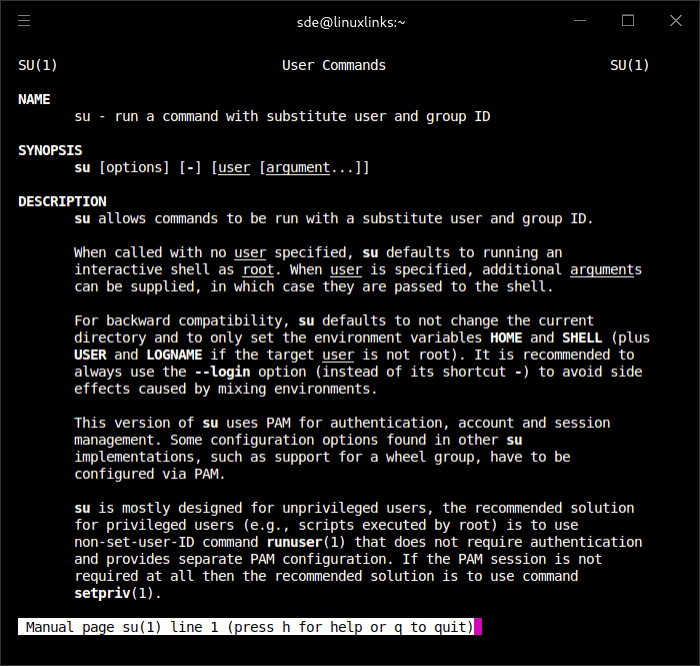
su is a command-line utility that allows a user to switch to another account or execute a command under a different user identity. It is a standard component of Linux system administration.
When invoked without specifying a target account, su defaults to root. Users can also select another account explicitly, making the utility useful for testing permissions, managing service accounts and performing maintenance tasks.
The implementation supplied by util-linux uses Pluggable Authentication Modules (PAM) for authentication and session handling. This allows its authentication behaviour to be integrated with the policies configured by the Linux distribution.
An important distinction exists between starting a normal shell and requesting a login shell. By default, su retains several aspects of the caller’s environment. Using its login option establishes an environment more closely resembling a fresh login by the target user.
This distinction matters when administrative commands depend on environment variables, home directories or executable search paths.
su also provides a way to execute a single command without entering an interactive shell. Administrators can specify the command, target user and additional group information through command-line options.
The utility is primarily intended for interactive use. Scripts already executing with administrative privileges may be better served by runuser or setpriv, depending on their authentication and session requirements.
This is free and open source software.
Key Features
- Run an interactive shell under another user identity.
- Execute individual commands as a specified user.
- Default to the root account when no target user is specified.
- Use PAM for authentication and account management.
- Start login shells with a freshly initialised environment.
- Preserve selected environment variables when requested.
- Choose a particular shell for the target session.
- Specify primary and supplementary group identities.
- Use a pseudo-terminal to isolate the target session from the original terminal.
- Support command execution through -c and –command.
- Provide –session-command for executing a command without creating a separate session.
- Apply configured system authentication and session policies.
- Handle termination signals and forward them to child processes.
Website: github.com/util-linux/util-linux
Support:
Developer: Free Software Foundation, Inc., SUSE Linux Products GmbH
License: GNU General Public License v2.0
su is written in C. Learn C with our recommended free books and free tutorials.
| Explore Linux | |
|---|---|
 | Best Free and Open Source Software - A huge collection of recommended free and open source software covering every major category. |
 | In-depth Linux Software Reviews - Detailed assessments of Linux software covering features, usability and overall quality. |
 | The Big List of Active Linux Distros - An extensive collection of actively developed Linux distributions. |
 | Open Source Alternatives - Alternatives to software and services from Google, Microsoft, Apple, Adobe, IBM, Autodesk, Oracle and others. |
 | Essential Linux System Tools - Indispensable utilities for monitoring, maintaining and managing Linux systems. |
 | Linux Productivity Tools - Useful utilities for improving productivity and streamlining everyday tasks. |
 | Alternatives to Popular CLI Tools - Modern alternatives to familiar command-line utilities supplied with Linux systems. |
 | Awesome Free Linux Game Tools - Tools, utilities and companion software that improve gaming on Linux. |
 | Machine Learning on Linux - Machine learning and deep learning software, self-hosted applications and practical tools. |
 | Saving Money with Linux - Practical ways to reduce electricity consumption and lower computing costs with Linux. |
 | Linux Candy - Fun, entertaining and sometimes delightfully quirky software from the lighter side of Linux. |
Please read our Comment Policy before commenting.