

NFFM (Not a Fancy File Manager) is a mouseless, ncurses file manager.
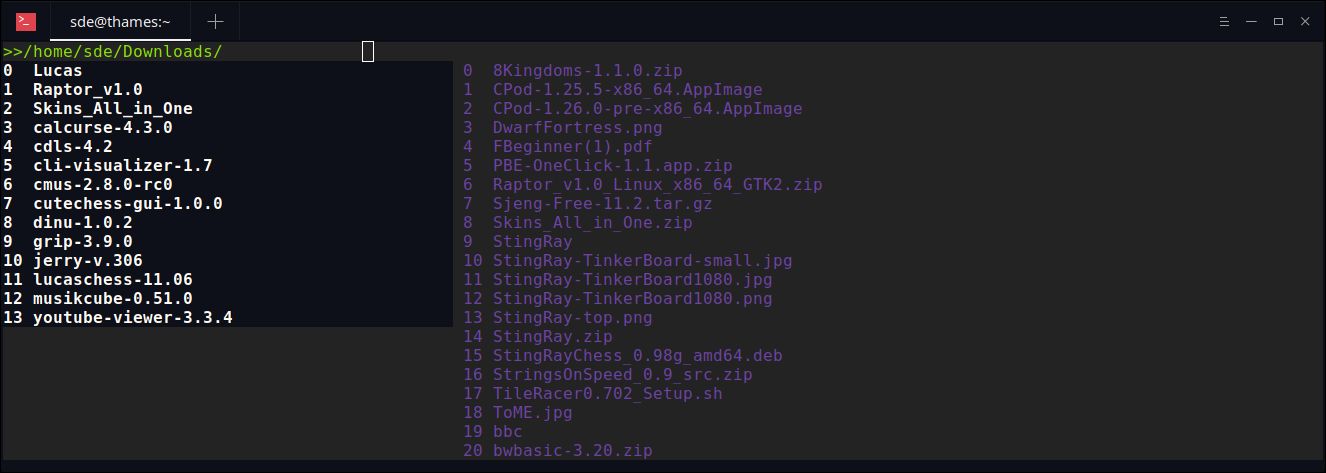
The left pane lists the directories, the middle pane lists the files within the current directory and the right pane lists files marked for further action.
You can navigate through your filesystem, open, delete, rename, create files, filter files by extension or filter for file that begins with in the current directory.
Folders can also be created and deleted. It is also possible to archive and gzip
selected files.
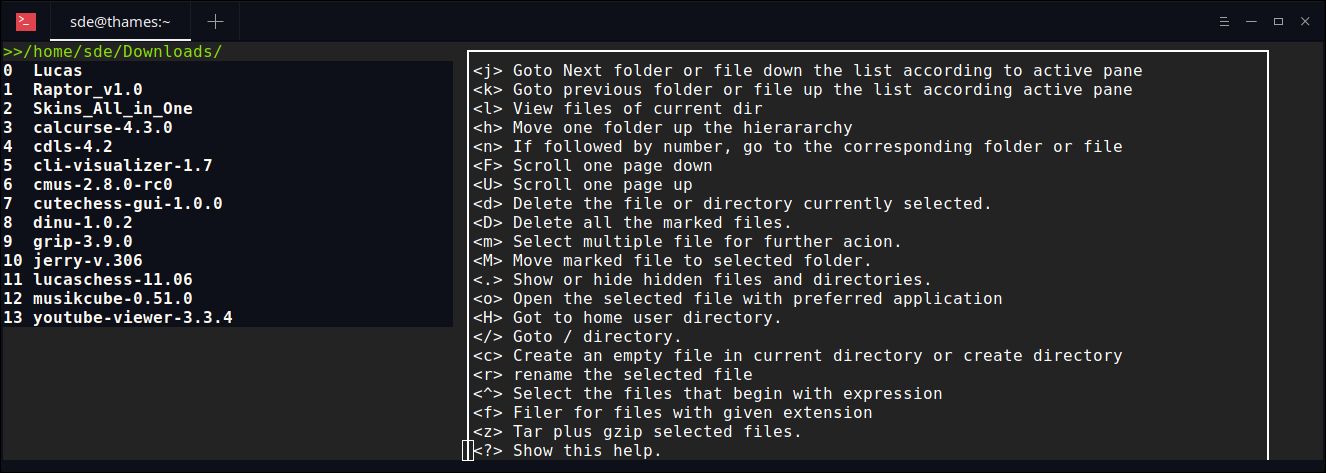
Navigation through the file manager is mainly done using the keys h, j, k, l and tab. Key bindings can be changed by modifying the config.h file and recompiling the program.
The software is written in the C programming language.
Features include:
- On the display, each file and directories are numbered.
- Key bindings.
- Uses its own file association file (extension.conf).
- Archiving and compressing files using tar and gzip.
- Hidden files and directories are not showed by default. Use . (period) to show the hidden files and directories.
- File permission and type views
Website: github.com/mariostg/nffm
Support:
Developer: Mario St-Gelais
License: GNU General Public License v3 or later
NFFM is written in C. Learn C with our recommended free books and free tutorials.
Return to Survey: Console Based File Managers
| Explore Linux | |
|---|---|
 | Best Free and Open Source Software - A huge collection of recommended free and open source software covering every major category. |
 | In-depth Linux Software Reviews - Detailed assessments of Linux software covering features, usability and overall quality. |
 | The Big List of Active Linux Distros - An extensive collection of actively developed Linux distributions. |
 | Open Source Alternatives - Alternatives to software and services from Google, Microsoft, Apple, Adobe, IBM, Autodesk, Oracle and others. |
 | Essential Linux System Tools - Indispensable utilities for monitoring, maintaining and managing Linux systems. |
 | Linux Productivity Tools - Useful utilities for improving productivity and streamlining everyday tasks. |
 | Alternatives to Popular CLI Tools - Modern alternatives to familiar command-line utilities supplied with Linux systems. |
 | Awesome Free Linux Game Tools - Tools, utilities and companion software that improve gaming on Linux. |
 | Machine Learning on Linux - Machine learning and deep learning software, self-hosted applications and practical tools. |
 | Saving Money with Linux - Practical ways to reduce electricity consumption and lower computing costs with Linux. |
 | Linux Candy - Fun, entertaining and sometimes delightfully quirky software from the lighter side of Linux. |
Please read our Comment Policy before commenting.