

Neoray is a lightweight graphical frontend for Neovim that uses GLFW and OpenGL to provide a responsive desktop editing environment. Its design emphasises simplicity, low resource consumption, and close integration with Neovim’s existing editing capabilities.
Unlike standalone text editors, Neoray uses Neovim as its underlying editing engine. Users can therefore continue to use their preferred configuration files, commands, keyboard mappings, and plugins while gaining additional graphical interface features.
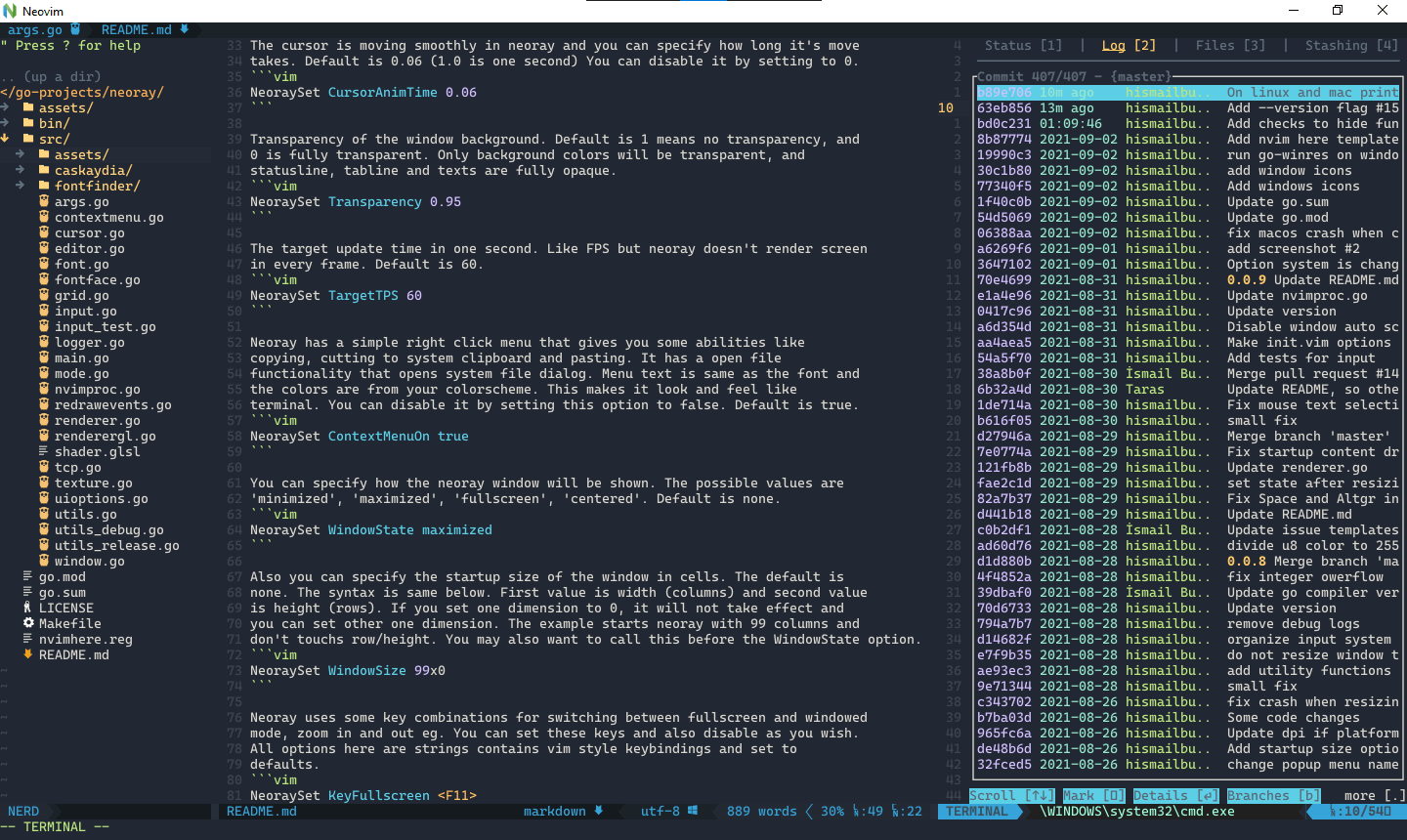
Neoray offers a collection of optional visual enhancements. Cursor movement can be animated, the application window can be made transparent, and font rendering can be adjusted to suit individual preferences.
The interface also includes a configurable right-click menu, graphical file selection, and image viewing functionality. These features provide useful desktop conveniences without significantly changing the Neovim editing workflow.
Configuration is handled through Neovim commands, making it possible to manage the frontend alongside existing editor settings. Most of its graphical enhancements can be adjusted or disabled independently.
This is free and open source software.
Key Features
- Lightweight graphical interface using GLFW and OpenGL.
- Configurable smooth cursor movement with adjustable animation duration.
- Window background transparency, with independent treatment of text and interface elements.
- Adjustable rendering update frequency.
- Right-click context menu with copy, cut, and paste operations.
- Custom context menu buttons that execute user-defined commands.
- Graphical file selection dialog.
- Built-in image viewer that can be enabled or disabled.
- Pixel-aligned rendering of supported box-drawing characters.
- Configurable fonts through Neovim’s guifont setting.
- Font changes without restarting the application.
- Customisable starting window dimensions and position.
- Keyboard shortcuts for full-screen mode and font zooming.
- Single-instance mode for opening files in an existing Neoray session.
- Command-line options for opening a file at a specified line and column.
- Cross-platform support – runs on Linux, macOS, and Windows.
Website: github.com/hismailbulut/neoray
Support:
Developer: Ismail Bulut
License: MIT License
Neoray is written in Go. Learn Go with our recommended free books and free tutorials.
Related Software
| Neovim GUIs | Language | |
|---|---|---|
| Neovim-qt | Neovim client library and GUI using Qt5 | C++ |
| GoNeovim | Forked from Gonvim. Uses Qt binding | Go |
| FVim | Uses the Avalonia XAML-based UI framework | F# |
| Neovide | No nonsense client | Rust |
| GNvim | Rich GUI without any web bloat | Rust |
| glrnvim | GPU-accelerated Neovim GUI | Rust |
| Neoray | Uses GLFW and OpenGL bindings | Go |
| neovim-gtk | GTK4 graphical frontend for Neovim editing | Rust |
| SimpleNvimEditor | Minimal graphical interface for Neovim editing | Go |
| Envim | Electron-based frontend for Neovim | TypeScript |
Read our verdict in the software roundup.
 LinuxLinks helps you discover the best free and open source software for Linux. Explore our extensive collection of recommended applications, including alternatives to popular proprietary software. We also publish software reviews, Linux tutorials, hardware reviews, free programming books and articles covering the wider open source community. Browse our Linux resources to discover more. Know a useful free and open source Linux application we haven't covered? Suggest a program for inclusion. Has your software been featured on LinuxLinks? Display one of our Featured on LinuxLinks badges on your website or GitHub README. |
Please read our Comment Policy before commenting.