
Last Updated on July 11, 2021
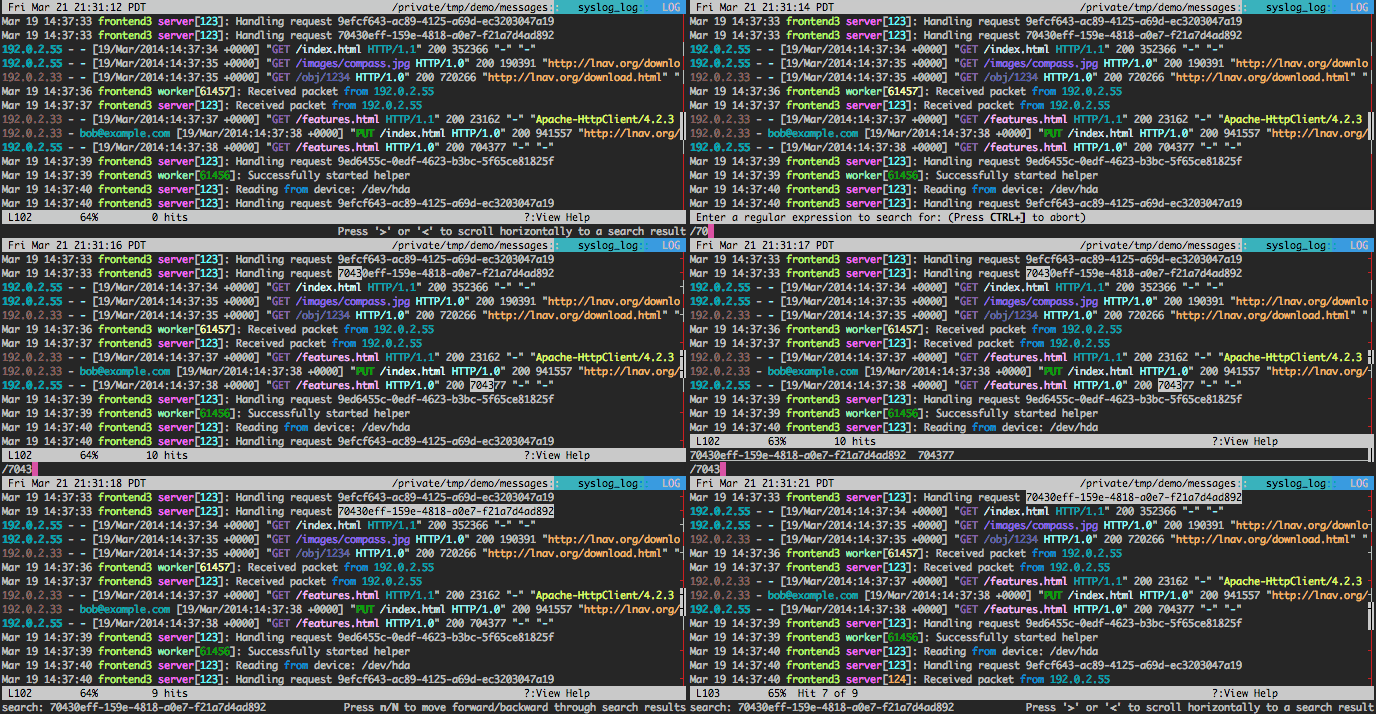
lnav is the logfile navigator, an open source curses-based tool for viewing and analyzing log files.
It looks for any semantic information gleaned from the files being reviewed such as timestamps and log levels. lnav can do things like interleaving messages from different files, generate histograms of messages over time, and providing hotkeys for navigating through the file. It understands and analyzes /var/log/syslog, Apache access logs, Strace, and other protocols that include timestamps.
The tool color highlights important information. For example, it marks warnings in yellow and errors in red. lnav can help highlight the parts that are important and filter out the noise.
Features include:
- Support for the following log file formats: – Common Web Access Log format, CUPS page_log, Syslog, Glog, VMware ESXi/vCenter Logs, dpkg.log, uwsgi, “Generic” – any message that starts with a timestamp, Strace, SnapLogic Server Log, Fsck_hfs, OpenAM, and more.
- Pretty-Print View – reformats structured data, like XML or JSON, so that it is easier to read.
- Histogram view – displays the number of log messages per bucket-of-time.
- Filters – display only lines that match or do not match a set of regular expressions.
- “Live” operation – searches are done as you type; new log lines are automatically loaded and searched as they are added; filters apply to lines as they are loaded; and, SQL queries are checked for correctness as you type.
- Automatic tailing – the log file view automatically scrolls down to follow new lines that are added to files. Simply scroll up to lock the view in place and then scroll down to the bottom to resume tailing.
- Time-of-day ordering of lines – log lines from all the files are loaded and then sorted by time-of-day. Relieves you of having to manually line up log messages from different files.
- Syntax highlighting – errors and warnings are colored in red and yellow, respectively. Highlights are also applied to: SQL keywords, XML tags, file and line numbers in Java backtraces, and quoted strings.
- Navigation – use hotkeys for jumping to the next or previous error or warning and moving forward or backward by an amount of time. Hotkeys provide spatial navigation, chronological navigation, bookmarks, display, and query.
- Query Logs Using SQL – log files are directly used as the backing for SQLite virtual tables. There are several built-in extensions that provide extra functions and collators beyond those provided by SQLite.
- Command and search history.
- Compressed files are automatically detected and uncompressed on the fly.
- Session information is stored automatically for the set of files that were passed in on the command-line and reloaded the next time lnav is executed.
Website: lnav.org
Support: GitHub
Developer: Tim Stack and contributors
License: GNU GPL v3
lnav is written in C++. Learn C++ with our recommended free books and free tutorials.
Return to Console Log File Analyzers Home Page
| Explore Linux | |
|---|---|
 | Best Free and Open Source Software - A huge collection of recommended free and open source software covering every major category. |
 | In-depth Linux Software Reviews - Detailed assessments of Linux software covering features, usability and overall quality. |
 | The Big List of Active Linux Distros - An extensive collection of actively developed Linux distributions. |
 | Open Source Alternatives - Alternatives to software and services from Google, Microsoft, Apple, Adobe, IBM, Autodesk, Oracle and others. |
 | Essential Linux System Tools - Indispensable utilities for monitoring, maintaining and managing Linux systems. |
 | Linux Productivity Tools - Useful utilities for improving productivity and streamlining everyday tasks. |
 | Alternatives to Popular CLI Tools - Modern alternatives to familiar command-line utilities supplied with Linux systems. |
 | Awesome Free Linux Game Tools - Tools, utilities and companion software that improve gaming on Linux. |
 | Machine Learning on Linux - Machine learning and deep learning software, self-hosted applications and practical tools. |
 | Saving Money with Linux - Practical ways to reduce electricity consumption and lower computing costs with Linux. |
 | Linux Candy - Fun, entertaining and sometimes delightfully quirky software from the lighter side of Linux. |
Please read our Comment Policy before commenting.