

hw-monitor is a graphical system monitoring application built specifically for Linux.
It combines a Rust backend with a TypeScript and React interface using Tauri, presenting hardware information and live operating statistics in a single desktop application. Rather than restricting itself to static system specifications, it brings together process management, performance graphs, hardware sensors, storage information, network connections and systemd services. This makes it useful both for identifying installed hardware and for watching how that hardware and the operating system behave under load.
This is free and open source software.
Key Features
- Lists running processes with CPU, memory and disk I/O statistics.
- Can display processes as either a flat list or hierarchical tree.
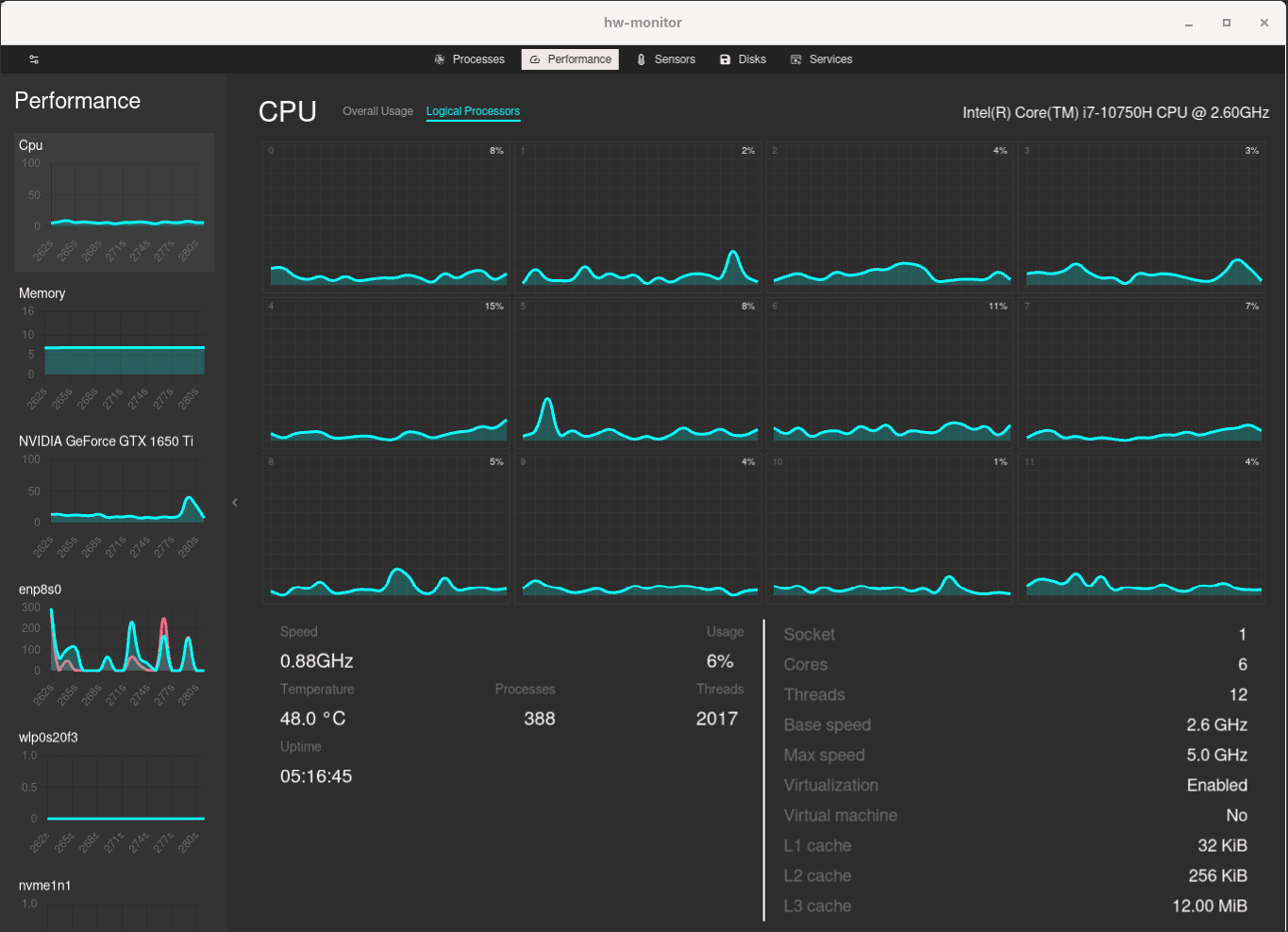
- Provides live graphs for CPU, memory, GPU, storage and network activity.
- Shows processor topology, clock speeds, cache sizes, temperatures and virtualisation information.
- Reports memory capacity, availability, speed, form factor and populated slots.
- Monitors NVIDIA GPUs through NVML and AMD GPUs through sysfs.
- Discovers hardware sensors exposed through the hwmon subsystem.
- Lets users customise sensor labels and warning or critical thresholds.
- Reports battery health, cycle count, energy, temperature and charging information on supported laptops.
- Displays disks and partitions in a hierarchical storage view.
- Provides ATA and NVMe SMART information together with detailed device metadata.
- Reports network addresses, transfer speeds, signal strength and interface errors.
- Lists TCP and UDP connections and associates sockets with processes where permissions allow.
- Displays systemd services and provides controls for service management.
- Offers configurable themes, update intervals and visible table columns.
- Includes multiple interface languages.
Website: github.com/husseinhareb/hw-monitor
Support:
Developer: Hussein Hareb
License: MIT License
hw-monitor is written in Rust and TypeScript. Learn Rust with our recommended free books and free tutorials. Learn TypeScript with our recommended free books and free tutorials.
Related Software
| GUI System Profilers | |
|---|---|
| Hardinfo2 | A continuation of HardInfo offering system information and benchmarking |
| CPU-X | Similar tool to CPU-Z but differs in a few important ways |
| I-Nex | Gambas based alternative to CPU-Z |
| HardInfo | System Profiler and Benchmark |
| KInfoCenter | Centralized and convenient overview of your system |
| Examine | System information viewer for the COSMIC Desktop |
| CPU-G | Python based alternative to CPU-Z |
| CPU Info | Presents detailed hardware and software information |
| Big Hardware Info | View and share hardware information |
Read our verdict in the software roundup.
 Explore our carefully curated directory of recommended free and open source software, covering every major software category. Explore our carefully curated directory of recommended free and open source software, covering every major software category.The directory forms part of our extensive collection of articles for Linux enthusiasts. It includes hundreds of detailed reviews, together with free and open source alternatives to proprietary software from companies such as Google, Microsoft, Apple, Adobe, IBM, Cisco, Oracle, and Autodesk. LinuxLinks also covers interesting projects worth exploring, Linux-compatible hardware, free programming books and tutorials, and much more. Know a useful free and open source Linux application that we haven’t covered? Tell us about it using our submission form. |
Please read our Comment Policy before commenting.