

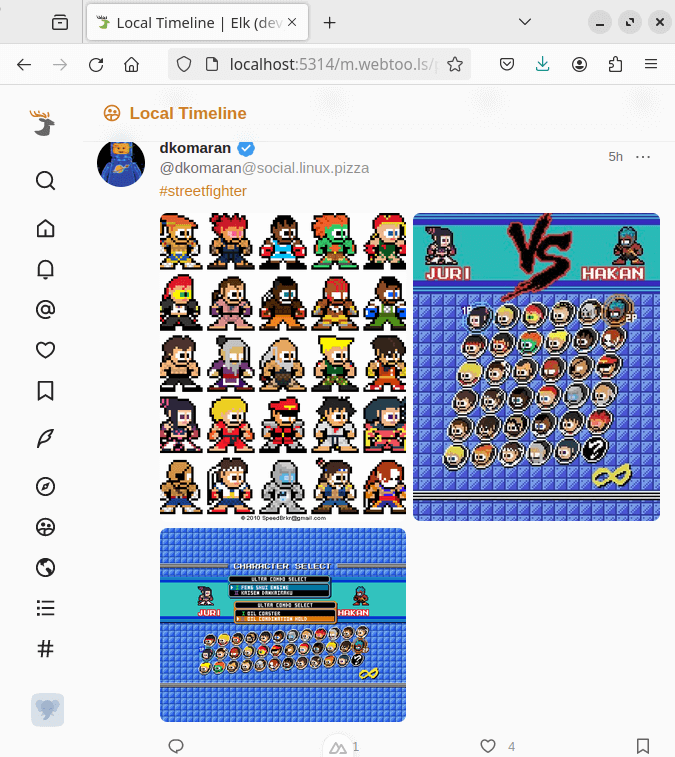
Elk is an alternative way to access your Mastodon account from your browser. This client is currently in an alpha stage of development.
Mastodon is a decentralized microblogging platform. Mastodon uses the ActivityPub protocol to share posts and actions between users within or across different instance servers.
This is free and open source software.
Key Features
- Notifications for the same post combine when they are sequential. No more seeing your same viral joke multiple times in the Notification feed for each like and boost. Now you can see it just one, with a list of who liked or boosted the post just above the post itself.
- You control whether you see boost, like, and follower accounts – all separately!
- See a preview of the profile when someone follows you.
Website: github.com/elk-zone/elk
Support:
Developer: Elk contributors
License: MIT License
Elk is written in TypeScript. Learn TypeScript with our recommended free books and free tutorials.
Related Software
| Web-BasedMastodon Clients | |
|---|---|
| Elk | Nimble Mastodon web client |
| Sengi | Multi-account Mastodon and Pleroma desktop client |
| Phanpy | Minimalistic opinionated Mastodon web client |
| tooty | Fully static web application running in recent browsers |
| Lmst | Lightweight Mastodon web client with a clear, classic user interface |
| Pinafore | Alternative web client for Mastodon, focused on speed and simplicity |
Read our verdict in the software roundup.
 LinuxLinks helps you discover the best free and open source software for Linux. Explore our extensive collection of recommended applications, including alternatives to popular proprietary software. We also publish software reviews, Linux tutorials, hardware reviews, free programming books and articles covering the wider open source community. Browse our Linux resources to discover more. Know a useful free and open source Linux application we haven't covered? Suggest a program for inclusion. Has your software been featured on LinuxLinks? Display one of our Featured on LinuxLinks badges on your website or GitHub README. |
Please read our Comment Policy before commenting.