

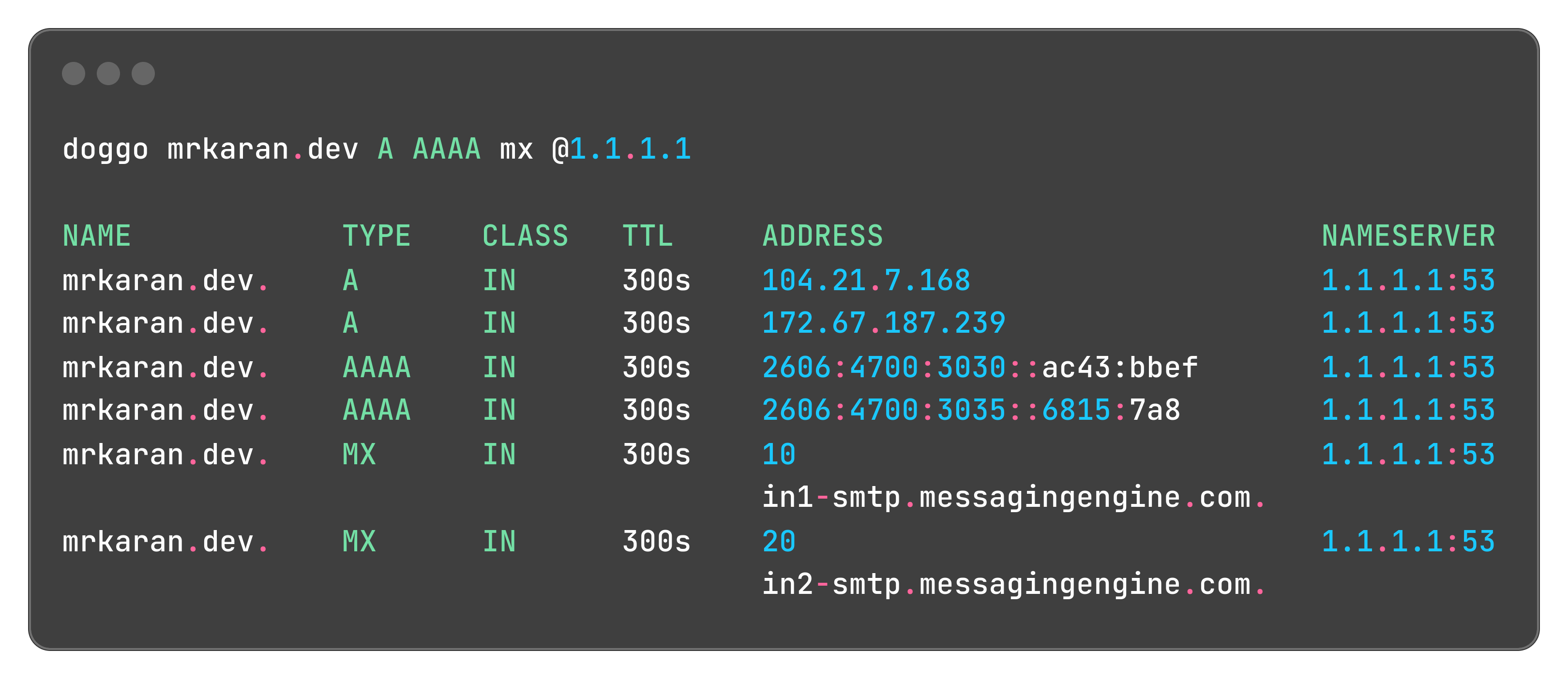
doggo is a command-line DNS client for humans inspired by the Rust-based dog utility. It supports traditional DNS queries over UDP and TCP protocols. This is the default mode of operation and is compatible with standard DNS servers.
doggo outputs information in a neat concise manner and supports protocols like DoH, DoT, DoQ, and DNSCrypt as well.
This is free and open source software.
Key Features
- Provides flexible output formats to suit different use cases, from human-readable colored output to machine-parsable JSON. By default, Doggo uses a colored, tabular format for easy readability. For scripting and programmatic use, Doggo supports JSON output. It can also provide short output.
- Multiple transport protocols:
- DNS over HTTPS (DoH) which encrypts DNS queries and responses, enhancing privacy and security by preventing eavesdropping and manipulation of DNS traffic. .
- DNS over TLS (DoT) which provides encryption for DNS queries, enhancing privacy and security by protecting DNS traffic from interception and tampering.
- DNS over QUIC (DoQ) – rotocol that enhances security through data encryption and improves internet performance by utilizing QUIC. QUIC, or Quick UDP Internet Connections.
- DNS over TCP.
- DNS over UDP.
- DNSCrypt – a protocol that authenticates communications between a DNS client and a DNS resolver. It prevents DNS spoofing and provides confidentiality for DNS queries..
- Support for ndots and search configurations from resolv.conf or command-line arguments.
- Multiple resolver support with customizable query strategies. This allows you to compare responses or use different resolvers for different purposes.
- IPv4 and IPv6 support allowing you to perform DNS queries over either protocol. To query for IPv6 addresses, you need to explicitly request AAAA records.
- Shell completions for zsh and fish enhancing your command-line experience with auto-completion for commands and options.
- Reverse DNS lookups allowing you to find the domain name associated with a given IP address. This feature is useful for network diagnostics, security analysis, and understanding the ownership of IP addresses..
- Flexible query options including various DNS flags (AA, AD, CD, DO, etc.).
- Debug mode for troubleshooting.
- Response time measurement.
- Cross-platform support – runs under Linux, FreeBSD, NetBSD, macOS, and Windows.
Website: github.com/mr-karan/doggo
Support:
Developer: Andrey Meshkov
License: MIT License
doggo is written in Go. Learn Go with our recommended free books and free tutorials.
Related Software
| Alternatives to dig | |
|---|---|
| dog | DNS client with colorful output, DNS-over-TLS and DNS-over-HTTPS support |
| doggo | Command-line DNS client for humans |
| drill | Perform DNS lookups and display answers returned from the name server(s) |
| dnslookup | Supports plain DNS, DoH, DoT, DoQ, and DNSCrypt |
| dug | Global DNS propagation checker |
| q | Support for UDP, TCP, DoT, DoH, DoQ and ODoH |
| DNS Clients | |
|---|---|
| dog | Colourful output, understands normal command-line argument syntax |
| doggo | Command-line DNS client for humans |
| q | Tiny command line DNS client supporting UDP, TCP, DoT, DoH, DoQ and ODoH |
| ddclient | Update dynamic DNS entries |
| GoDNS | Dynamic DNS (DDNS) client tool |
| dig | DNS lookup utility |
| awl | DNS lookup tool |
| ZDNS | High-speed DNS resolver and command line utility |
| dnslookup | Make DNS lookups |
| dug | Global DNS propagation checker |
| drill | Perform DNS lookups |
| dness | Dynamic DNS client |
| In-a-Dyn | Small and simple Dynamic DNS, DDNS, client |
| dnsupdate | Modern and flexible dynamic DNS client |
| wig | Simple and lightweight DNS client |
| dyndnsc | Dynamic DNS update client |
Read our verdict in the software roundup.
 Explore our comprehensive directory of recommended free and open source software. Our carefully curated collection spans every major software category. Explore our comprehensive directory of recommended free and open source software. Our carefully curated collection spans every major software category.This directory is part of our ongoing series of informative articles for Linux enthusiasts. It features hundreds of detailed reviews, along with open source alternatives to proprietary solutions from major corporations such as Google, Microsoft, Apple, Adobe, IBM, Cisco, Oracle, and Autodesk. You’ll also find interesting projects to try, hardware coverage, free programming books and tutorials, and much more. Discovered a useful open source Linux program that we haven’t covered yet? Let us know by completing this form. |