

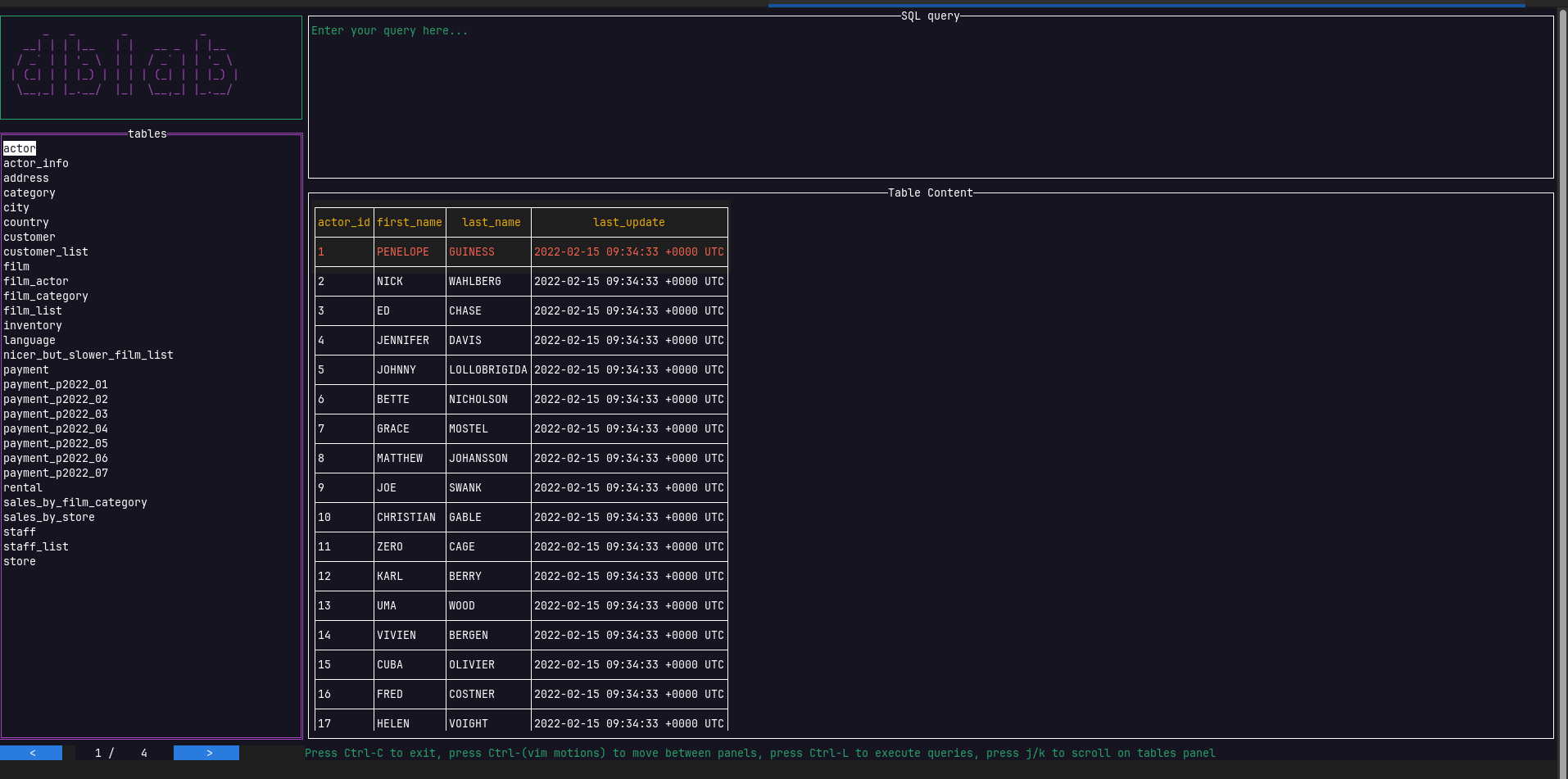
dblab is a terminal-based database client for PostgreSQL, MySQL, SQLite, Oracle and SQL Server. It provides an interactive environment for browsing databases, examining their contents and executing SQL statements without switching to a graphical desktop application.
The interface combines a database object browser, query editor and results viewer. Users can navigate between these areas with the keyboard, inspect tables and work with local or remote database servers. The application is particularly useful for developers and administrators who spend much of their time in a terminal.
Rather than treating every operation as a separate command, dblab provides a persistent workspace for investigating data, writing queries and examining their results. Its configurable interface accommodates keyboard-driven workflows while retaining the conveniences normally associated with a graphical SQL client.
This is free and open source software.
Key Features
- Browse database objects, schemas and tables through an interactive sidebar tree.
- Vim-style SQL editor with normal and insert modes, cursor motions, visual selections, undo and redo, and in-buffer searching.
- Execute multiple SQL statements concurrently, with their results displayed in separate tabs.
- Execute an individual statement at the current cursor position without running other statements in the editor.
- Inspect large text values and formatted JSON documents in dedicated scrollable panels.
- Persist query history between sessions and search previous statements for reuse.
- Save connection profiles and protect stored credentials using the operating system’s keyring.
- Connect to remote database servers through SSH tunnels, with support for password and key-based authentication.
- Read-only connection mode to help prevent accidental modifications to databases.
- Switch between available database schemas without restarting a session, where supported.
- Expand the query editor or results panel to fill the terminal for easier inspection.
- Customisable keyboard bindings for the editor, database browser and results panels.
- Multiple interface themes, including Catppuccin, Tokyo Night, Gruvbox, Nord and Dracula.
- Built-in keyboard shortcut reference accessible from the interface.
- Cross-platform support – runs on Linux, macOS, and Windows.
Website: github.com/danvergara/dblab
Support:
Developer: Daniel Omar Vergara Pérez
License: MIT License
dblab is written in Go. Learn Go with our recommended free books and free tutorials.
Related Software
| MySQL Tools | |
|---|---|
| DBeaver | Universal database tool |
| phpMyAdmin | MySQL web administration tool |
| MySQL Workbench | Complete visual database design tool |
| mycli | Command line interface for MySQL, MariaDB, and Percona |
| gh-ost | GitHub's Online Schema Migrations for MySQL |
| Beekeeper Studio | Cross-platform SQL editor and database manager |
| usql | Command-line database client |
| sqlit | lazygit of SQL databases |
| MySQLTuner | Analyse MySQL performance and suggest configuration changes |
| Harlequin | Easy, fast, and beautiful database client for the terminal |
| DbGate | Database manager for MySQL, PostgreSQL, MongoDB |
| Percona Toolkit | Essential command-line utilities for MySQL |
| SQuirreL SQL Client | Graphical SQL client written in Java |
| Adminer | Full-featured tool for managing content in MySQL database |
| dblab | Interactive client for PostgreSQL, MySQL, SQLite3, and more |
| MyDumper | Parallel utilities for fast MySQL database backups and restores |
| Antares | SQL client based on Electron.js and Vue.js |
| XtraBackup | Backup utility for MySQL |
| innotop | Real-time, advanced investigation tool |
| Skeema | Manage MySQL and MariaDB schema changes |
| vi-sql | Terminal SQL client for browsing, querying and editing databases |
| MySQL Shell | Advanced MySQL console for scripting and database administration |
| Sequeler | Native Linux SQL client built in Vala and Gtk |
Read our verdict in the software roundup.
 LinuxLinks helps you discover the best free and open source software for Linux. Explore our extensive collection of recommended applications, including alternatives to popular proprietary software. We also publish software reviews, Linux tutorials, hardware reviews, free programming books and articles covering the wider open source community. Browse our Linux resources to discover more. Know a useful free and open source Linux application we haven't covered? Suggest a program for inclusion. Has your software been featured on LinuxLinks? Display one of our Featured on LinuxLinks badges on your website or GitHub README. |
Please read our Comment Policy before commenting.