

CHIRP is a tool for programming your radio. It supports a large number of manufacturers and models, as well as provides a way to interface with multiple data sources and formats.
This is free and open source software. It’s cross-platform running under Linux, macOS, and Windows.
Step 1: Download contents from the radio
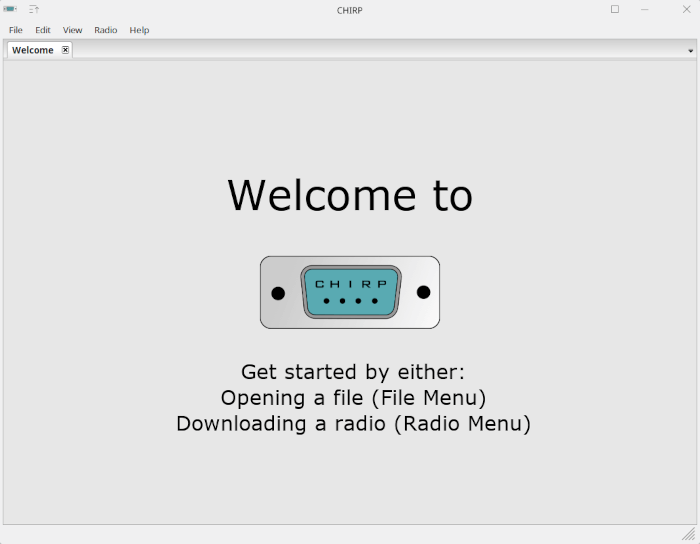
- Start CHIRP and Click the Radio menu and choose Download From Radio.
- The Clone window opens.
- Select the serial port you intend to use from the drop down menu.
- Select the correct Vendor and (if necessary) the appropriate Model.
- Click OK to start the download process. Clone-mode radios will display a progress bar indicating how much of the image has been downloaded. Live-mode radios will immediately jump to the memory editor and begin to populate it with memories as they are downloaded from the radio.
Note for Yaesu radios: There are series of steps that must be followed in order for most Yaesu radios to be properly cloned. The above process is still accurate, but keep in mind the following:
The radio should already be in clone mode before clicking the OK button to initiate the download (step 5 above).
After clicking the OK button (step 5 above), you should press the button on your radio that initiates the clone transmission. This is usually indicated on the screen by Clone TX or similar.
Step 2: Make changes
Once you have the radio contents displayed in the memory editor, you can proceed to make your changes. This may include manual edits or importing memories from other sources. If you are using a clone-mode radio, you may wish to save a .img file of your radio as and after you make your changes. Live mode radio users will have their changes immediately take effect in the radio and do not need to proceed to Step 3.
Step 3: Upload changes back to the radio
(For clone-mode radios only!)
Once you have made all the edits you need to make, you should upload your image back to the radio. With your image open, go to the Radio menu and choose Upload To Radio. The Vendor and Model are already known, so all you need to do is choose a serial port.
Note for Yaesu radios: Like the download procedure, the upload procedure must follow a particular sequence. Make sure that your radio is already in clone mode and it is already waiting for an incoming clone transmission. This is usually indicated on the screen by Clone Wait or Clone RX.
Website: chirpmyradio.com/projects/chirp/wiki/Home
Support:
Developer: CHIRP
License: GNU General Public License v3.0
CHIRP is written in Python. Learn Python with our recommended free books and free tutorials.
Related Software
| Ham Radio | |
|---|---|
| WSJT-X | Basic amateur radio communication using very weak signals |
| Tucnak | Ham radio VHF/HF contest logbook |
| QLog | Amateur radio logbook |
| Dire Wolf | AX.25 packet modem/TNC and APRS encoder/decoder |
| Qtel | Qt EchoLink client |
| wfview | Controls icom ham radios |
| Flrig | Transceiver control program |
| Fldigi | Modem program for most of the digital modes |
| TrustedQSL | Tools for digitally signing Amateur Radio QSO records |
| klog | General purpose ham radio DX logging support |
| CQRLOG | Advanced ham radio logger |
| Xastir | X11 graphical APRS client |
| ADIF Multitool | Validate, modify and convert ham radio log files |
| AetherSDR | Linux-native client for FlexRadio Systems transceivers |
| Xlog | Logging program for amateur radio operators |
| PyQSO | Contact logging tool for amateur radio operators |
| Not1MM | Ham radio contest logger |
| JS8Call | Software using the JS8 digital mode |
| FreeDV | Desktop application for amateur radio operators |
| CHIRP | GUI tool for programming ham radios |
Read our verdict in the software roundup.
 Explore our comprehensive directory of recommended free and open source software. Our carefully curated collection spans every major software category. Explore our comprehensive directory of recommended free and open source software. Our carefully curated collection spans every major software category.This directory is part of our ongoing series of informative articles for Linux enthusiasts. It features hundreds of detailed reviews, along with open source alternatives to proprietary solutions from major corporations such as Google, Microsoft, Apple, Adobe, IBM, Cisco, Oracle, and Autodesk. You’ll also find interesting projects to try, hardware coverage, free programming books and tutorials, and much more. Discovered a useful open source Linux program that we haven’t covered yet? Let us know by completing this form. |
Please read our Comment Policy before commenting.