
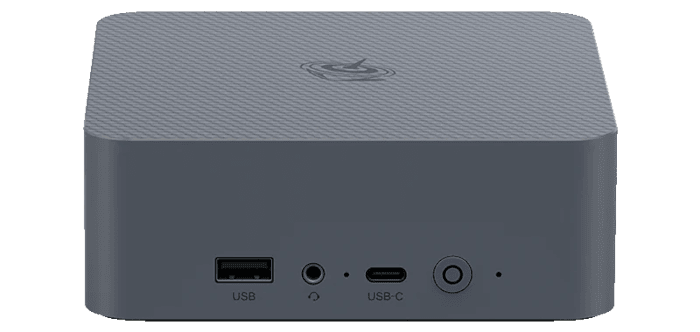
This is a series looking at the Beelink EQi Core 3 304 mini PC running Linux. In this series, I’ll put the Beelink mini PC through its paces from a Linux perspective, comparing it with other systems to see how it performs in real-world Linux use.
The Beelink EQi Core 3 304 is a recent addition to Beelink’s EQ range of compact PCs. It’s built around Intel’s Wildcat Lake Core 3 304 processor, a 5-core, 5-thread chip comprising one performance core and four low-power efficiency cores. The processor integrates Xe3-LPG graphics and currently has a CPU Mark of 11,720. The review unit comes with 16GB of LPDDR5 6400MT/s memory and 512GB of UFS 3.1 storage, giving the system a capable har
Manufacturer-supplied noise measurements are only meaningful when the methodology is disclosed. A quoted dBA value can vary substantially depending on the microphone position, distance from the system, ambient temperature, background noise floor, room characteristics, selected power profile and the workload running during the test.
The number itself also provides an incomplete picture. Two machines can register a similar sound-pressure level yet differ markedly in how pleasant they are to use. A low, consistent airflow noise often disappears into the background, whereas tonal fan whine, bearing noise or frequent shifts in fan speed can become distracting even at a lower measured level.
User reviews offer little more certainty. It is common to find one owner describing a mini PC as virtually silent while another considers the same model unacceptably noisy. Neither assessment is necessarily wrong. The surrounding environment, seating distance, workload and personal sensitivity to particular frequencies all shape the experience.
For that reason, I rely primarily on prolonged real-world use rather than a single reading or brief listening test. The important questions are whether the machine remains unobtrusive at idle, how smoothly the fan responds to everyday bursts of activity, whether it repeatedly accelerates and slows, and how noticeable the cooling system becomes during sustained demanding workloads.
Machine at idle or little load
The machine is very quiet when idle or under minimal load, but the fan is audible from 1 metre in a quiet room.
In an office environment. the low idle noise level is less significant, as it will usually be masked by ambient sound.
Just as important is the consistency of the noise profile. Frequent changes in fan speed can be far more distracting than a fan running continuously at a steady RPM. The EQi 304 avoids this irritating behaviour at idle, with no constant ramping up and down as CPU temperature changes by a few degrees.
Although I have tested much more powerful machines that are quieter at idle and under light workloads, including the Minisforum M2, the EQi has one important advantage in its favour. That’s its BIOS which allows ultimate control.
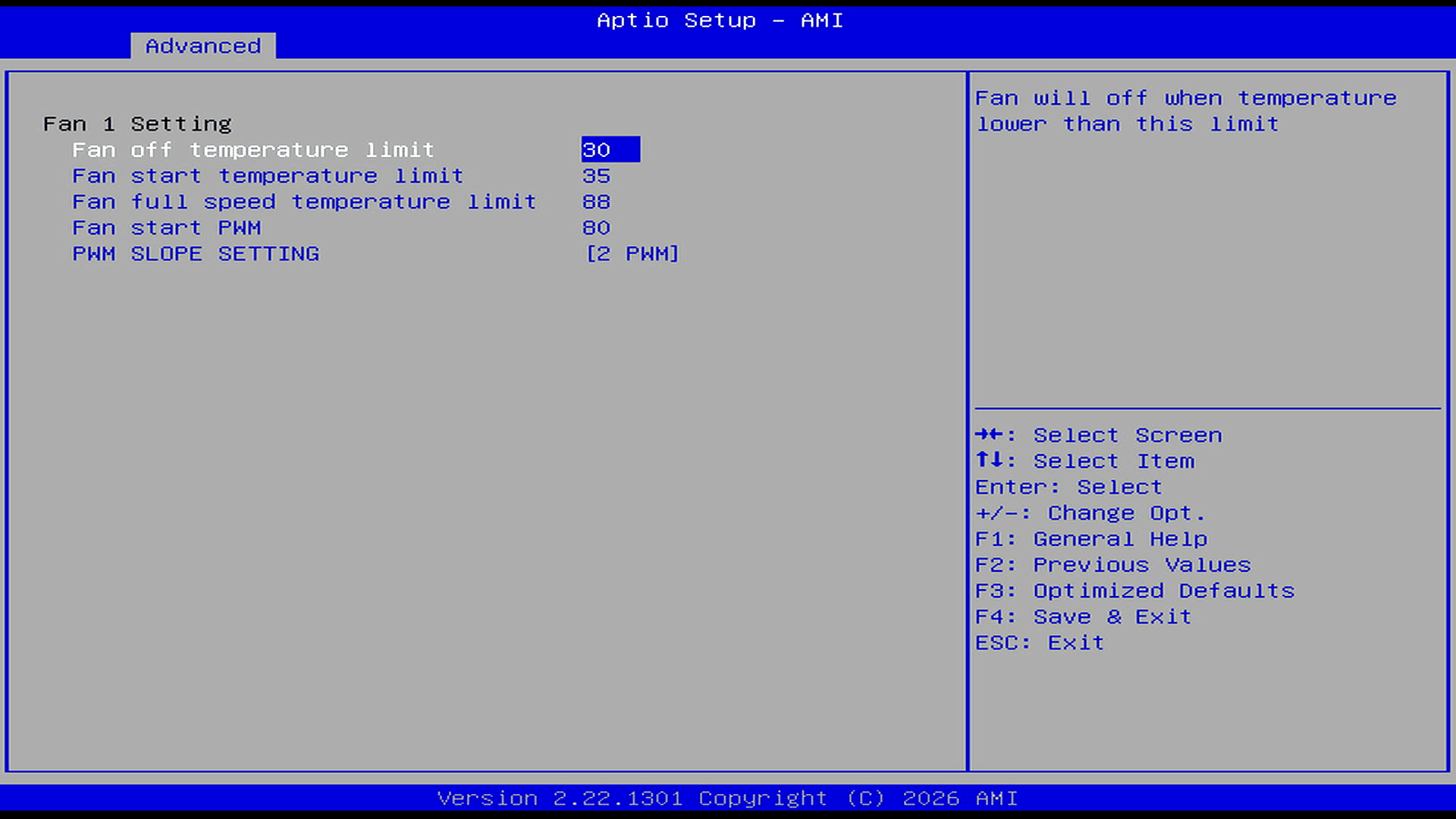
The Smart Fan Control section exposes unusually detailed cooling controls. By default, the fan stops below 30°C, starts at 35°C and reaches full speed at 88°C, with adjustable starting PWM and ramp rate. These settings provide considerable flexibility for further tuning.
With the slope set to 2 PWM, the controller generally adds about two PWM steps for each 1°C increase. Given the starting value of 80 PWM, the fan rises progressively from that level until the 88°C full-speed threshold takes precedence. A larger slope produces a faster, more aggressive fan-speed increase; a smaller slope gives a gentler, quieter curve.
In my experience, this degree of fan-control flexibility is extremely rare on mini PCs.
Under regular use
The EQi 304 remains unobtrusive during everyday desktop use. Its fan control is well judged, avoiding sudden changes in speed whenever the processor encounters a brief burst of activity.
The cooling system does not continually react to minor temperature fluctuations. Instead, fan speed changes are gradual and generally occur only when the thermal load is sustained. This gives the machine a stable acoustic character and prevents the repetitive ramping that can make some mini PCs distracting during otherwise light workloads.
Under a prolonged heavy load, the fans become more noticeable as the Core 3 304 is pushed towards its limits. From a distance of one metre, the cooling system is clearly audible, although the noise remains controlled and proportionate to the modest amount of heat being dissipated.
I am particularly sensitive to high-pitched fan tones and frequent changes in RPM. The EQi 304 performs well in both respects. The fans can be heard during sustained workloads, but the sound is smooth and lacks an especially sharp or irritating quality.
Summary
The Beelink EQi 304 is not a fanless mini PC, but its cooling system is very well tuned. At idle and under light workloads, the fan is audible from one metre, although the sound is limited to a soft, steady rush of air rather than an intrusive whine. Fan behaviour also remains smooth as the processor moves between different load states, without the repeated surging that can make some compact systems distracting.
Under sustained heavy workloads, the cooling system becomes more noticeable, but the overall noise level remains well controlled.
The EQi 304’s main advantage is the unusually extensive fan control available in the BIOS. The current heatwave makes this a poor time to experiment with more aggressive settings, but I plan to revisit the controls once ambient temperatures are more suitable.
Complete list of articles in this series:
| Beelink EQi 304 Mini PC | |
|---|---|
| Introduction | Introduction to the series and interrogation of the machine |
| Benchmarks | Benchmarking the Beelink EQi 304 Mini PC |
| Power | Testing and comparing the power consumption |
| BIOS | The BIOS, which stands for Basic Input/Output System, plays a crucial role |
| Cores | P-core and LP Efficient-cores examined |
| Noise | How quiet is this mini PC? |
| NPU and Llama | Testing the NPU with Llama models |
| Scheduling | Can Linux use its one fast CPU core efficiently? |
Please read our Comment Policy before commenting.