

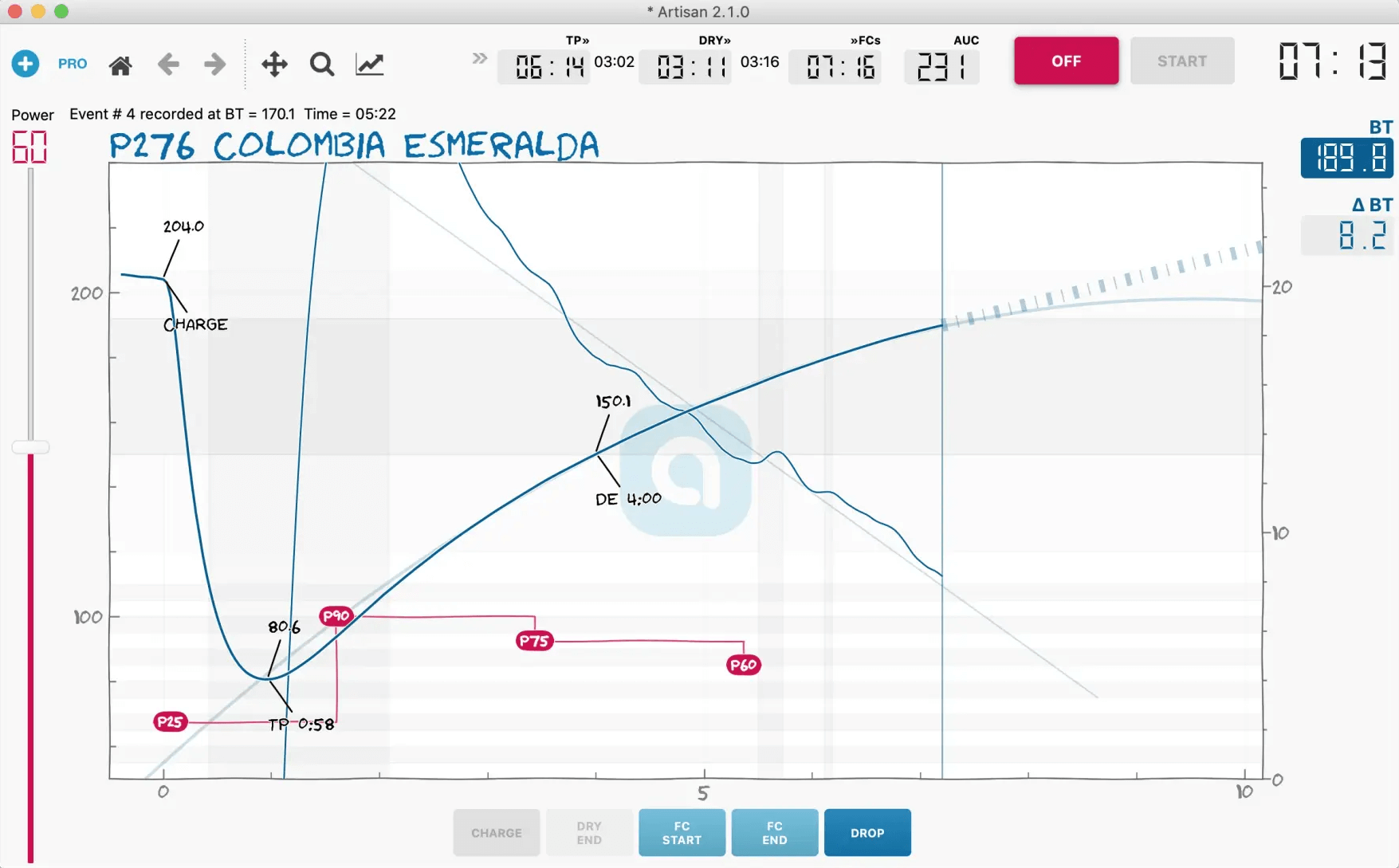
Artisan is a specialist application for recording, analysing and controlling coffee roasting sessions. It provides a graphical environment for examining temperature measurements and other roasting variables, helping users understand how their equipment and roasting decisions affect the finished coffee.
The software can operate alongside temperature probes, data loggers, roasting machines and PID controllers. It is used by home roasting enthusiasts and commercial roasters who need repeatable processes and detailed production records.
Artisan goes well beyond displaying temperature curves. Its analysis, reporting and automation tools allow roasters to compare batches, investigate changes in roast development and reproduce successful profiles. It also supports a wide range of manufacturer-specific devices and communication protocols.
This is free and open source software.
Key Features
- Record roasting temperatures and other measurements as interactive curves.
- Supports an unlimited number of curves within roasting profiles.
- Calculate rate of rise, area under the curve and development time ratio.
- Display projection lines and configurable real-time roasting metrics.
- Choose between production, standard and expert interface modes.
- Connect to a wide range of roasting machines, thermocouple devices and controllers.
- Supports MODBUS, MQTT and other device communication methods.
- Provides configurable software PID control, including advanced two-degree-of-freedom control.
- Use programmable alarms to trigger events during roasting.
- Automate repeatable roasting operations through event replay and control actions.
- Analyse roast profiles using dedicated evaluation and comparison tools.
- Use the Roast Designer and Roast Simulator for investigating proposed roasting curves.
- Generate roasting, production and ranking reports.
- Record batch information and maintain production statistics.
- Design roasting profiles and adjust roasting schedules.
- Use a cupping editor, spider charts and wheel graphs for evaluating coffee characteristics.
- Import and export profile data from supported roasting applications and devices.
- Configure interface controls using programmable buttons and sliders.
- Cross-platform support – runs on Linux, macOS, and Windows.
Website: github.com/artisan-roaster-scope/artisan
Support:
Developer: Marko Luther
License: GNU Affero General Public License v3.0
Artisan is written in Python. Learn Python with our recommended free books and free tutorials.
Related Software
| Food and Drink Software | |
|---|---|
| Grocy | ERP beyond your fridge |
| wger | Fitness and nutrition manager |
| Brewtarget | Create and manage beer recipes |
| Recipes | Recipe management application for the GNOME desktop |
| Artisan | Monitor, analyse and control coffee roasting profiles |
| Gourmand | Fork of the Gourmet Recipe Manager |
| CookCLI | Suite of tools to create shopping lists and maintain recipes |
| NUT | Dietary nutrition analysis |
| Table Habit | Establish and track your own micro habit |
| kleiner-brauhelfer | Manage beer recipes, brewing batches and fermentation data |
| AnyMeal | Cookbook database for storing recipes |
| Kookbook | Organise and search recipes stored in Markdown files |
| cooklang-chef | CLI to manage cooklang recipes with extensions |
| KTeaTime | Timer for steeping tea |
Read our verdict in the software roundup.
 LinuxLinks helps you discover the best free and open source software for Linux. Explore our extensive collection of recommended applications, including alternatives to popular proprietary software. We also publish software reviews, Linux tutorials, hardware reviews, free programming books and articles covering the wider open source community. Browse our Linux resources to discover more. Know a useful free and open source Linux application we haven't covered? Suggest a program for inclusion. Has your software been featured on LinuxLinks? Display one of our Featured on LinuxLinks badges on your website or GitHub README. |
Please read our Comment Policy before commenting.