

ClipIt is a lightweight clipboard manager for Linux desktops running X11. It maintains a history of copied text, making it possible to retrieve previously copied material after the clipboard contents have changed.
The application originated as a fork of Parcellite, with additional functionality and bug fixes. It retains the straightforward approach of its predecessor while providing more control over clipboard history and the way copied content is handled.
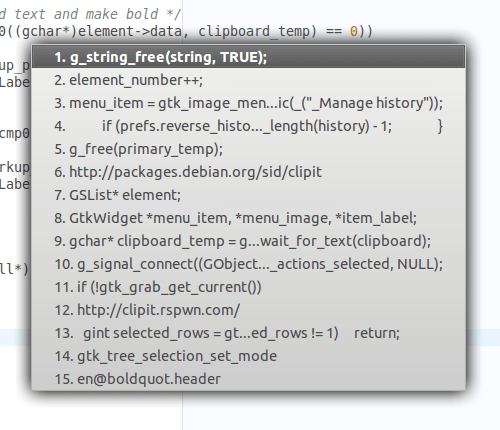
ClipIt runs in the background and provides access to its functions through a system tray icon and global keyboard shortcuts. Users can open the clipboard history, search for specific entries, manage stored items and execute actions against clipboard contents without switching to another application.
The software also supports static clipboard entries. These are particularly useful for material that is reused frequently, such as email addresses, commands, standard responses or configuration values. Unlike ordinary history entries, static items can be retained for repeated use.
ClipIt works with the conventional clipboard and the X11 primary selection. It can operate as a background daemon, preserving clipboard contents after the originating application has closed.
This is free and open source software.
Key Features
- Maintains a history of recently copied clipboard items.
- Provides searchable clipboard history.
- Offers global keyboard shortcuts for accessing frequently used functions.
- Supports automatic pasting of selected history entries.
- Allows custom commands to be executed using clipboard contents.
- Supports regular expression matching for clipboard actions.
- Provides facilities for excluding selected content from clipboard history.
- Allows clipboard entries to be marked as static items.
- Provides a graphical interface for managing and editing saved entries.
- Supports the conventional clipboard and X11 primary selection.
- Offers a background daemon mode for preserving clipboard contents.
- Includes command-line functionality for copying standard input to the clipboard.
- Provides an offline mode that temporarily suspends clipboard monitoring.
- Offers configurable shortcuts for the history, actions, menu and search interfaces.
Website: github.com/CristianHenzel/ClipIt
Support:
Developer: Cristian Henzel
License: GNU General Public License v3.0
ClipIt is written in C. Learn C with our recommended free books and free tutorials.
Related Software
| GUI Clipboard Managers | |
|---|---|
| CopyQ | Awesome clipboard manager with advanced features, written in C++ and Qt |
| GPaste | Clipboard management system |
| ClipIt | A fork of Parcellite which adds many bugfixes and features |
| Parcellite | Lightweight GTK+ Clipboard Manager |
| Diodon | Lightweight clipboard manager written in Vala |
| Klipper | Clipboard manager for the KDE interface |
| Keepboard | Cross-platform clipboard manager, written in Java |
| Clipman | Clipboard manager for Xfce |
| TFCBM | Keeps a searchable history of everything you copy |
| Waypin | Sleek clipboard viewer |
| SuperClipboard | Manage your clipboard history with a clean UI |
| Panox | Viisually appealing clipboard manager designed specifically for Wayland |
| Ortu | Local-first clipboard manager built with Tauri, Rust, and SvelteKit |
| nwg-clipman | GUI for cliphist |
| Glipper | Clipboard utility for the GNOME panel |
Read our verdict in the software roundup.
 LinuxLinks helps you discover the best free and open source software for Linux. Explore our extensive collection of recommended applications, including alternatives to popular proprietary software. We also publish software reviews, Linux tutorials, hardware reviews, free programming books and articles covering the wider open source community. Browse our Linux resources to discover more. Know a useful free and open source Linux application we haven't covered? Suggest a program for inclusion. Has your software been featured on LinuxLinks? Display one of our Featured on LinuxLinks badges on your website or GitHub README. |
Please read our Comment Policy before commenting.