

The USBGuard software framework helps to protect your computer against rogue USB devices (a.k.a. BadUSB) by implementing basic whitelisting and blacklisting capabilities based on device attributes.
The USBGuard daemon decides which USB device to authorize based on a policy defined by a set of rules. When an USB device is inserted into the system, the daemon scans the existing rules sequentially and when a matching rule is found, it either authorizes (allows), deauthorizes (blocks) or removes (rejects) the device, based on the rule target. If no matching rule is found, the decision is based on an implicit default target. This implicit default is to block the device until a decision is made by the user.
Currently, USBGuard works only on Linux. To enforce the user-defined policy, it uses the USB device authorization feature implemented in the Linux kernel since 2007.
This is free and open source software.
Features include:
- Rule language for writting USB device authorization policies.
- Daemon component with an IPC interface for dynamic interaction and policy enforcement.
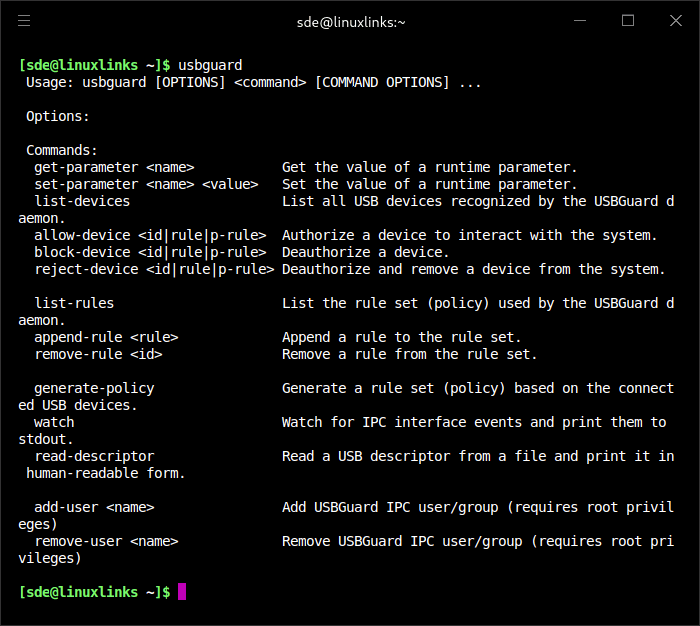
- Command line and GUI interface to interact with a running USBGuard instance.
- C++ API for interacting with the daemon component implemented in a shared library.
Website: usbguard.github.io
Support: GitHub Code Repository
Developer: Red Hat, Inc.
License: GNU General Public License v2.0
USBGuard is written in C++. Learn C++ with our recommended free books and free tutorials.
| Explore Linux | |
|---|---|
 | Best Free and Open Source Software - A huge collection of recommended free and open source software covering every major category. |
 | In-depth Linux Software Reviews - Detailed assessments of Linux software covering features, usability and overall quality. |
 | The Big List of Active Linux Distros - An extensive collection of actively developed Linux distributions. |
 | Open Source Alternatives - Alternatives to software and services from Google, Microsoft, Apple, Adobe, IBM, Autodesk, Oracle and others. |
 | Essential Linux System Tools - Indispensable utilities for monitoring, maintaining and managing Linux systems. |
 | Linux Productivity Tools - Useful utilities for improving productivity and streamlining everyday tasks. |
 | Alternatives to Popular CLI Tools - Modern alternatives to familiar command-line utilities supplied with Linux systems. |
 | Awesome Free Linux Game Tools - Tools, utilities and companion software that improve gaming on Linux. |
 | Machine Learning on Linux - Machine learning and deep learning software, self-hosted applications and practical tools. |
 | Saving Money with Linux - Practical ways to reduce electricity consumption and lower computing costs with Linux. |
 | Linux Candy - Fun, entertaining and sometimes delightfully quirky software from the lighter side of Linux. |
Please read our Comment Policy before commenting.