
For this week, I’m going to look at a few retro games, all nestling in Raspbian’s repositories. Free and open source gaming.
Read more
For this week, I’m going to look at a few retro games, all nestling in Raspbian’s repositories. Free and open source gaming.
Read more
For this week’s blog, I turn to a desktop activity that I use fairly frequently. It’s screen capturing – sharing something on my computer screen with a colleague or friend. How does the Raspberry Pi 4 fare?
Read more
Home computers were a class of microcomputers that entered the market in 1977 and became common during the 1980s. Emulate home computers on the Raspberry Pi 4.
Read more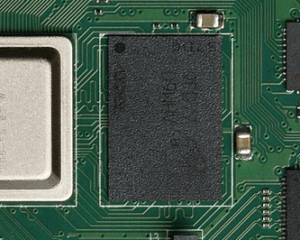
The Raspberry Pi 4 has 3 models with 1GB, 2GB, and 4GB of RAM. We explore memory usage of Chromium, Mathematica, and other applications.
Read more
This is a weekly blog about the Raspberry Pi 4 (“RPI4”), the latest product in the popular Raspberry Pi. This week, we examine screencasting on the RPI4.
Read more
The best open source comic book readers for Linux are YACReader, MComix, and QComicBook. Let’s see how they perform on the Raspberry Pi 4.
Read more
Kodi is free, open-source software for managing your local collection of movies, television shows, music, and photos. It’s the finest free home theatre software available.
Read more
This week, I’m looking at straightforward video playback from locally stored media. Does the RPI4 have sufficient grunt to be a capable video player?
Read more
In this week’s blog, Luke puts a wide range of PDF viewers under the microscope on the Raspberry Pi 4. How do they compare to the pre-installed solutions offered by Raspbian?
Read more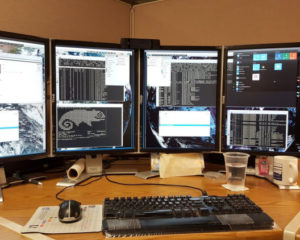
Remote Desktop Control displays the screen of another computer on a local screen. For this article, the local screen is a Windows machine, the host is the RPI4.
Read more
This week’s Raspberry Pi 4 blog focuses on excellent free and open source e-book software that runs on this single-board computer.
Read more
This week I’m summarizing my experiences of another fundamental desktop activity: running an office suite.
Read more
Last week’s blog looked at whether the RPI4 cuts the mustard as a desktop web browser. It does although with a few reservations. This week’s blog focuses on another absolutely essential desktop activity. Managing your email.
Read more
This week’s blog focuses on an absolutely essential desktop activity. Surfing the web. A web browser is the quintessential desktop application. Everyone needs one, and there is not a desktop Linux distribution around that does not make a web browser available.
Read more
This is a weekly blog about the Raspberry Pi 4 (“RPI4”), the latest product in the popular Raspberry Pi range of computers. This week we look at video streaming on the RPI4.
Read more
This is a weekly blog about the Raspberry Pi 4 (“RPI4”), the latest product in the popular Raspberry Pi range of computers. For this week, Luke surveys music players on the RPI4.
Read more
This is a weekly blog where I share my experiences of using the Raspberry Pi 4 as a desktop replacement using free and open source software.
Read more