

Stencil is a batch file and directory renamer designed for GNOME. It helps bring consistent names to downloads, photographs and music collections without requiring a script.
Its strength is the operation queue. You can strip unwanted text, change the capitalisation and add a padded counter in successive stages, with each operation working on the previous result.
This is free and open source software. It’s written in Rust with GTK4 and libadwaita, although GNOME is not a requirement. I evaluated it under KDE Plasma on CachyOS.
Installation
I installed Stencil from Flathub on CachyOS with:
$ flatpak install flathub me.fouquet.Stencil
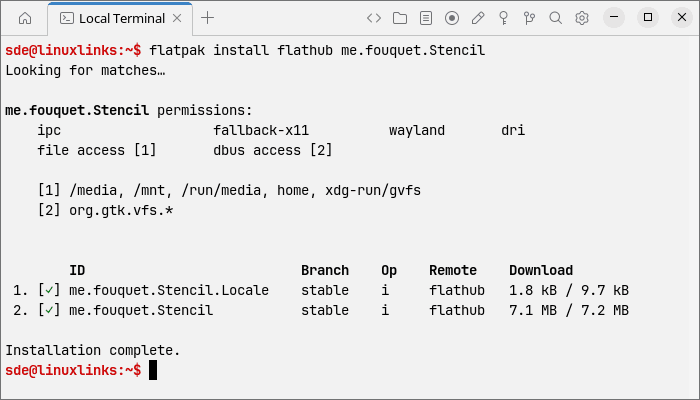
Installation completed without errors. Only the application and its small locale package needed downloading on this system.
In Operation
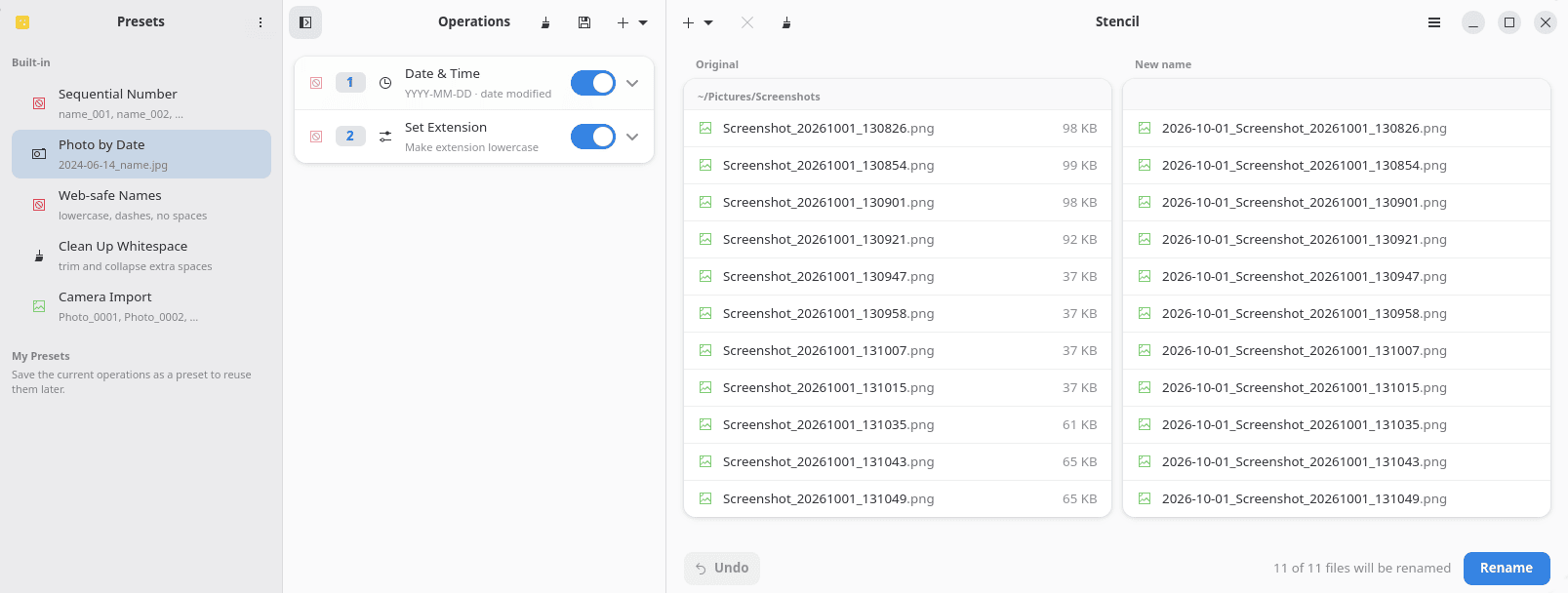
The interface places the operation queue beside a file list showing original and proposed names. A collapsible sidebar holds presets. The preview updates as you edit, while operations can be reordered or duplicated. This keeps a complicated rename understandable: you can adjust individual stages and immediately see their combined effect.
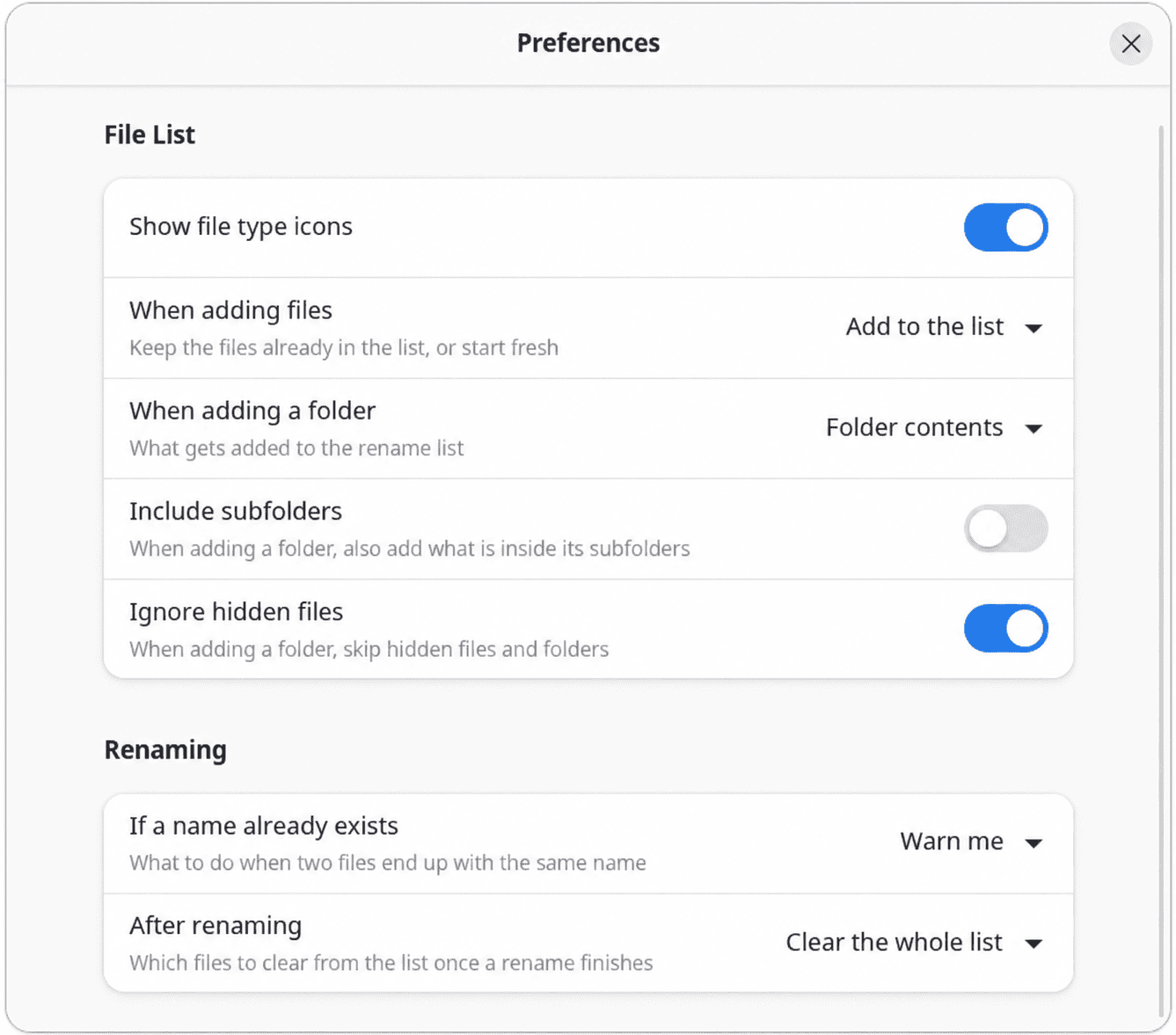
Files and folders can be added through the chooser or dragged into the window. Folder loading can include subdirectories, and preferences let you choose the folder itself, its contents or both. Hidden files are ignored by default.
The standard operations cover text insertion, literal and regular-expression replacement, case conversion, whitespace cleanup and extension changes. Numbering offers adjustable starting values, increments and padding. Dates can come from the clock or file timestamps, while the Folder Name operation can draw names from parent directories further up the tree.
Media metadata makes Stencil more versatile. Music files can use patterns such as {track} - {title}, while photographs can use {year}-{month}-{day} {camera}. The Video Tags operation can use recording dates, resolution, duration and codec information. Patterns can replace a name or supply a prefix or suffix, and token menus show example values. Incomplete tags can leave gaps, making the preview particularly useful here.
Stencil also checks for filename conflicts and, by default, blocks renaming until they are resolved. An alternative policy automatically appends numbers to avoid clashes. Undo reverses completed batches, while built-in presets provide starting points. Your own queues can be saved and exchanged as JSON files.
ps_mem reports memory usage of around 269 MB on my system.
Summary
Stencil is easy to recommend for everyday batch renaming. Combining metadata patterns with ordinary cleanup rules is particularly useful for media collections, and the interface keeps multi-stage jobs manageable. Presets and undo are welcome additions.
KRename offers a broader toolkit, including plugins and copying or moving files during renaming. GPRename handles straightforward cleanup, but Stencil’s operation queue and media support give it wider appeal. I would choose Stencil for a clear, flexible renaming workflow, and KRename when its extra file-handling features are needed.
Website: codeberg.org/fouquet/Stencil
Support:
Developer: René Fouquet
License: GNU General Public License v3.0
Stencil is written in Rust. Learn Rust with our recommended free books and free tutorials.
Related Software
| GUI Batch Renamers | |
|---|---|
| KRename | Powerful batch file renamer for the KDE desktop with plugin support |
| Bulky | Developed by Linux Mint but not tied to any Linux distro or desktop |
| GPRename | GTK batch renamer for files and directories |
| Szyszka | Fast and powerful file renamer |
| CoreRenamer | Simple lightweight batch file renamer application; part of the C Suite |
| Flut Renamer | Bulk file renamer written in flutte |
| Thunar | xfce’s file manager |
| OncePower | Tool based on Flutter |
| Métamorphose | wxPython based batch renamer for files and folders |
| PBRenamer | Batch file renaming utility built with Python and Qt 6 |
| Caja-Rename | Batch renaming extension for Caja |
| Inviska Rename | Qt-based batch file rename utility |
Read our verdict in the software roundup.
 Explore our carefully curated directory of recommended free and open source software, covering every major software category. Explore our carefully curated directory of recommended free and open source software, covering every major software category.The directory forms part of our extensive collection of articles for Linux enthusiasts. It includes hundreds of detailed reviews, together with free and open source alternatives to proprietary software from companies such as Google, Microsoft, Apple, Adobe, IBM, Cisco, Oracle, and Autodesk. LinuxLinks also covers interesting projects worth exploring, Linux-compatible hardware, free programming books and tutorials, and much more. Know a useful free and open source Linux application that we haven’t covered? Tell us about it using our submission form. |
Please read our Comment Policy before commenting.