

Totem (Videos) is currently the default GNOME video player. It’s regarded as a Core App. But it looks like Showtime may usurp Totem.
Showtime is billed as a media player that lets you watch videos without any distraction.
Showtime uses the GStreamer framework for video and audio playback. It also uses GTK4/libadwaita to deliver a modern and immersive user interface with a responsive design which also seamlessly adapts to different screen sizes, including mobile and tablet.
Installation
We evaluated Showtime using Manjaro, an Arch-based distro, as well as Ubuntu
With Manjaro, Pamac (Manjaro’s front-end installation tool) lets us install Showtime from the Arch User Repository (AUR).
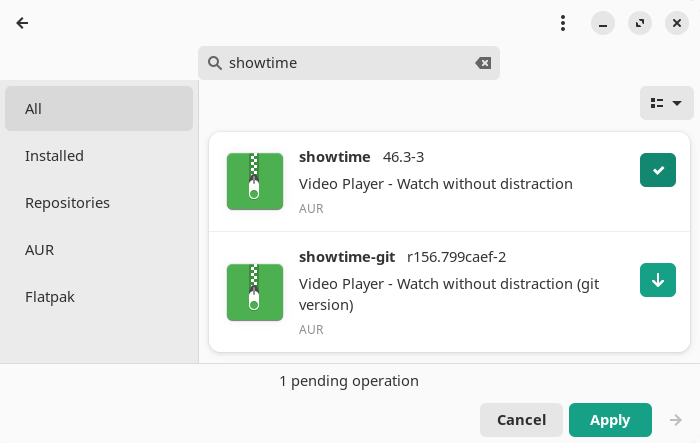
The package builds with no issues.
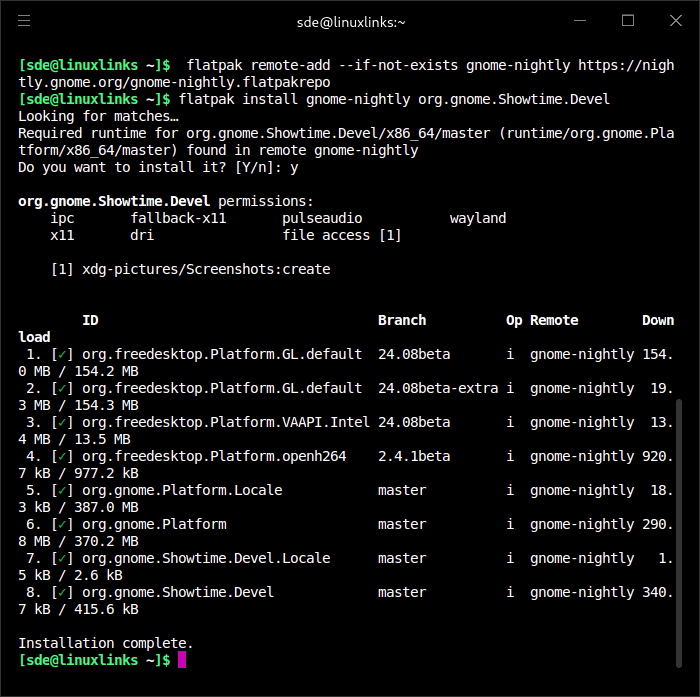
We also experimented with the nightly Flatpak.
$ flatpak remote-add --if-not-exists gnome-nightly https://nightly.gnome.org/gnome-nightly.flatpakrepo
$ flatpak install gnome-nightly org.gnome.Showtime.Devel
In Operation
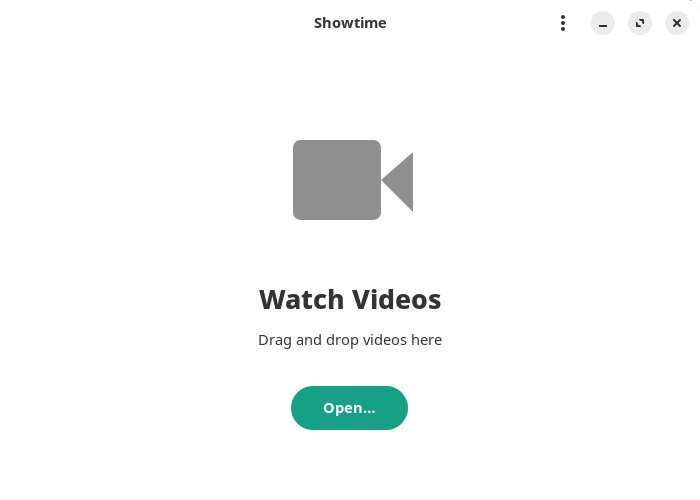
Here’s an image of what you’ll see when starting Showtime. It’s a model of simplicity. Even the hamburger icon only offers the ability to pick a file, and show the keyboard shortcuts.
Here’s a screengrab of a video playing.

When watching a video, you’ll see a borderless window. Both player and window controls are overlaid on the canvas when you move your mouse in the windows.you play a video the window is borderless, and both player and window controls are overlaid on the canvas. The software offers simple playback controls that fade away when you’re watching.
There’s the option to show a video full screen, and to change the playback speed (choose from 0.5x, 1.0x, 1.25x, 1.5x, and 2.0x). There’s also support for subtitle tracks and repeat playback.
Showtime conveniently remembers your position between sessions so you can close the program, reopen it, and pick up watching where you left off. We can also skip forward/backwards in 10 second increments.
Summary
Showtime is a simple media player but it works well. With 4K videos, we had to switch to the nightly Flatpak as the GNOME 46 runtime doesn’t yet include Gstreamer 1.24. With the nightly Flatpak, 4K decoding was very good courtesy of hardware decoding.
Functionality is rather basic; hopefully additional functionality will be added with more development.
Showtime is currently an Incubator project which means that it’s being considered for GNOME Core.
Website: apps.gnome.org/Showtime
Support: gitlab.gnome.org/GNOME/showtime
Developer: kramo
License: GNU General Public License v3.0
Showtime is written in Python. Learn Python with our recommended free books and free tutorials.
Related Software
| Media Players | |
|---|---|
| VLC | Cross-platform multimedia player and framework |
| mpv | Media player for the command line. libmpv is used by many front-ends |
| QMPlay2 | Qt based video and audio player |
| MPlayer | Movie player which runs on many systems |
| SMPlayer | Qt based MPlayer front-end |
| GridPlayer | Play multiple videos simultaneously |
| Parole | Modern simple media player based on the GStreamer framework |
| MPC-QT | Clone of Media Player Classic |
| clapper | GNOME media player built using GJS with GTK4 toolkit |
| Totem | Movie player for the GNOME desktop based on GStreamer |
| Dragon Player | Multimedia player with a focus on simplicity rather than features |
| xine | Video player for playing CDs, DVDs, BluRays and VCDs. |
| Showtime | GNOME media player |
| Glide | Simple and minimalistic media player |
| Phantom Player | Simple video player |
| Daikhan | Media player for the modern desktop |
| QtAV | Cross-platform multimedia framework based on Qt and FFmpeg |
| Rage | Simple video and audio player |
| Kaffeine | Simple, easy to use, full featured media player |
Read our verdict in the software roundup.
 Explore our comprehensive directory of recommended free and open source software. Our carefully curated collection spans every major software category. Explore our comprehensive directory of recommended free and open source software. Our carefully curated collection spans every major software category.This directory is part of our ongoing series of informative articles for Linux enthusiasts. It features hundreds of detailed reviews, along with open source alternatives to proprietary solutions from major corporations such as Google, Microsoft, Apple, Adobe, IBM, Cisco, Oracle, and Autodesk. You’ll also find interesting projects to try, hardware coverage, free programming books and tutorials, and much more. Discovered a useful open source Linux program that we haven’t covered yet? Let us know by completing this form. |