

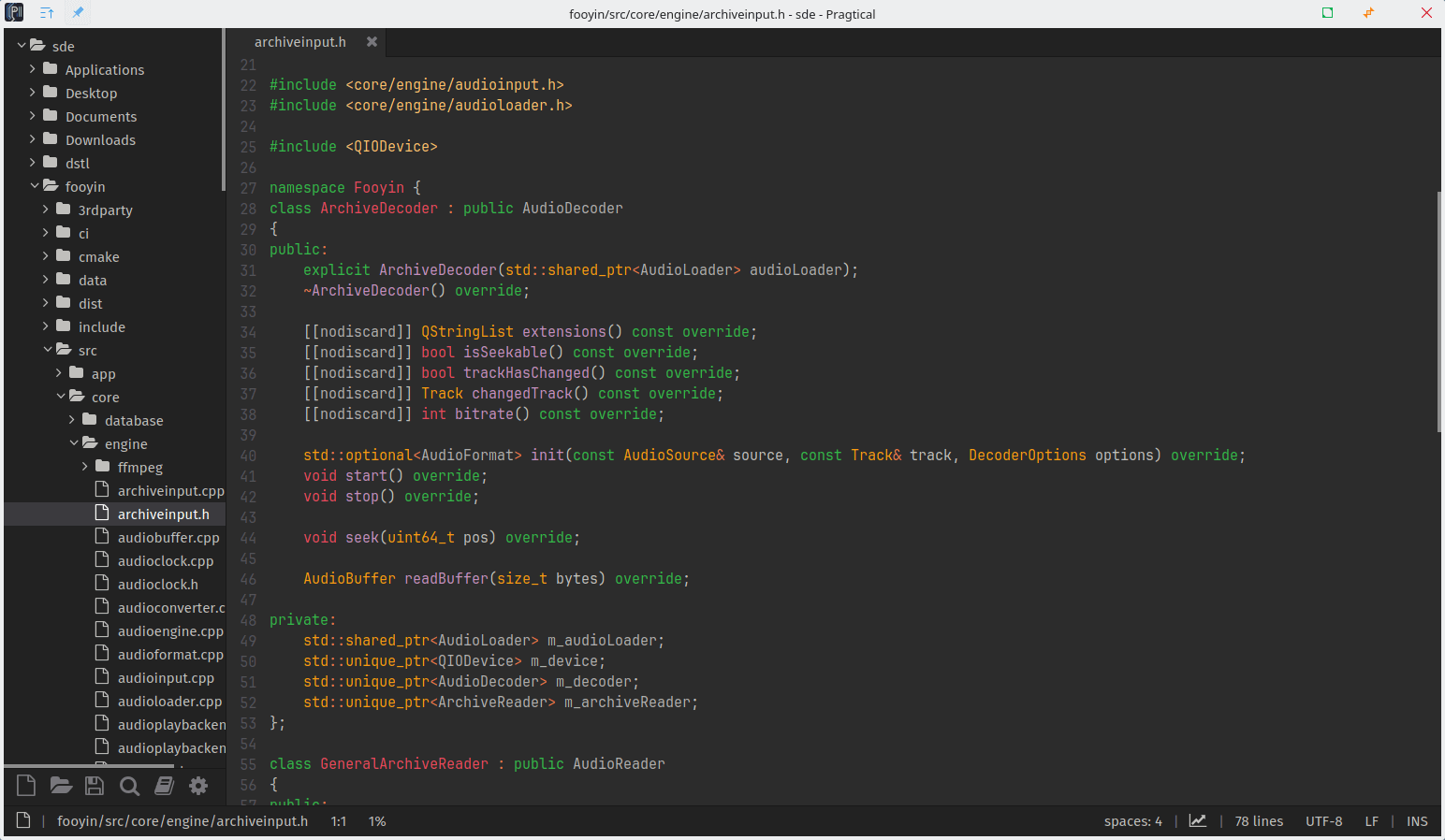
Pragtical is a cross-platform code editor with a modern graphical interface, developed using C and Lua(JIT), powered by SDL for rendering and input management. It serves as a lightweight alternative to web-based editors like VSCode and can be easily extended or themed with Lua plugins.
It supports syntax highlighting for various programming languages.
This is free and open source software.
Features include:
- Auto-completion.
- Graphical and advanced configuration using Lua.
- Support for multiple file encodings.
- Multi-threaded project-wide find and replace.
- A command palette for a keyboard-focused workflow.
- Graphical and keyboard-driven file navigation.
- Customizable key bindings.
- Changeable color schemes with easy creation of custom schemes.
- A flexible plugin architecture for extending functionality.
- Widgets.
- Settings UI
- Encoding – while UTF-8 has overtaken as the preferred encoding for text documents for its convenience, we can sometimes encounter a document in another encoding. Loading and saving documents with different encodings will be supported for when the need arrives, a feature that is also commonly found in other editors because it is pragtical.
- IPC – shared memory functionality is part of the core and IPC plugin shipped by default to allow opening files and tab dragging between currently opened instances.
- CLI – Integrated command line interface API that can be extended by plugins to provide new CLI flags.
- Search/Replace – Project-wide search and replace support, better user interface for both documents and project search/replace.
- Built-in Diff Viewer – A file or strings diff viewer that lets easily navigate and synchronize the differences. The functionality is expanded by the Source Control Management where it will let you compare your current checkout file to an older version on the commit history.
- Cross-platform support – runs under
Website: github.com/pragtical/pragtical
Support:
Developer: Pragtical Team
License: MIT License
Pragtical is written in Lua and C. Learn Lua with our recommended free books and free tutorials. Learn C with our recommended free books and free tutorials.
| Explore Linux | |
|---|---|
 | Best Free and Open Source Software - A huge collection of recommended free and open source software covering every major category. |
 | In-depth Linux Software Reviews - Detailed assessments of Linux software covering features, usability and overall quality. |
 | The Big List of Active Linux Distros - An extensive collection of actively developed Linux distributions. |
 | Open Source Alternatives - Alternatives to software and services from Google, Microsoft, Apple, Adobe, IBM, Autodesk, Oracle and others. |
 | Essential Linux System Tools - Indispensable utilities for monitoring, maintaining and managing Linux systems. |
 | Linux Productivity Tools - Useful utilities for improving productivity and streamlining everyday tasks. |
 | Alternatives to Popular CLI Tools - Modern alternatives to familiar command-line utilities supplied with Linux systems. |
 | Awesome Free Linux Game Tools - Tools, utilities and companion software that improve gaming on Linux. |
 | Machine Learning on Linux - Machine learning and deep learning software, self-hosted applications and practical tools. |
 | Saving Money with Linux - Practical ways to reduce electricity consumption and lower computing costs with Linux. |
 | Linux Candy - Fun, entertaining and sometimes delightfully quirky software from the lighter side of Linux. |
Please read our Comment Policy before commenting.