

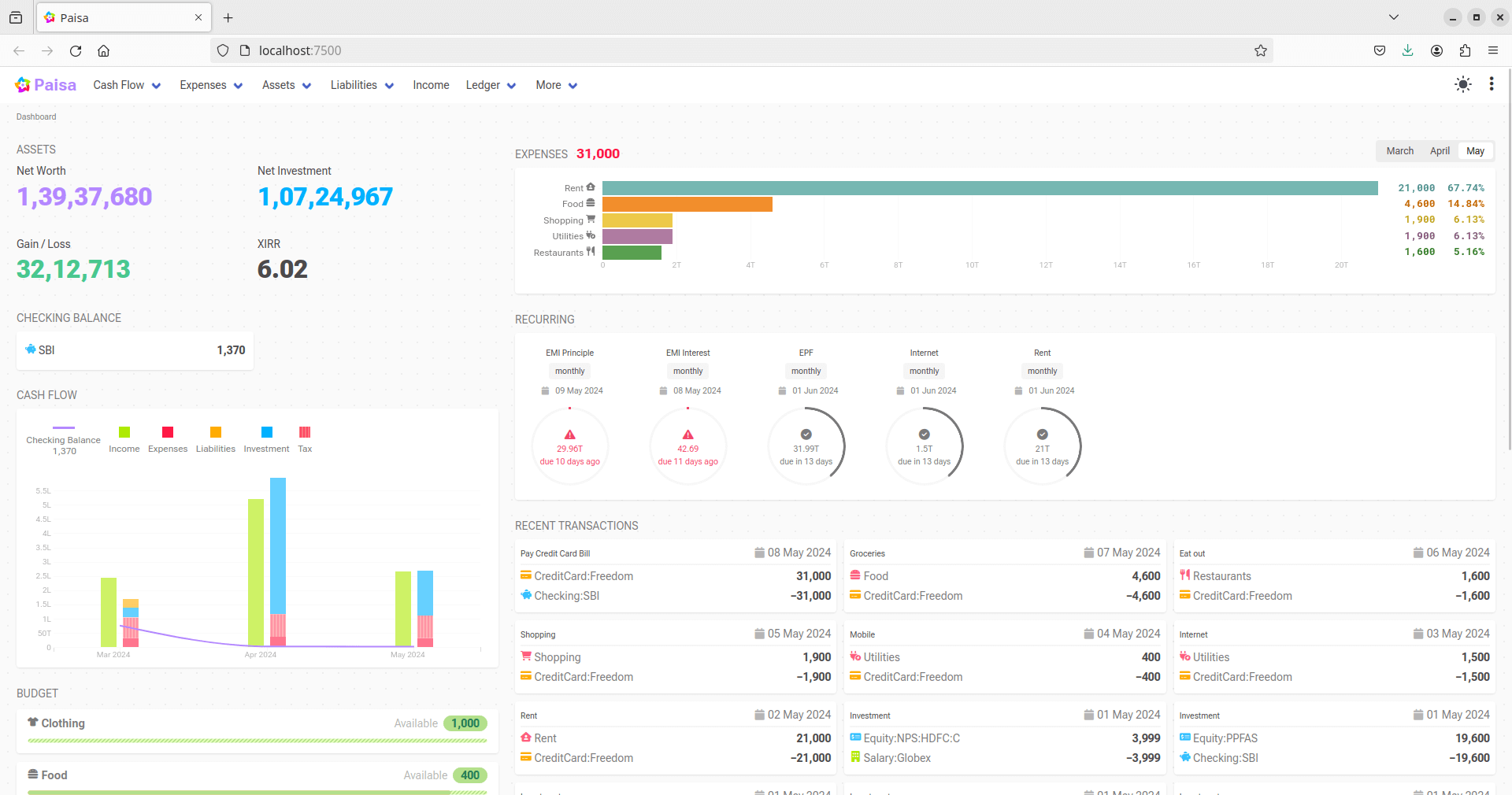
Paisa is a personal finance manager that builds on top of the ledger double entry accounting tool.
Paisa is available in two formats: a Desktop Application and a CLI (Command Line Interface).
This is free and open source software.
Key Features
- Your financial data never leaves your system. The app will never collect or send any data to any server.
- The journal and configuration information are stored in plain text files that can be easily version controlled. You can collaborate with others by giving access to the files. The editor comes with syntax highlighting, auto completion, error checking and auto formatting.
- Track the latest market price of your Mutual Fund, NPS Fund and Stock holdings. Paisa supports various price data providers, so it can keep track of the latest price of all your assets. It also allows the user to enter the price manually, so you can use it to revalue your assets like house, car, land, etc.
- Track and budget your Expenses. You can customize the categories and subcategories to suit your needs.
- Convert CSV, Excel and PDF files to Ledger journal.
- Calculate your taxes, emis, etc using sheets. Paisa comes with a notepad calculator called sheet that can do all the calculations with the data from your ledger. The sheets are live and interactive, and will update automatically when you change the data in your ledger.
- Track your goals.
- View your recurring transactions and credit card bills. The calendar view will show you all the bills that are due in the current month. You can set the recurring period of the transaction, which is flexible enough to handle any kind of schedule like weekly, monthly, quarterly, last day of the month, last day of the quarter, etc.
- Plan your retirement.
- And many more visualizations to help you make any financial decisions.
Website: paisa.fyi
Support: GitHub Code Repository
Developer: Anantha Kumaran
License: GNU Affero General Public License v3.0
Paisa is written in TypeScript and Go. Learn TypeScript with our recommended free books and free tutorials. Learn Go with our recommended free books and free tutorials.
Related Software
| Self-Hosted Personal Finance Tools | |
|---|---|
| Firefly III | Supports the use of budgets, categories and tags |
| Actual Budget | Fast budgeting app focused on privacy |
| Paisa | Personal finance dashboard for accounts |
| Sure | Personal finance app for daily tracking |
| ezBookkeeping | Bookkeeping, budgets, and expenses in one web app |
| ExpenseOwl | Lightweight expense tracking for where your money goes |
| WYGIWYH | Self-hosted finance tracker for clarity |
| OpenBudgeteer | Bucket-based budgeting for personal finance |
| Kresus | Private web app for managing your money |
| BudgetBee | Simple self-hosted personal budgeting |
| Ocular | Self-hosted budgeting with clear views |
| MyFin | Budgets, bills, and balances in one place |
| Cashlytics | Self-hosted budget and finance planner |
| Econumo | Household money planning and shared budgets |
| YAFFA | Web-based accounts, budgets, and reports |
| Savvy | Expense tracking for personal finances |
| FinanzPilot | Browser-based control over budgets, accounts, and bills |
Read our verdict in the software roundup.
 LinuxLinks helps you discover the best free and open source software for Linux. Explore our extensive collection of recommended applications, including alternatives to popular proprietary software. LinuxLinks helps you discover the best free and open source software for Linux. Explore our extensive collection of recommended applications, including alternatives to popular proprietary software.We also publish software reviews, Linux tutorials, hardware reviews, free programming books and articles covering the wider open source community. Browse our Linux resources to discover more. Know a useful free and open source Linux application we haven't covered? Suggest a program for inclusion. Has your software been featured on LinuxLinks? Display one of our Featured on LinuxLinks badges on your website or GitHub README. |
Please read our Comment Policy before commenting.
Looks kinda interesting. Where’s your verdict though?
The page is not a review of the software. All our actual reviews can be accessed from the Reviews menu at the top of each page.