

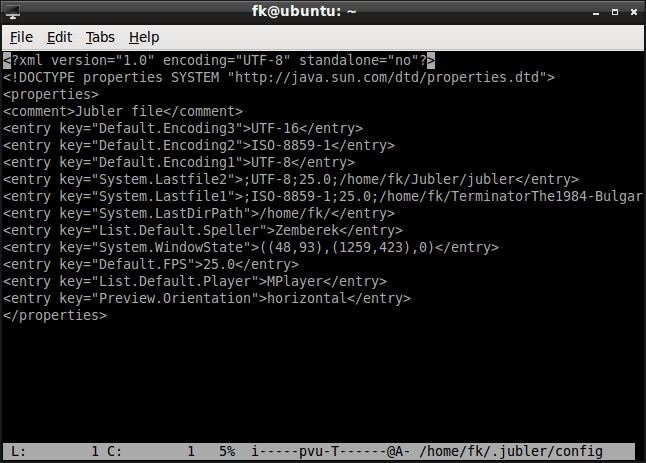
ne is a full screen open source text editor. It is intended to be an easier to learn alternative to vi, yet still portable across POSIX-compliant operating systems.
It provides users with a choice of working interfaces so that users can issue commands through control and function keys, at the command line, or by using menus.
ne is easy to use for the beginner, but powerful and fully configurable for the wizard, and most sparing in its resource usage. ne was originally developed on an Amiga 3000T using the curses library and was inspired by that platform’s TurboText editor, written by Martin Taillefer.
Features include:
- Three user interfaces: control keystrokes, command line, and menus; keystrokes and menus are completely configurable.
- Syntax highlighting.
- Full support for UTF-8 files, including multiple-column characters.
- The number of documents and clips, the dimensions of the display, and the file/line lengths are limited only by the integer size of the machine.
- Simple scripting language where scripts can be generated via an idiot proof record/play method.
- Unlimited undo/redo capability (can be disabled with a command).
- Automatic preferences system based on the extension of the file name being edited.
- Automatic completion of prefixes using words in your documents as dictionary.
- File requester with completion features for easy file retrieval.
- Extended regular expression search and replace à la emacs and vi.
- A very compact memory model – easily load and modify very large files.
- Editing of binary files.
Website: github.com/vigna/ne
Support: GitHub
Developer: Sebastiano Vigna (original developer). Additional features added by Todd M. Lewis
License: GNU GPL v3
ne is written in C. Learn C with our recommended free books and free tutorials.
Return to Editors | Return to Remote Editing
| Popular series | |
|---|---|
 | The largest compilation of the best free and open source software in the universe. Each article is supplied with a legendary ratings chart helping you to make informed decisions. |
 | Hundreds of in-depth reviews offering our unbiased and expert opinion on software. We offer helpful and impartial information. |
 | The Big List of Active Linux Distros is a large compilation of actively developed Linux distributions. |
 | Replace proprietary software with open source alternatives: Google, Microsoft, Apple, Adobe, IBM, Autodesk, Oracle, Atlassian, Corel, Cisco, Intuit, SAS, Progress, Salesforce, and Citrix |
 | Awesome Free Linux Games Tools showcases a series of tools that making gaming on Linux a more pleasurable experience. This is a new series. |
 | Machine Learning explores practical applications of machine learning and deep learning from a Linux perspective. We've written reviews of more than 40 self-hosted apps. All are free and open source. |
 | New to Linux? Read our Linux for Starters series. We start right at the basics and teach you everything you need to know to get started with Linux. |
 | Alternatives to popular CLI tools showcases essential tools that are modern replacements for core Linux utilities. |
 | Essential Linux system tools focuses on small, indispensable utilities, useful for system administrators as well as regular users. |
 | Linux utilities to maximise your productivity. Small, indispensable tools, useful for anyone running a Linux machine. |
 | Surveys popular streaming services from a Linux perspective: Amazon Music Unlimited, Myuzi, Spotify, Deezer, Tidal. |
 | Saving Money with Linux looks at how you can reduce your energy bills running Linux. |
 | Home computers became commonplace in the 1980s. Emulate home computers including the Commodore 64, Amiga, Atari ST, ZX81, Amstrad CPC, and ZX Spectrum. |
 | Now and Then examines how promising open source software fared over the years. It can be a bumpy ride. |
 | Linux at Home looks at a range of home activities where Linux can play its part, making the most of our time at home, keeping active and engaged. |
 | Linux Candy reveals the lighter side of Linux. Have some fun and escape from the daily drudgery. |
 | Getting Started with Docker helps you master Docker, a set of platform as a service products that delivers software in packages called containers. |
 | Best Free Android Apps. We showcase free Android apps that are definitely worth downloading. There's a strict eligibility criteria for inclusion in this series. |
 | These best free books accelerate your learning of every programming language. Learn a new language today! |
 | These free tutorials offer the perfect tonic to our free programming books series. |
 | Linux Around The World showcases usergroups that are relevant to Linux enthusiasts. Great ways to meet up with fellow enthusiasts. |
 | Stars and Stripes is an occasional series looking at the impact of Linux in the USA. |