

Installation
Currently, you’ll have to build from source to run Ollama under Linux. Fortunately, the process is straighforward.
First, clone the project’s GitHub repository with the command:
$ git clone https://github.com/jmorganca/ollama
Change into the newly created directory:
$ cd ollama
Build the software:
$ go build .
We see an error message, but the software builds fine.
Start the server:
$ ./ollama serve &
If you want to run Ollama without needing to use ./ollama each time, add the ollama directory to your $PATH environment variable. We’ll leave this as an exercise for the reader 🙂
The server listens on http://127.0.0.1:11434. If you point your web browser at that address, it’ll confirm Ollama is running.
Let’s test the Llama 2 model. Run the command:
$ ollama run llama2
Ollama proceeds to download the Llama 2 model. You’ll see output like the image below. It’s a 3.8GB download.
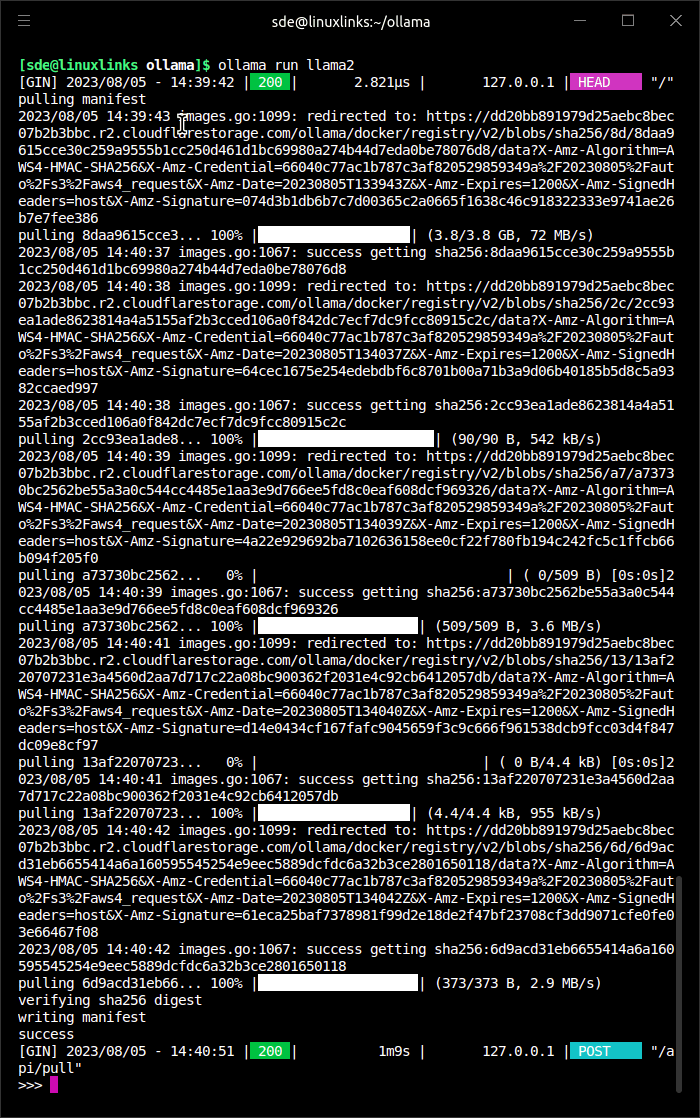
The final line displays the prompt >>>
We’re now ready to test the Llama 2 model.
Next page: Page 3 – In Operation
Pages in this article:
Page 1 – Introduction
Page 2 – Installation
Page 3 – In Operation
Page 4 – Summary
Please read our Comment Policy before commenting.