

wluma is a utility for Wayland compositors that automatically adjusts screen brightness according to ambient lighting and the content displayed on the screen. It aims to provide comfortable brightness levels without requiring constant manual adjustments.
The application learns the user’s preferences from changes made to screen brightness in different conditions. It can subsequently predict suitable settings for a bright desktop, a dark terminal or changing room illumination, with individual control over connected displays.
This is free and open source software.
Key Features
- Automatically adjusts screen brightness using a combination of ambient-light measurements and displayed content.
- Adaptive prediction learns from manual brightness adjustments and applies the resulting preferences to changing conditions.
- Supports an alternative manual prediction model with configurable brightness reduction based on ambient light and screen luminance.
- Ambient-light sources include IIO sensors, webcams, external sensor services and configurable time-based schedules.
- Screen capture supports several Wayland protocols and PipeWire, including capture mechanisms used by KWin and GNOME Mutter.
- Uses DMA-BUF buffers and Vulkan GPU processing to analyse screen content efficiently.
- Automatically discovers connected displays and associates internal panels with backlight devices and external monitors with DDC controls.
- Supports individual brightness settings for multiple monitors, including independent capture and prediction configurations.
- Idle dimming reduces brightness after inactivity, with separate settings for mains and battery operation.
- Can automatically discover and control compatible keyboard backlights.
- On supported compositors, gamma controls provide additional dimming and automatic colour-temperature adjustments.
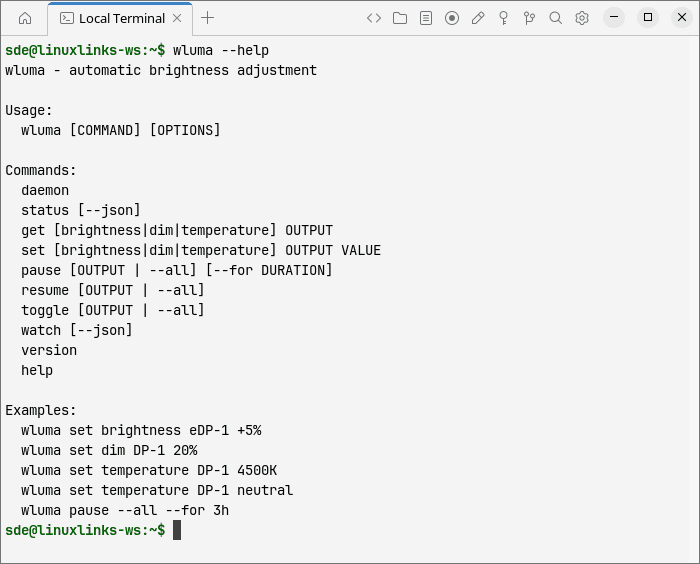
- Command-line controls allow users to change brightness, dimming and colour temperature and inspect current status.
- Automatically handles displays being connected, disconnected, powered down or reactivated.
- Continues adjusting brightness using ambient light alone when screen capture is unavailable.
Website: github.com/max-baz/wluma
Support:
Developer: Maxim Baz and Cyril Levis
License: ISC License
wluma is written in Rust. Learn Rust with our recommended free books and free tutorials.
Related Software
| Eye Care Software | |
|---|---|
| Safe Eyes | Simple and extensible break reminder |
| Clight | Lightweight C daemon that turns your webcam into a light sensor |
| Stretchly | Reminder to take breaks |
| BreakTimer | Set up customizable breaks and will remind you to take them |
| Workrave | Assists in the recovery and prevention of Repetitive Strain Injury |
| Gammastep | Adjust the color temperature of your screen |
| Redshift | Adjusts the color temperature of your display |
| ZenBreak | Menu bar app that reminds you to take breaks |
| RSIBreak | Take care of your health and take regular breaks |
| sunsetr | Automatic blue-light filter |
| wlsunset | Adjusts display color temperature on Wayland compositors |
| Stretch Break | Digital wellbeing tool that helps you take regular breaks |
| Sane Break | Gentle break reminder |
| eyerest | Remind your eyes to take a screen break |
| Desktop Dimmer | Darker-than-dark dimming for internal and external screens |
Read our verdict in the software roundup.
 Explore our carefully curated directory of recommended free and open source software, covering every major software category. Explore our carefully curated directory of recommended free and open source software, covering every major software category.The directory forms part of our extensive collection of articles for Linux enthusiasts. It includes hundreds of detailed reviews, together with free and open source alternatives to proprietary software from companies such as Google, Microsoft, Apple, Adobe, IBM, Cisco, Oracle, and Autodesk. LinuxLinks also covers interesting projects worth exploring, Linux-compatible hardware, free programming books and tutorials, and much more. Know a useful free and open source Linux application that we haven’t covered? Tell us about it using our submission form. |
Please read our Comment Policy before commenting.