

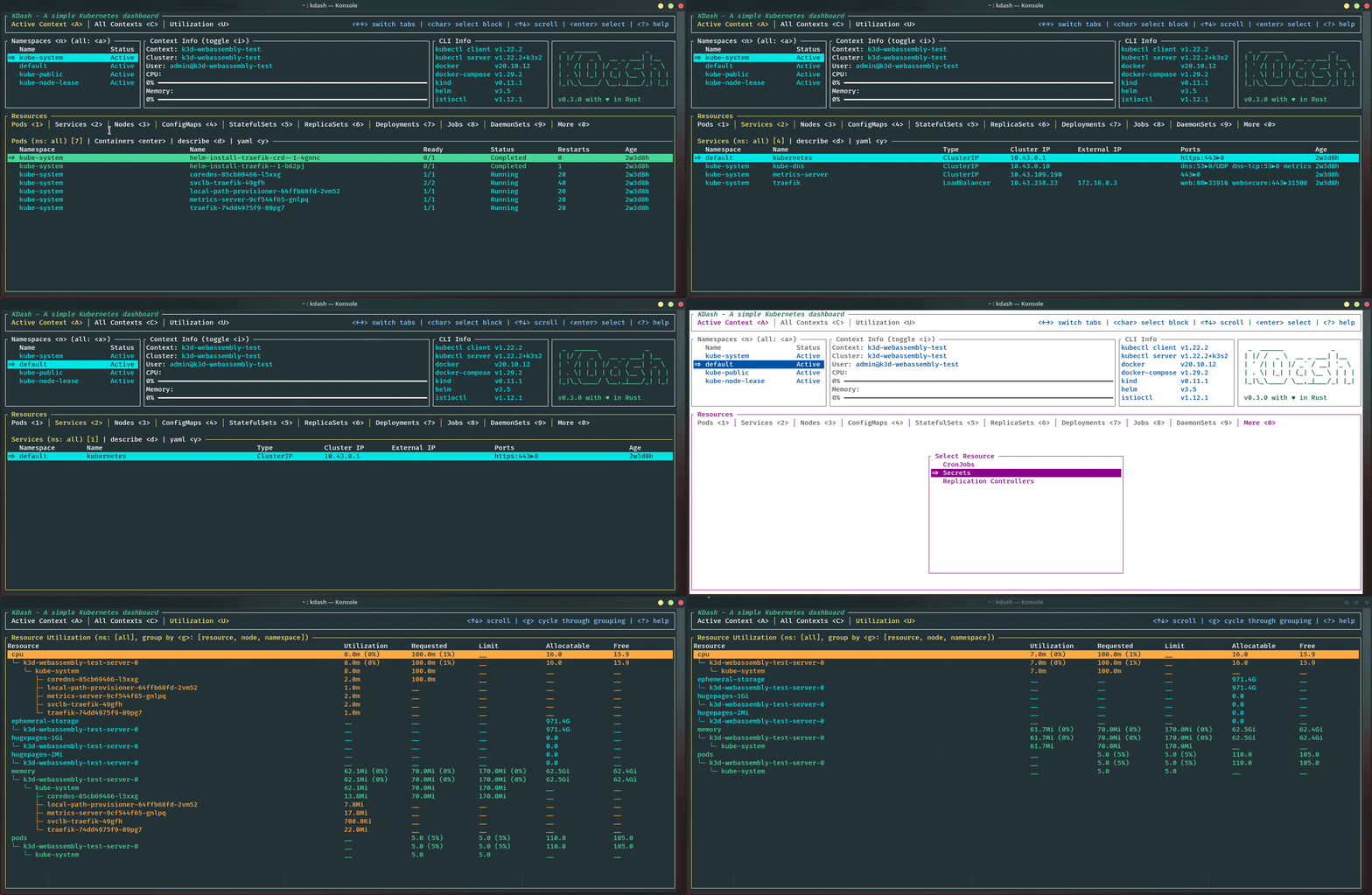
KDash is a terminal-based Kubernetes dashboard written in Rust. It provides a responsive interface for examining cluster resources, monitoring workloads and investigating operational problems directly from the command line.
The application organises Kubernetes information into interactive views covering nodes, pods, workloads, namespaces and resource utilisation. Users can navigate between resources, inspect configuration details and follow container logs without switching between multiple terminal commands.
KDash also supports administrative operations such as editing resources, restarting workloads and establishing port-forwarding sessions. This makes it useful for everyday cluster management as well as monitoring and troubleshooting.
Its keyboard-driven interface can be customised with different colour themes, keybindings and display preferences.
This is free and open source software.
Key Features
- Interactive terminal dashboard for Kubernetes clusters.
- Browse pods, nodes, namespaces, deployments and other Kubernetes resources.
- Display CPU and memory utilisation for cluster resources.
- Inspect resource descriptions and YAML manifests.
- Stream container logs and inspect logs from previous container instances.
- Aggregate logs from pods belonging to the same workload.
- Provides troubleshooting views for pods, persistent volume claims and ReplicaSets.
- Edit and delete Kubernetes resources from the interface.
- Restart and scale workloads, with confirmation prompts for potentially disruptive operations.
- Supports node cordoning and CronJob management actions.
- Establish and manage port-forwarding sessions for pods and services.
- Switch between Kubernetes contexts and namespaces.
- Includes resource filtering and searching across interactive tables.
- Supports interactive shell sessions inside containers.
- Configurable themes, keyboard shortcuts and display preferences.
- Cross-platform support – runs on Linux, macOS, and Windows.
Website: github.com/kdash-rs/kdash
Support:
Developer: Deepu K Sasidharan
License: MIT License
KDash is written in Rust. Learn Rust with our recommended free books and free tutorials.
Related Software
| IDEs for Kubernetes | |
|---|---|
| K9s | Kubernetes CLI To Manage Your Clusters |
| kustomize | Manage declarative configuration of Kubernetes |
| Freelens | Graphical interface for managing and monitoring Kubernetes clusters |
| KDash | Terminal-based Kubernetes dashboard |
| Headlamp | Web interface for Kubernetes |
| Che | Kubernetes based Cloud Development Environments for Enterprise Teams |
| kubewall | Single-binary Kubernetes dashboard |
| Monokle | Create and maintain high-quality Kubernetes configurations |
| Koreo | Platform engineering toolkit for Kubernetes |
| Seabird | Kubernetes IDE designed for the GNOME desktop |
| Kubethor | Kubernetes management web application |
Read our verdict in the software roundup.
 Explore our carefully curated directory of recommended free and open source software, covering every major software category. Explore our carefully curated directory of recommended free and open source software, covering every major software category.The directory forms part of our extensive collection of articles for Linux enthusiasts. It includes hundreds of detailed reviews, together with free and open source alternatives to proprietary software from companies such as Google, Microsoft, Apple, Adobe, IBM, Cisco, Oracle, and Autodesk. LinuxLinks also covers interesting projects worth exploring, Linux-compatible hardware, free programming books and tutorials, and much more. Know a useful free and open source Linux application that we haven’t covered? Tell us about it using our submission form. |
Please read our Comment Policy before commenting.