

httm is an interactive, file-level Time Machine-like tool for ZFS/btrfs/nilfs2 (and even Time Machine and Restic backups).
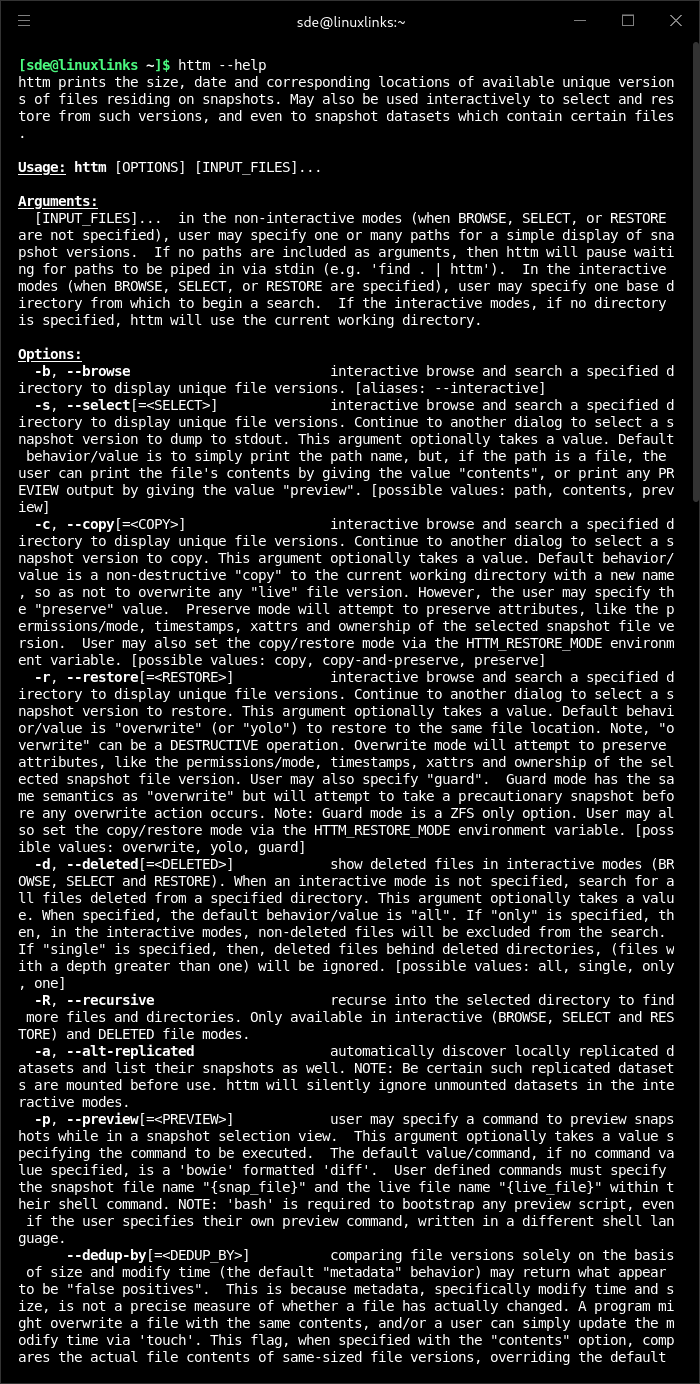
httm prints the size, date and corresponding locations of available unique versions (deduplicated by modify time and size) of files residing on snapshots, but can also be used interactively to select and restore files, even snapshot mounts by file! httm might change the way you use snapshots (because ZFS/BTRFS/NILFS2 aren’t designed to find unique file versions) or the Time Machine concept (because httm is very fast!).
This is free and open source software.
Features include:
- Search for versions of multiple files on distinct datasets simultaneously.
- Search for and recursively list deleted files. Even browse files hidden behind deleted directories.
- List file snapshots from all local pools (detect local snapshot versions as well as locally replicated snapshot versions).
- List file snapshots from remote backup pools (even overlay replicated remote snapshot directories over live directories).
- For use with rsync-ed non-ZFS/BTRFS/NILFS2/APFS local datasets (like ext4, XFS, or NTFS), not just ZFS/BTRFS/NILFS2 snapshots and TM backups.
- Optionally preview snapshot file versions with a custom command (default is a diff compare to the live version).
- List or even snapshot the mounts for a file directly.
- Roll forward to a previous snapshots, instead of rolling back (avoids destroying interstitial snapshots).
- Guard any restore actions with precautionary snapshots.
- List snapshot names, even prune snapshots, which include a file name.
- Shortcut features: only display last snapshot, omit duplicates of the live file, etc.
- Verification level: Like rsync, httm can determine whether file is unique based solely on metadata, or use checksums.
- 4 native interactive modes: browse, select, prune and restore.
- ANSI ls colors from your environment.
- Detect and display categories of unique file versions available (multiple, single, single-with-snap,…, etc.).
- Select from several formatting styles (newline, null, tab delimited, JSON, CSV, etc.).
- Packaged scripts which help you, and show you how to, use httm: ounce, bowie, equine, and nicotine.
- Supports ZFS/BTRFS/NILFS2 snapshots, and Restic and Time Machine backups.
Website: github.com/kimono-koans/httm
Support:
Developer: kimono-koans
License: Mozilla Public License 2.0
httm is written in Rust. Learn Rust with our recommended free books and free tutorials.
| Explore Linux | |
|---|---|
 | Best Free and Open Source Software - A huge collection of recommended free and open source software covering every major category. |
 | In-depth Linux Software Reviews - Detailed assessments of Linux software covering features, usability and overall quality. |
 | The Big List of Active Linux Distros - An extensive collection of actively developed Linux distributions. |
 | Open Source Alternatives - Alternatives to software and services from Google, Microsoft, Apple, Adobe, IBM, Autodesk, Oracle and others. |
 | Essential Linux System Tools - Indispensable utilities for monitoring, maintaining and managing Linux systems. |
 | Linux Productivity Tools - Useful utilities for improving productivity and streamlining everyday tasks. |
 | Alternatives to Popular CLI Tools - Modern alternatives to familiar command-line utilities supplied with Linux systems. |
 | Awesome Free Linux Game Tools - Tools, utilities and companion software that improve gaming on Linux. |
 | Machine Learning on Linux - Machine learning and deep learning software, self-hosted applications and practical tools. |
 | Saving Money with Linux - Practical ways to reduce electricity consumption and lower computing costs with Linux. |
 | Linux Candy - Fun, entertaining and sometimes delightfully quirky software from the lighter side of Linux. |
Please read our Comment Policy before commenting.