

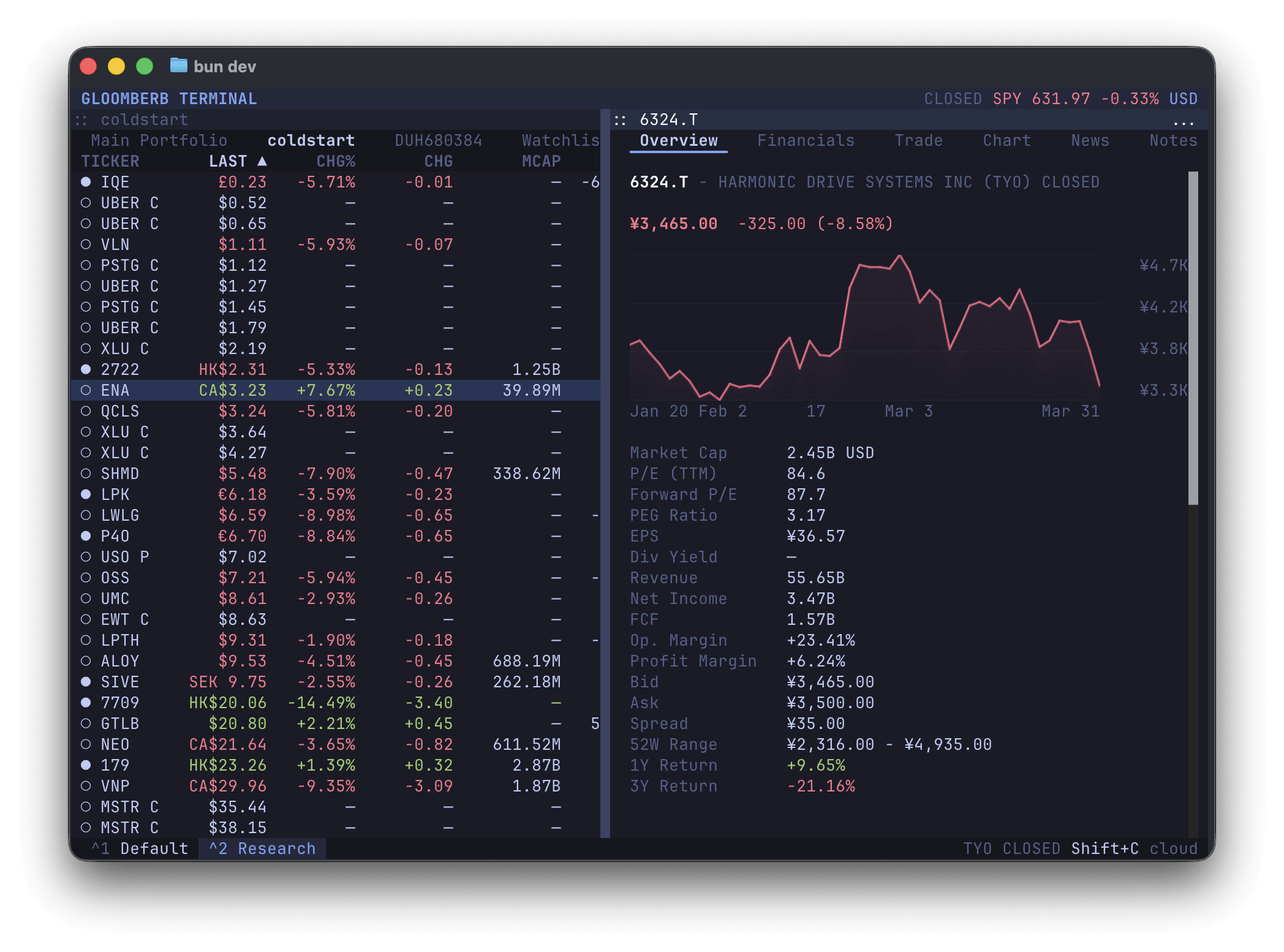
Gloomberb is a keyboard-driven financial terminal for researching companies, following financial markets and managing investment information. It provides a full-screen terminal interface with commands for opening charts, investigating securities, examining market data and organising a personal investment workspace.
The application runs in terminal emulators on Linux, with separate desktop applications available for macOS and Windows. Its interface is organised around commands, panes and a plugin system, allowing users to assemble workspaces suited to their research activities.
Gloomberb can use local data providers or its hosted Gloom Cloud service. The free cloud tier supplies delayed US equity and options data, while real-time data and additional research feeds require a paid subscription. Some features therefore depend on the chosen data provider and service tier.
This is free and open source software.
Key Features
- Keyboard-driven navigation with a command bar, ticker lookup, pane switching and configurable layouts.
- Company research covers quotes, financial statements, analyst ratings, SEC filings and business information.
- Interactive price charts support technical analysis, historical comparisons and different financial data views.
- Options research includes options chains, implied volatility, open interest, gamma exposure and positioning analysis.
- Portfolio and watchlist management supports manual holdings and integrations with supported brokerage services.
- Market research includes financial news, global indices, currencies, economic events and market scanners.
- Additional analysis tools cover valuation metrics, reverse discounted cash flow models, historical volatility and seasonality.
- Macro research includes interest rate expectations, inflation data, futures curves and commodity market information.
- Plugin architecture allows additional panes, commands, data providers, broker connections and interface extensions.
- Command-line operations can retrieve quotes and return structured results suitable for scripts, including JSON and CSV output.
- Browser access is available with a reduced feature set and a Gloom Cloud account.
- Optional controls allow users to disable crash reports and usage telemetry.
Website: github.com/gloom-sh/gloomberb
Support:
Developer: vincelwt and contributors
License: MIT License
Gloomberb is written in TypeScript. Learn TypeScript with our recommended free books and free tutorials.
Related Software
| Stock Market Investment Tools | |
|---|---|
| Open Data Platform | Python-based integrated environment for investment research |
| OpenStock | Browser-based platform for stock research, charts and watchlists |
| Portfolio Performance | Calculate the performance of an overall portfolio |
| Wealthfolio | Desktop investment tracker |
| Ghostfolio | Wealth management software built with web technology |
| rotki | Track and manage cryptocurrency portfolios |
| Gloomberb | Keyboard-driven financial terminal |
| PKScreener | Screen Indian stocks for technical patterns and trading signals |
| JStock | Makes stock investment straightforward |
| Net Worth Tracker | Personal finance web application |
| Portfolio Manager | Portfolio valuation and analytics application |
| LibreFolio | Self-hosted tracker for investments, cash, loans and returns |
Read our verdict in the software roundup.
 LinuxLinks helps you discover the best free and open source software for Linux. Explore our extensive collection of recommended applications, including alternatives to popular proprietary software. We also publish software reviews, Linux tutorials, hardware reviews, free programming books and articles covering the wider open source community. Browse our Linux resources to discover more. Know a useful free and open source Linux application we haven't covered? Suggest a program for inclusion. Has your software been featured on LinuxLinks? Display one of our Featured on LinuxLinks badges on your website or GitHub README. |
Please read our Comment Policy before commenting.