

33. WinTile
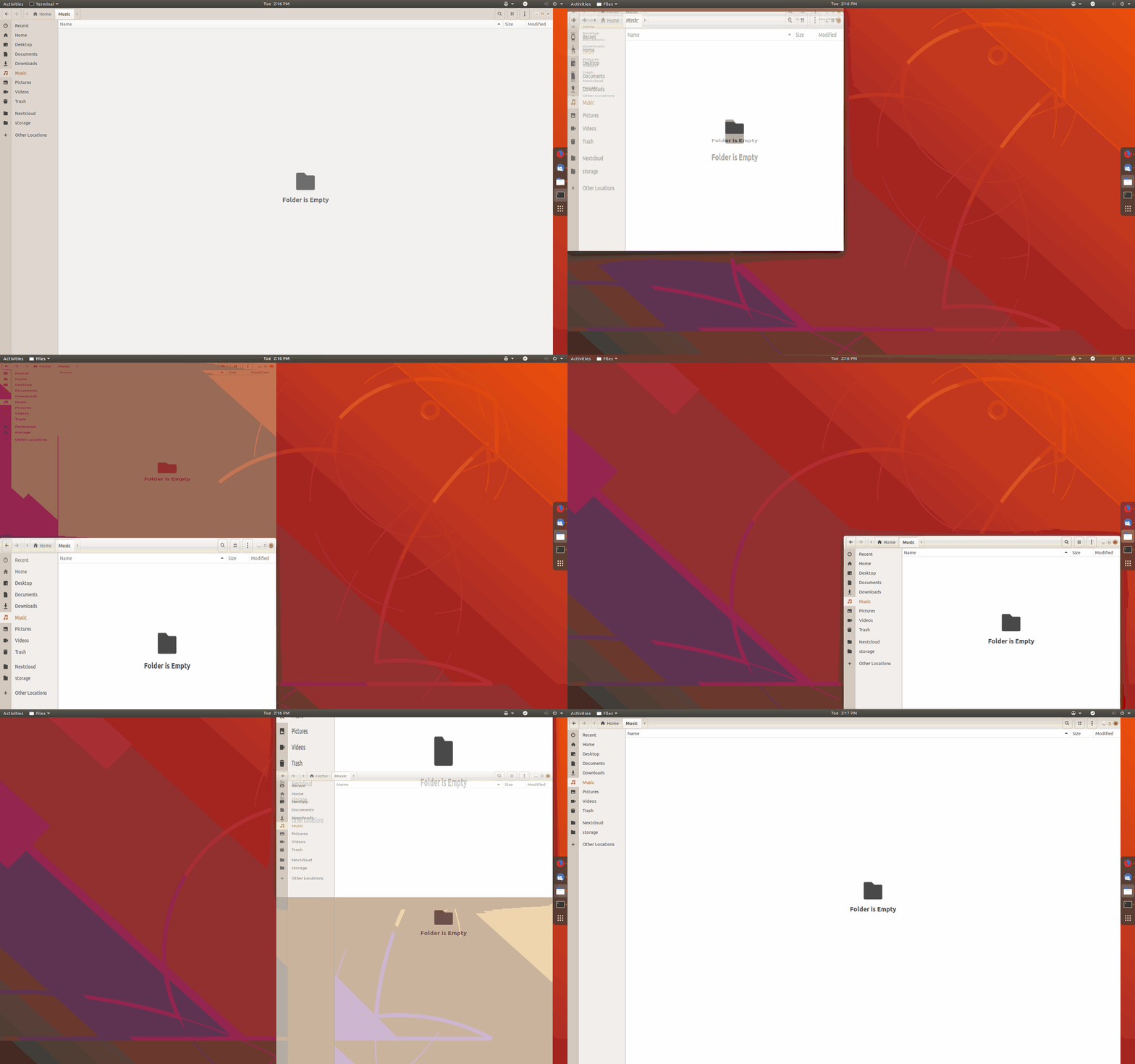
WinTile is a hotkey driven window tiling system for GNOME that imitates the standard Win-Arrow keys of Windows 10, allowing you to maximize, maximize to sides, or 1/4 sized to corner a window using just +.
It also supports:
- 1-5 columns for standard or ultrawide monitors.
- 1-5 rows for standard or ultrawide monitors.
- Mouse preview and snapping for placing tiles.
- “Maximize” mode, which adds/removes GNOME animations.
- Ultrawide-only mode allows 16:9 screens to use separate row/col counts.
- Portrait screens will automatically swap columns and rows.
- Adding gaps around tiles.
Website: nowsci.com/wintile
34. Colosseum
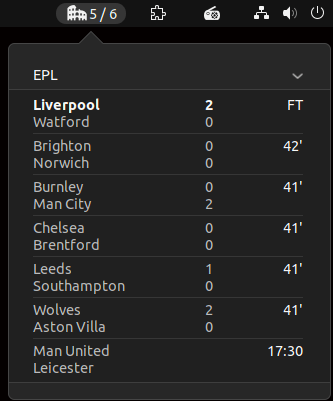 This extension is for the sports fans among you. It lets you view live scores for your favourite sports teams.
The extension supports the major European football tournaments including the English Premier League, LaLiga, Bundesliga, Serie A, Ligue 1 and UEFA Champions League.
American sports fans are catered for too with live scores for games from the MLB, NBA, NHL, and NFL.
Website: github.com/sereneblue/gnome-shell-extension-colosseum
35. Impatience
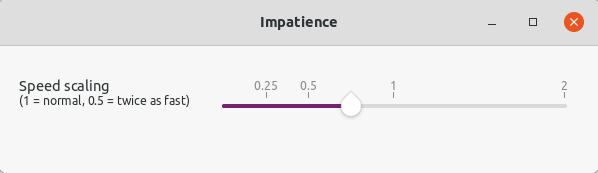
Impatience is a simple extension which speeds up the GNOME Shell’s animation speed.
36. Todoit
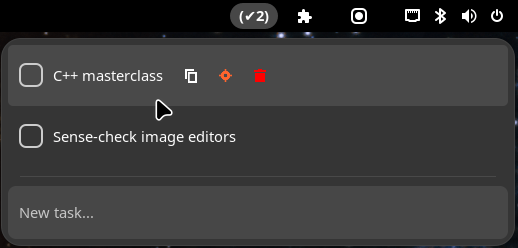
Todoit is a basic todo list, but it might be all you need.
Features include:
- Add/remove/copy tasks.
- Toggle tasks progress.
- Toggle with a shortcut (Alt+Shift+Space).
- Focus on a specific task (moves the task to the top and highlight it with a background color).
Website: github.com/wassimbj/todoit-gnome
Next page: Page 10 – Panel corners, No overview at start-up, Caffeine, Luminus Shell
Pages in this article:
Page 1 – Dash to Dock, Arc Menu, OpenWeather Refined, Window-List
Page 2 – Custom Hot Corners – Extended, Vitals, Net speed Simplified, Clipboard Indicator
Page 3 – Desktop Icons NG, GSConnect, Recent Items, ddterm
Page 4 – Auto Move Windows, Places Status Indicator, Cronomix, Just Perfection
Page 5 – Top Panel Workspace Scroll, Picture of the Day, System monitor, Hanabi
Page 6 – Removable Drive Menu, V-Shell, Extension List, Frippery Panel Favorites
Page 7 – BlurMyShell, Burn My Windows, Coverflow Alt-Tab, PaperWM
Page 8 – Emoji Copy, Tiling Assistant, Hide Activities Button, App Menu is Back
Page 9 – WinTile, Colosseum, Impatience, Todoit
Page 10 – Panel corners, No overview at start-up, Caffeine, Luminus Shell
Page 11 – Lilypad Top Bar Manager, Dash to Panel, Tiling Shell
 LinuxLinks helps you discover the best free and open source software for Linux. Explore our extensive collection of recommended applications, including alternatives to popular proprietary software. We also publish software reviews, Linux tutorials, hardware reviews, free programming books and articles covering the wider open source community. Browse our Linux resources to discover more. Know a useful free and open source Linux application we haven't covered? Suggest a program for inclusion. Has your software been featured on LinuxLinks? Display one of our Featured on LinuxLinks badges on your website or GitHub README. |
Please read our Comment Policy before commenting.
Nice Collection!
Just seems u missed Tiling Shell – since its the best GNOME Extention vor tiling…
Agreed, Tiling Shell is very useful. It’s been added as 42b 🙂
Of them all, Dash to Panel is my #1 favorite. 🙂
Hi Torin.
This roundup probably needs an update. I think quite a few are no longer developed or might not work any more.
I’m only running GNOME on one system these days. And that’s mainly because its integrated Remote Desktop is first class giving silky 4k video playback which most (or all?) of the other remote desktop apps cant do in Wayland.