

5. Custom Hot Corners – Extended
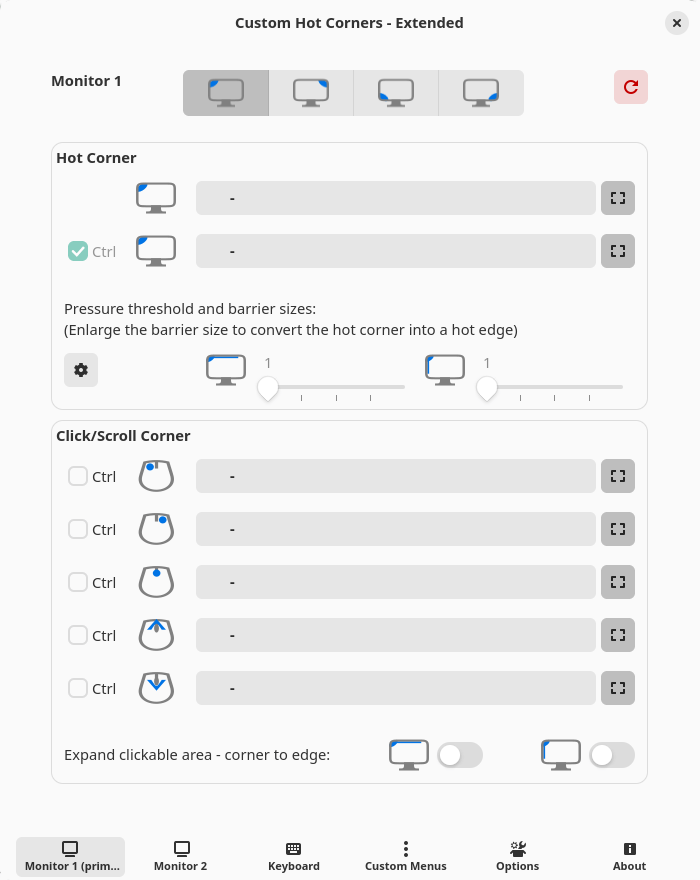
This extension offers a huge collection of actions that allows you navigate and control the GNOME Shell environment and windows and launch applications and scripts not only through the corners and edges of your monitors, but also using the custom keyboard shortcuts.
Website: github.com/G-dH/custom-hot-corners-extended
6. Vitals
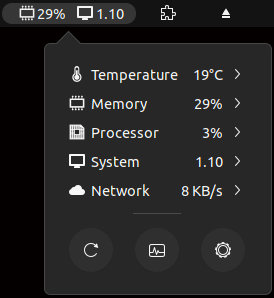 Vitals offers an easy way to monitor your computer’s temperature, voltage, fan speed, memory usage, CPU load, storage and more. It is an aptly named extension giving you all your essential system information.
The configuration options are particularly useful including the polling intervals, the option to select which sensors to show, and more.
Monitoring storage didn’t seem to work on our system. We’re not sure if this is an issue with the version of GNOME we’re running. Share in the comments section if this functionality works for you.
Website: github.com/corecoding/Vitals
7. Net speed Simplified
 Net speed Simplified is the neatest network traffic monitor. We particularly like its clean user interface. There is plenty of customization to tailor the extension to your liking.
Website: github.com/prateekmedia/netspeedsimplified
8. Clipboard Indicator
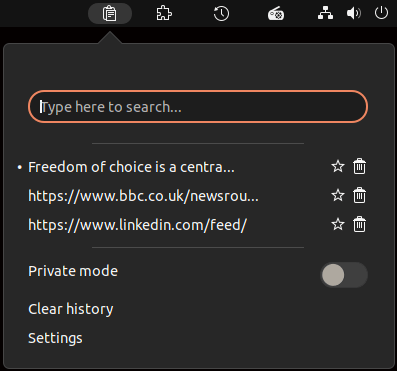
This extension is a helpful productivity extension.
Clipboard Indicator adds a clipboard indicator to the top panel, and caches clipboard history.
It’s very simple and easy to use, but would benefit from a few more options.
Features include:
- Configurable history size.
- Configurable preview size.
- Change the refresh interval.
- Define the maximum cache file size.
- Option to cache only favorites.
- Private mode.
- Keyboard shortcuts – toggle the menu, clear history, go to previous entry, and go to next entry.
Website: github.com/Tudmotu/gnome-shell-extension-clipboard-indicator
Next page: Page 3 – Desktop Icons NG, GSConnect, Recent Items, ddterm
Pages in this article:
Page 1 – Dash to Dock, Arc Menu, OpenWeather Refined, Window-List
Page 2 – Custom Hot Corners – Extended, Vitals, Net speed Simplified, Clipboard Indicator
Page 3 – Desktop Icons NG, GSConnect, Recent Items, ddterm
Page 4 – Auto Move Windows, Places Status Indicator, Cronomix, Just Perfection
Page 5 – Top Panel Workspace Scroll, Picture of the Day, System monitor, Hanabi
Page 6 – Removable Drive Menu, V-Shell, Extension List, Frippery Panel Favorites
Page 7 – BlurMyShell, Burn My Windows, Coverflow Alt-Tab, PaperWM
Page 8 – Emoji Copy, Tiling Assistant, Hide Activities Button, App Menu is Back
Page 9 – WinTile, Colosseum, Impatience, Todoit
Page 10 – Panel corners, No overview at start-up, Caffeine, Luminus Shell
Page 11 – Lilypad Top Bar Manager, Dash to Panel, Tiling Shell
 LinuxLinks helps you discover the best free and open source software for Linux. Explore our extensive collection of recommended applications, including alternatives to popular proprietary software. We also publish software reviews, Linux tutorials, hardware reviews, free programming books and articles covering the wider open source community. Browse our Linux resources to discover more. Know a useful free and open source Linux application we haven't covered? Suggest a program for inclusion. Has your software been featured on LinuxLinks? Display one of our Featured on LinuxLinks badges on your website or GitHub README. |
Please read our Comment Policy before commenting.
Nice Collection!
Just seems u missed Tiling Shell – since its the best GNOME Extention vor tiling…
Agreed, Tiling Shell is very useful. It’s been added as 42b 🙂
Of them all, Dash to Panel is my #1 favorite. 🙂
Hi Torin.
This roundup probably needs an update. I think quite a few are no longer developed or might not work any more.
I’m only running GNOME on one system these days. And that’s mainly because its integrated Remote Desktop is first class giving silky 4k video playback which most (or all?) of the other remote desktop apps cant do in Wayland.