

Last Updated on September 2, 2026
25. BlurMyShell
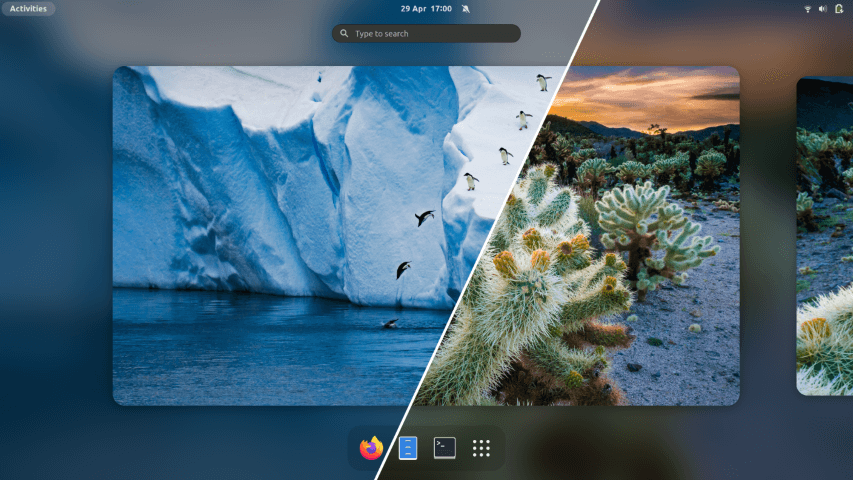
This extensions adds a blur appearance to different parts of the GNOME Shell, including the top panel, dash and overview. You can apply the blue to the dash, panel, lockscreen, overview, applications, app folders, and window list extensions. There are also artefacts hacks, and options to change the dash opacity as well as the appfolder dialog opacity.
Website: github.com/aunetx/blur-my-shell
26. Burn My Windows
This extension is rather splendid eye-candy. There are lots of effects to choose from. We particularly like the T-Rex Attack and Matrix animations. For each class, there are tons of options to make your own truly personal animation for both the opening window animation and closing window animation.
If you want more eye candy, dip into our Linux Candy series.
Website: extensions.gnome.org/extension/4679/burn-my-windows
27. Coverflow Alt-Tab
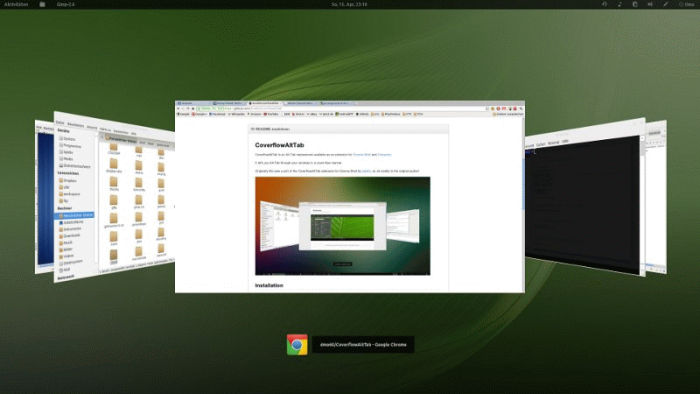
This extension replaces the output of Alt-Tab. You traverse through windows in a cover-flow way.
This extension just adds a garnish of aesthetic beauty to your desktop.
Website: github.com/dmo60/CoverflowAltTab
28. PaperWM
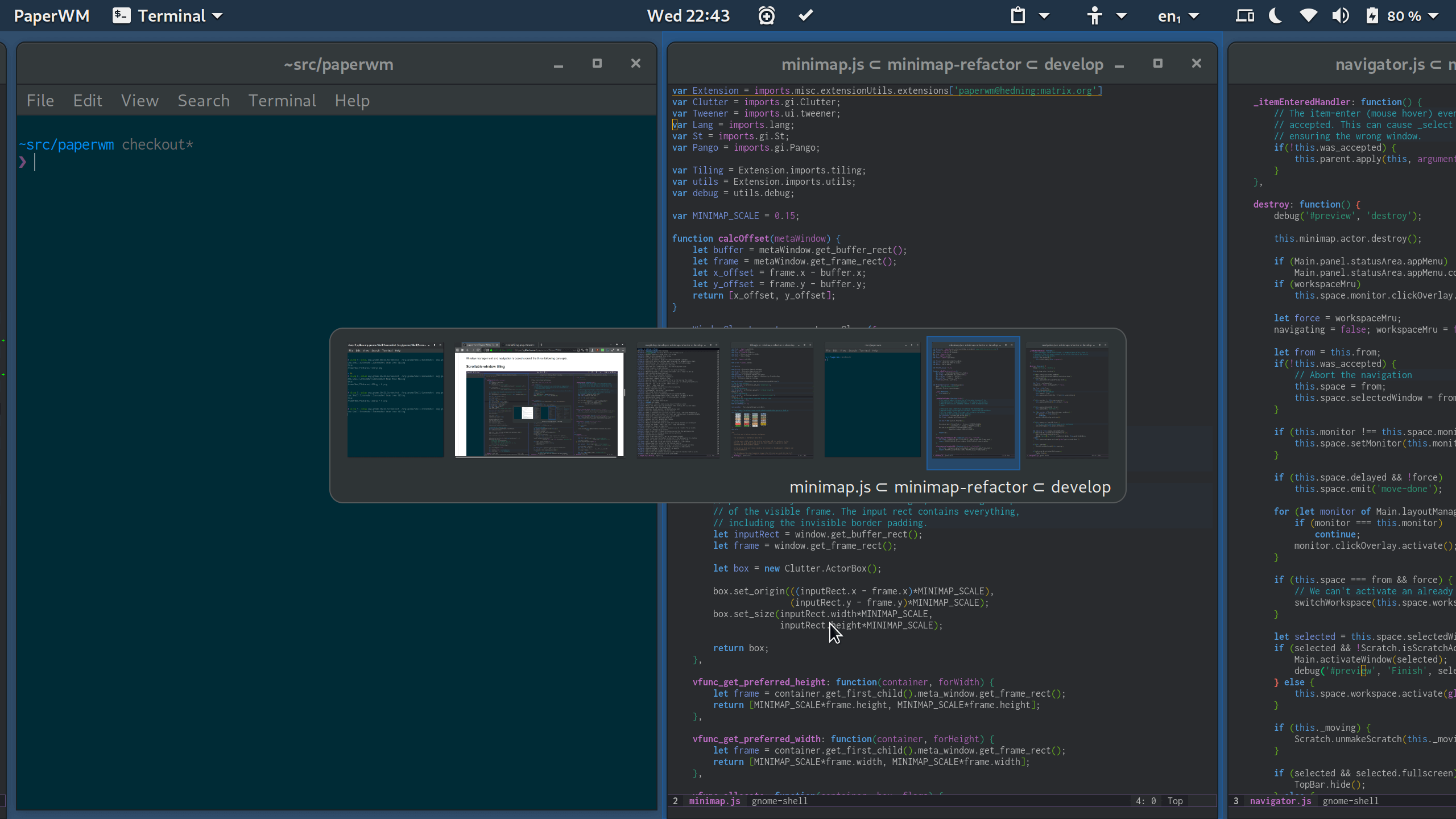
PaperWM provides scrollable tiling of windows and per monitor workspaces. Its inspired by paper notebooks and tiling window managers. PaperWM is designed to work work well with keyboard and mouse, trackpads etc.
Website: github.com/paperwm/PaperWM
Next page: Page 8 – Emoji Copy, Tiling Assistant, Hide Activities Button, App Menu is Back
Pages in this article:
Page 1 – Dash to Dock, Arc Menu, OpenWeather Refined, Window-List
Page 2 – Custom Hot Corners – Extended, Vitals, Net speed Simplified, Clipboard Indicator
Page 3 – Desktop Icons NG, GSConnect, Recent Items, ddterm
Page 4 – Auto Move Windows, Places Status Indicator, Cronomix, Just Perfection
Page 5 – Top Panel Workspace Scroll, Picture of the Day, System monitor, Hanabi
Page 6 – Removable Drive Menu, V-Shell, Extension List, Frippery Panel Favorites
Page 7 – BlurMyShell, Burn My Windows, Coverflow Alt-Tab, PaperWM
Page 8 – Emoji Copy, Tiling Assistant, Hide Activities Button, App Menu is Back
Page 9 – WinTile, Colosseum, Impatience, Todoit
Page 10 – Panel corners, No overview at start-up, Caffeine, Luminus Shell
Page 11 – Lilypad Top Bar Manager, Dash to Panel, Tiling Shell
 Explore our comprehensive directory of recommended free and open source software. Our carefully curated collection spans every major software category. Explore our comprehensive directory of recommended free and open source software. Our carefully curated collection spans every major software category.This directory is part of our ongoing series of informative articles for Linux enthusiasts. It features hundreds of detailed reviews, along with open source alternatives to proprietary solutions from major corporations such as Google, Microsoft, Apple, Adobe, IBM, Cisco, Oracle, and Autodesk. You’ll also find interesting projects to try, hardware coverage, free programming books and tutorials, and much more. Know a useful open source Linux program that we haven’t covered yet? Let us know by completing this form. |
Please read our Comment Policy before commenting.
Nice Collection!
Just seems u missed Tiling Shell – since its the best GNOME Extention vor tiling…
Agreed, Tiling Shell is very useful. It’s been added as 42b 🙂
Of them all, Dash to Panel is my #1 favorite. 🙂
Hi Torin.
This roundup probably needs an update. I think quite a few are no longer developed or might not work any more.
I’m only running GNOME on one system these days. And that’s mainly because its integrated Remote Desktop is first class giving silky 4k video playback which most (or all?) of the other remote desktop apps cant do in Wayland.