

Last Updated on September 2, 2026
21. Removable Drive Menu
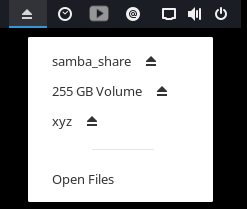 Removable Drive Menu is another recommendation from the GNOME Shell extensions.
This extension shows a status menu for rapid unmount and power off of external storage devices (such as pendrives).
GNOME Shell Extensions is a collection of extensions providing additional and optional functionality to GNOME Shell.
Website: gitlab.gnome.org/GNOME/gnome-shell-extensions
22. V-Shell
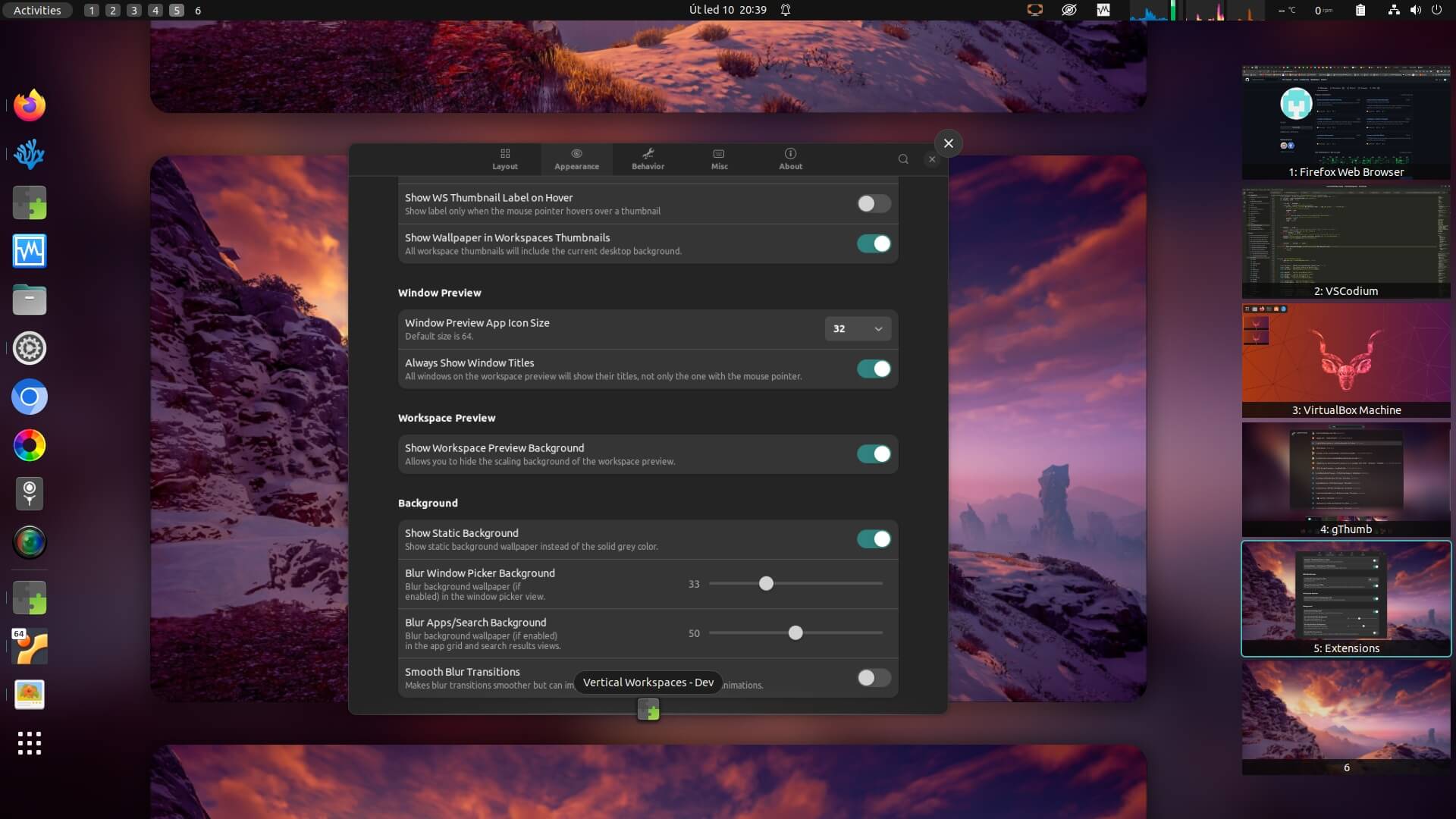
V-Shell lets you customize your GNOME Shell UX to suit your workflow, whether you like horizontally or vertically stacked workspaces.
Features include:
- Supports both vertically and horizontally stacked workspaces.
- Customizable overview layout, appearance, behavior, shortcuts.
- Customizable secondary monitor overview.
- Customizable panel visibility.
- Static overview modes minimize screen content movement.
- Customizable app grid and app folders – icon size, dimensions, sorting, active folder previews.
- Customizable dash – icon size, appearance and behavior, workspace isolation, click and scroll actions.
- Customizable search – results width, number of results, improved searching.
- Customizable workspace switcher – static background.
- Notification and OSD positions and behavior.
- Window attention handler behavior.
- Hot corner/edge position.
- Customizable Super key behavior.
- Keyboard and mouse shortcuts allow advanced workspace and window control.
- 4 predefined and fully customizable profiles.
- Supports Dash to Dock / Ubuntu Dock / Dash to Panel extensions.
Website: github.com/G-dH/vertical-workspaces
23. Extension List
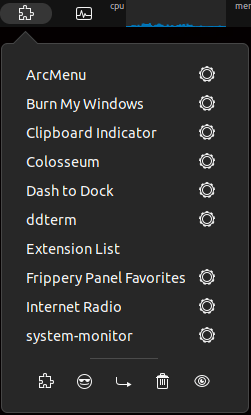 This extension lacks something in the imagination stakes when it comes to its name, but it’s a handy addition.
The extension lets you easily enable and disable extensions from a popup menu in the top panel.
If you’ve got lots of extensions or want to experiment with them, you will definitely find this extension useful.
It’s also useful to access settings for your extensions.
It seeks to follow the KISS principle, an acronym for keep it simple, stupid. The KISS principle states that most systems work best if they are kept simple rather than made complicated;
Website: github.com/tuberry/extension-list
24. Frippery Panel Favorites

This is a small collection of useful extensions that aims to provide a user experience familiar to GNOME 2 enthusiasts.
It lets you move the clock, place a launcher for each favorite application in the panel, replace the activities button in the panel with an Applications menu, and adds a bottom panel, including a window list and workspace switcher.
Website: frippery.org/extensions
Next page: Page 7 – BlurMyShell, Burn My Windows, Coverflow Alt-Tab, PaperWM
Pages in this article:
Page 1 – Dash to Dock, Arc Menu, OpenWeather Refined, Window-List
Page 2 – Custom Hot Corners – Extended, Vitals, Net speed Simplified, Clipboard Indicator
Page 3 – Desktop Icons NG, GSConnect, Recent Items, ddterm
Page 4 – Auto Move Windows, Places Status Indicator, Cronomix, Just Perfection
Page 5 – Top Panel Workspace Scroll, Picture of the Day, System monitor, Hanabi
Page 6 – Removable Drive Menu, V-Shell, Extension List, Frippery Panel Favorites
Page 7 – BlurMyShell, Burn My Windows, Coverflow Alt-Tab, PaperWM
Page 8 – Emoji Copy, Tiling Assistant, Hide Activities Button, App Menu is Back
Page 9 – WinTile, Colosseum, Impatience, Todoit
Page 10 – Panel corners, No overview at start-up, Caffeine, Luminus Shell
Page 11 – Lilypad Top Bar Manager, Dash to Panel, Tiling Shell
 Explore our comprehensive directory of recommended free and open source software. Our carefully curated collection spans every major software category. Explore our comprehensive directory of recommended free and open source software. Our carefully curated collection spans every major software category.This directory is part of our ongoing series of informative articles for Linux enthusiasts. It features hundreds of detailed reviews, along with open source alternatives to proprietary solutions from major corporations such as Google, Microsoft, Apple, Adobe, IBM, Cisco, Oracle, and Autodesk. You’ll also find interesting projects to try, hardware coverage, free programming books and tutorials, and much more. Know a useful open source Linux program that we haven’t covered yet? Let us know by completing this form. |
Please read our Comment Policy before commenting.
Nice Collection!
Just seems u missed Tiling Shell – since its the best GNOME Extention vor tiling…
Agreed, Tiling Shell is very useful. It’s been added as 42b 🙂
Of them all, Dash to Panel is my #1 favorite. 🙂
Hi Torin.
This roundup probably needs an update. I think quite a few are no longer developed or might not work any more.
I’m only running GNOME on one system these days. And that’s mainly because its integrated Remote Desktop is first class giving silky 4k video playback which most (or all?) of the other remote desktop apps cant do in Wayland.