

In Operation
Here’s an image of the clock on first start.
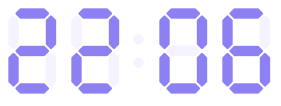
When the program starts, apart from the clock itself, a small tray icon appears on our GNOME desktop. It’s rather hard to see with our black background as the icon is colored purple. But you don’t really need to use the tray icon, as we can access the configuration options with a right mouse click on the clock itself.
The clock can be moved to any location on your desktop. Right click on the clock and you can set its position to preset positions on the screen.
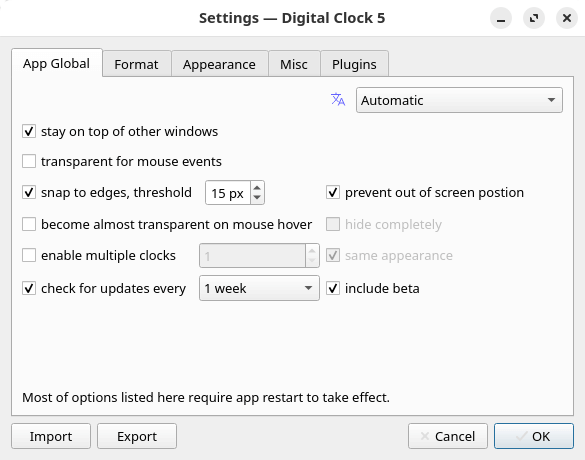
The most interesting customization options are available from the Settings dialog box which is divided into 5 tabs:
We’re showing the default settings. The ability to show multiple clocks is really useful, as it lets you create something similar to Apple Clocks.
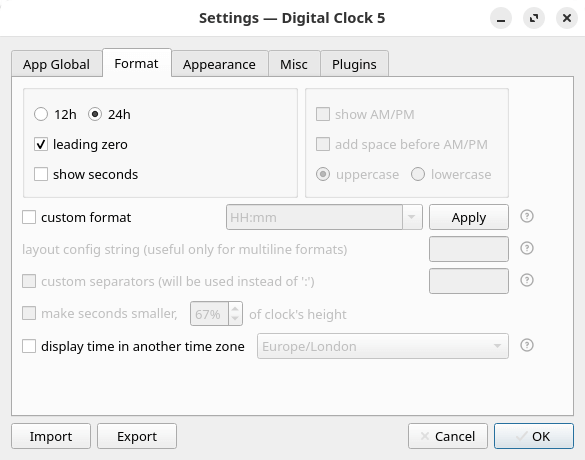
The Format tab also has some useful customization.
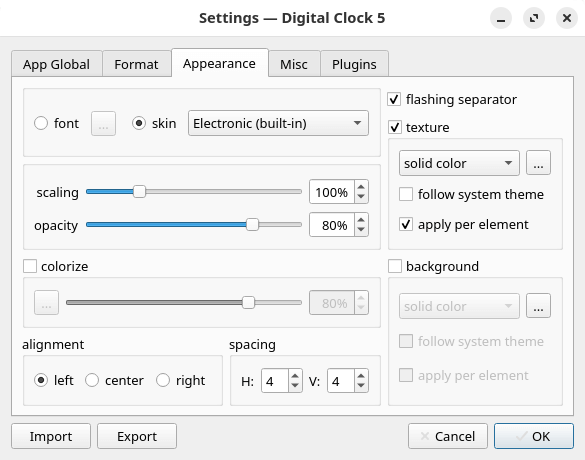
By default the program uses an Electronic skin, but you can use a font and font size of your choice. Besides a solid color you can have the clock displayed in a gradient or pattern. And if you’re using multiple clocks, each clock can have different settings (including text). For example, you can therefore have a city name under each clock.
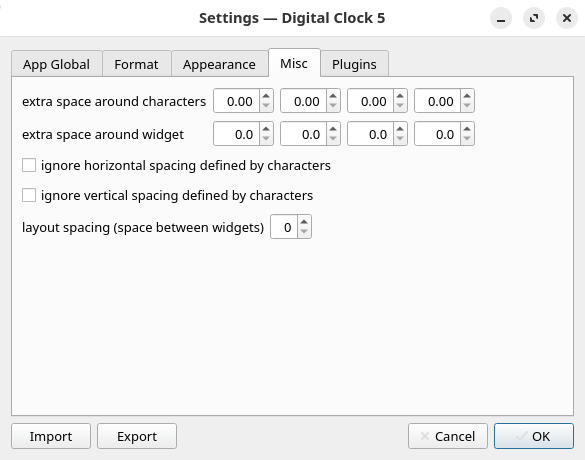
There are a few miscellaneous options available.
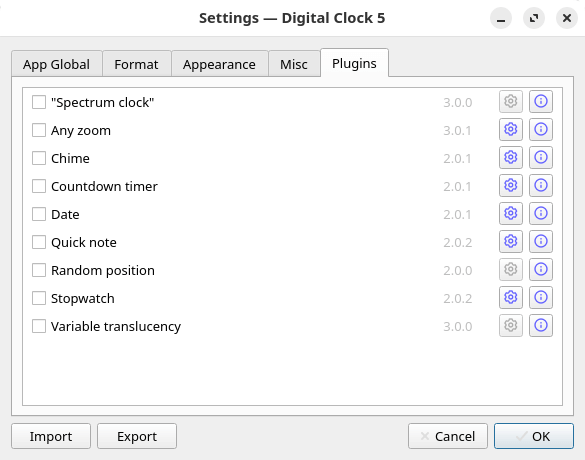
The program ships with a good selection of plugins, each of which can be customized. For example, the chime plugin lets you have an hourly and/or quarterly chime, with the chime going off once or depending on the hour/quarter. There’s also the option for a quiet time, useful if you don’t want chimes at certain times of the day.
The program also offers:
- Good font rendering.
- Good Unicode support (including emoji).
- Font-like rendering for image-based skins.
Summary
There’s lots to admire about Digital Clock 5. The program’s always-on-top function works well, the clock itself has a great array of customization, and the plugins are rather nifty.
It’s a shame that the software is not actually supported under Linux. And the clock is useless with Wayland. But if you’re still using X11, Digital Clock 5 might well be your perfect clock. As we’re still mostly using X11, it’s our default clock. It’s that good.
At the time of publishing the article, the software has a mere 9 GitHub stars. Never judge the quality of software by its GitHub stars.
The program has internationalization support. English, Portuguese, Russian, and Chinese are supported.
Website: github.com/Kolcha/DigitalClock5
Support:
Developer: Nick Korotysh
License: GNU General Public License v3.0
Digital Clock 5 is written in C++. Learn C++ with our recommended free books and free tutorials.
For more Linux clocks, check out this roundup.
Pages in this article:
Page 1 – Introduction and Installation
Page 2 – In Operation and Summary
Related Software
| GUI Clocks | |
|---|---|
| KClock | Convergent clock application for KDE Plasma |
| GNOME Clocks | Stopwatch, timer, alarms, and multiple clocks |
| QTalarm | Qt based alarm clock |
| catclock | xclock with an enhanced cat mode |
| svg-clock | Analog clock using Scalable Vector Graphics |
| retro | Customizable clock widget |
| multiClock | Track the time around the world |
| Alarm Clock | Fully-featured alarm clock for your GNOME panel or equivalent |
| xdaliclock | Advanced xclock substitute |
| dclock | Displays the time in digital format only |
| Lumalarm | Smart alarm clock that wakes your computer from sleep |
| Hyprclock | Customisable clock application for the Hyprland window manager |
Read our verdict in the software roundup.
 Explore our carefully curated directory of recommended free and open source software, covering every major software category. Explore our carefully curated directory of recommended free and open source software, covering every major software category.The directory forms part of our extensive collection of articles for Linux enthusiasts. It includes hundreds of detailed reviews, together with free and open source alternatives to proprietary software from companies such as Google, Microsoft, Apple, Adobe, IBM, Cisco, Oracle, and Autodesk. LinuxLinks also covers interesting projects worth exploring, Linux-compatible hardware, free programming books and tutorials, and much more. Know a useful free and open source Linux application that we haven’t covered? Tell us about it using our submission form. |
Please read our Comment Policy before commenting.