

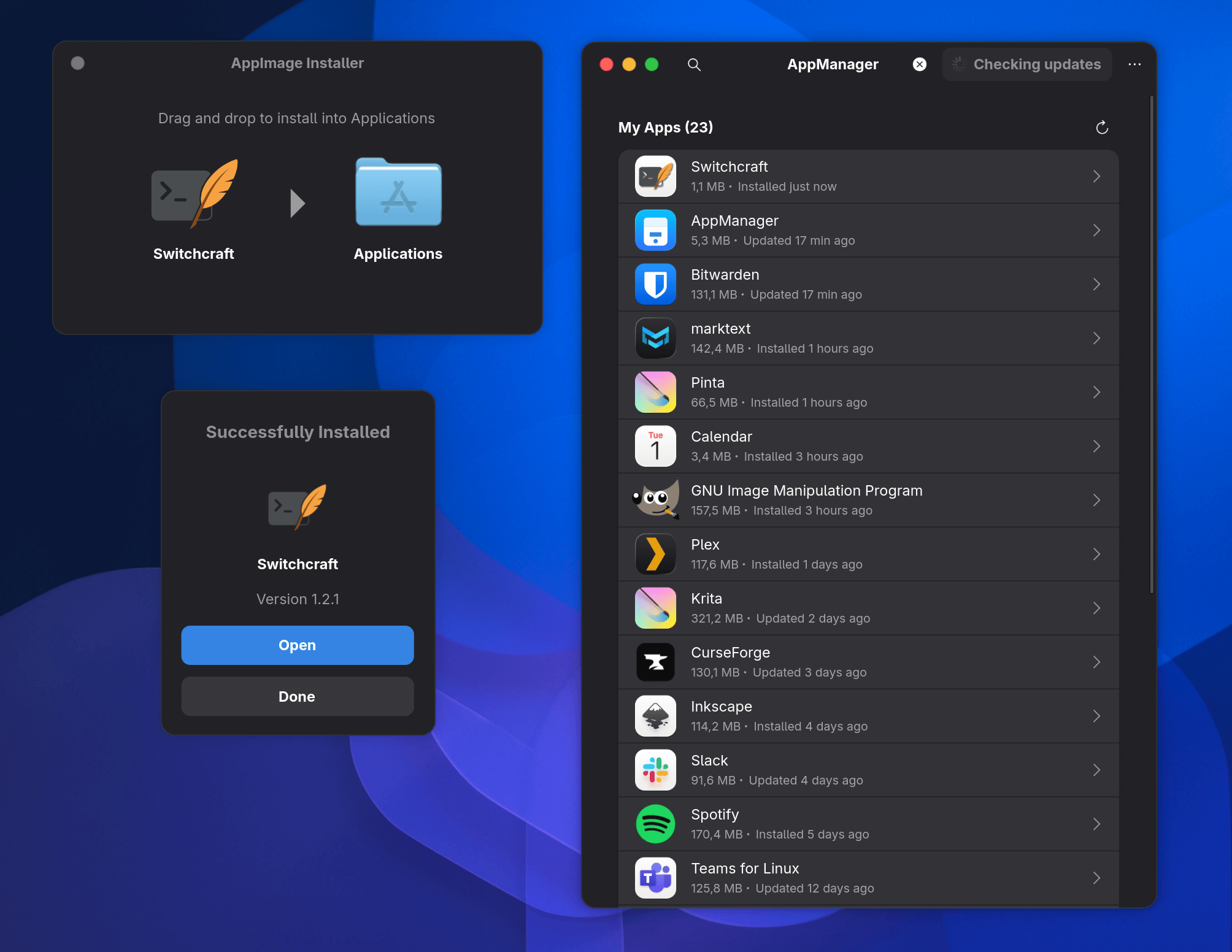
AppManager is a graphical utility for installing, organising, updating, and removing AppImages on Linux. Its GTK and libadwaita interface provides a macOS-style drag-and-drop installation workflow, making it straightforward to register a downloaded application with the desktop environment. AppManager handles both SquashFS and DwarFS AppImages and offers a central application library rather than leaving users to manage individual executable files through their file manager.
Beyond installation, AppManager includes application update management and configurable sandbox permissions. It can retrieve updates from embedded update information or supported upstream release sources, with background checks and progress reporting. Sandboxing allows individual applications to run with a private home directory and restricted access to system resources, provided the necessary supporting components are available. These facilities make AppManager a more comprehensive application management tool than a simple desktop shortcut creator.
This is free and open source software.
Key Features
- Drag-and-drop installation with automatic desktop entry and icon creation.
- Portable and extracted installation modes, with the ability to change an application’s mode.
- Optional isolated portable mode using dedicated .home and .config directories alongside an application.
- Side-by-side installation of multiple copies of the same application, each with its own launcher.
- Searchable application library with sorting and list or grid views.
- Change the application storage directory through preferences, moving managed applications to the new location.
- Uninstall applications through AppManager or the desktop application menu.
- Update support using zsync delta downloads, GitHub and GitLab releases, and supported direct download URLs.
- Parallel application updates with individual progress indicators and cancellation controls.
- Configurable background update checks, notifications, automatic installation, and update logs.
- Customise application names, icons, keywords, startup classes, launch arguments, and environment variables.
- Hide selected applications from the application menu or make them accessible through the shell PATH.
- One-click installation through supported appimg:// links, with HTTPS downloads and optional checksum verification.
- Optional GitHub authentication for higher API rate limits and access to private repository releases.
- Per-application sandbox permissions controlling access to files, network connections, audio, devices, and desktop services.
- Standard and Strict sandbox profiles, with the option to customise permissions or use AppHub templates.
- Optional submission workflow for proposing applications to the AppHub catalogue.
Website: github.com/kem-a/AppManager
Support:
Developer: Arnis K
License: GNU General Public License v3.0
AppManager is written in Vala. Learn Vala with our recommended free books and free tutorials.
Related Software
| AppImage Package Managers Tools | |
|---|---|
| Go AppImage | Go implementation of AppImage tools |
| AppManager | GTK/Libadwaita developed desktop utility in Vala |
| zap | Supports desktop integration, delta updates and command line syntax |
| AppMan | Manage 1900+ AppImage packages and official standalone apps |
| Soar | Modern, distro-independent package manager |
| bauh | Supports Snaps, Flatpaks, AppImages, deb packages, web applications |
| AppImagePool | Simple, modern AppImageHub client |
| Teabag | TUI app built with Bubble Tea |
Read our verdict in the software roundup.
 LinuxLinks helps you discover the best free and open source software for Linux. Explore our extensive collection of recommended applications, including alternatives to popular proprietary software. We also publish software reviews, Linux tutorials, hardware reviews, free programming books and articles covering the wider open source community. Browse our Linux resources to discover more. Know a useful free and open source Linux application we haven't covered? Suggest a program for inclusion. Has your software been featured on LinuxLinks? Display one of our Featured on LinuxLinks badges on your website or GitHub README. |
Please read our Comment Policy before commenting.