

Prunr is a desktop disk cleanup application that combines duplicate-file detection with graphical disk usage analysis. It helps identify files occupying unnecessary storage and provides tools for examining how space is distributed across directories. Rather than treating duplicate detection and disk visualisation as separate tasks, Prunr brings them together in an interface for inspecting files and reclaiming storage.
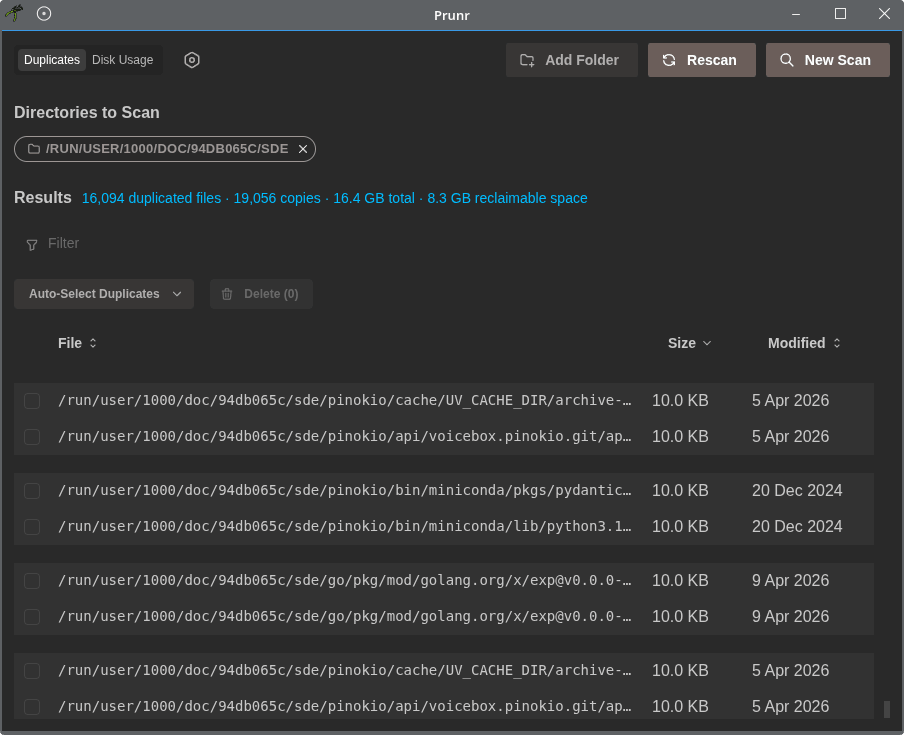
The duplicate scanner can use partial or full-content hashing. Partial scanning examines selected portions of files to reduce the amount of data read, while full scanning processes complete file contents for a more reliable comparison. Results are organised into groups of potentially redundant files, with controls for sorting, filtering and selecting copies for removal. The disk usage analyser provides interactive treemap and sunburst visualisations, allowing users to identify large directories and file types through graphical representations of their relative sizes. File processing runs locally, without uploading scanned content to an external service.
This is free and open source software.
Key Features
- Scan selected directories for duplicate files.
- SHA-256 hashing – identify matching file contents using cryptographic checksums.
- Partial hashing – compare samples from the beginning, middle and end of files for faster preliminary detection.
- Full hashing – examine complete file contents for stronger duplicate verification.
- Hardware-accelerated hashing where supported by the processor and cryptographic runtime.
- Hash caching – reuse previously calculated checksums when files have not changed.
- Configurable symbolic link handling during directory scanning.
- Duplicate groups – display matching files together for inspection.
- Sort results according to filename, file size and other available file properties.
- Filter results by file type using predefined extension categories.
- Automatic selection – mark redundant copies according to retention strategies, including keeping files with shallower directory paths.
- Manual selection – choose individual copies for removal or clear previous selections.
- Previews – inspect supported image, text, video and audio files before cleanup.
- Storage estimates – display duplicate counts, occupied space and potentially reclaimable storage.
- Interactive treemap – visualise disk usage using rectangles proportional to file and directory sizes.
- Sunburst chart – display storage distribution through a radial directory hierarchy.
- File-type colours – distinguish categories of files in storage visualisations.
- Navigate directories directly through the disk usage visualisations.
- File cleanup – delete selected redundant files and remove files through the disk usage interface.
- Local processing – scan and analyse files without uploading their contents.
- Cross-platform support – runs on Linux, macOS, and Windows.
Website: github.com/conceptualspace/prunr
Support:
Developer: conceptualspace
License: MIT License
Prunr is written in JavaScript. Learn JavaScript with our recommended free books and free tutorials.
Related Software
| Find and Delete Duplicate Files | |
|---|---|
| Czkawka | Find duplicate files, big files, empty files, similar images, and much more |
| BleachBit | System cleaning software |
| dupeguru | Python based GUI that offers special modes for pictures and music |
| DUDE | DUplicates DEtector |
| fclones-gui | Interactive duplicate file finder and remover |
| FSlint | Python based CLI and GUI tool |
| Dupe Clear | Cross-platform duplicate file cleaner |
| Prunr | Fnd and remove duplicate files |
Read our verdict in the software roundup.
 LinuxLinks helps you discover the best free and open source software for Linux. Explore our extensive collection of recommended applications, including alternatives to popular proprietary software. We also publish software reviews, Linux tutorials, hardware reviews, free programming books and articles covering the wider open source community. Browse our Linux resources to discover more. Know a useful free and open source Linux application we haven't covered? Suggest a program for inclusion. Has your software been featured on LinuxLinks? Display one of our Featured on LinuxLinks badges on your website or GitHub README. |
Please read our Comment Policy before commenting.