
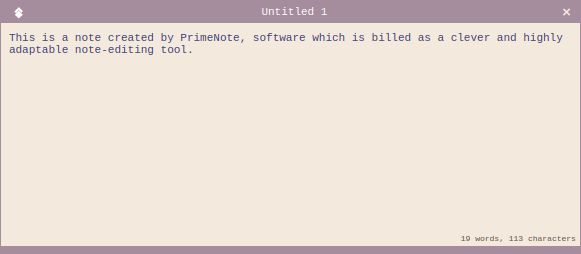
PrimeNote is billed as a clever and highly adaptable note-editing tool.
Its functionality allows for swift editing, storage, organization, and backup of an unlimited number of notes. With PrimeNote, users can take advantage of advanced text operations and an extensive range of modes encompassing text and image processing, as well as a built-in terminal emulator and Vim integration for advanced users.
This is free and open source software.
Key Features
- Always-On-Top – Notes stay at the forefront without causing any clutter on the taskbar.
- Druide Antidote Grammar Tools – PrimeNote offers built-in support for versions 9, 10 and 11.
- Smart Formatting – Input is standardized through the use of ‘enhanced plain text’, permitting basic text decorations.
- Well-Organized Layout – Data is preserved in a folder structure using user-friendly formats.
- Fernet Encryption – Ensures the protection of critical and sensitive data.
- Quick Search – An in-built, keyboard-driven tool to swiftly flick through note titles and content.
- Special Paste – Quick text copying from PDF documents at your fingertips.
- Image Support – Offers basic image viewing features.
- Customizability – Extensive personalization, including appearance, menus, hotkeys, and mouse events, powered by CSS styling.
- Virtual Machine Support – Facilitates real-time editing and easy sharing of content within a shared note repository across multiple operating systems.
- Command-Line Interface – Get thorough access to all notes (exclusive to Linux).
- Cross-Platform Support – runs under Linux and Windows.
Website: gitlab.com/william.belanger/primenote
Support:
Developer: William Belanger
License: GNU General Public License v3.0
PrimeNote is written in Python. Learn Python with our recommended free books and free tutorials.
Related Software
| Note Taking Software | |
|---|---|
| Sticky | Very simple utility offering a good range of features |
| PrimeNote | Modern and highly customizable sticky note application |
| NoteSH | Terminal-based sticky notes app |
| KNotes | A simple Qt-based application |
| Xpad | Sticky note application for jotting down things to remember |
| GloboNote | Simple and easy to use open source note taking application |
| Sticky Notes | Simple note taking program designed for GNOME |
| Notejot | Billed as a stupidly simple sticky notes applet. |
| MyNotes | Customizable sticky notes program |
| redthread | Sticky-note pegboard for your terminal |
| Jorts | Colourful sticky notes program |
| Indicator Stickynotes | Write reminders on notes |
| LinSticky | Modern sticky notes application |
| Clues | Sticky notes app with connections |
Read our verdict in the software roundup.
 Explore our carefully curated directory of recommended free and open source software, covering every major software category. Explore our carefully curated directory of recommended free and open source software, covering every major software category.The directory forms part of our extensive collection of articles for Linux enthusiasts. It includes hundreds of detailed reviews, together with free and open source alternatives to proprietary software from companies such as Google, Microsoft, Apple, Adobe, IBM, Cisco, Oracle, and Autodesk. LinuxLinks also covers interesting projects worth exploring, Linux-compatible hardware, free programming books and tutorials, and much more. Know a useful free and open source Linux application that we haven’t covered? Tell us about it using our submission form. |
Please read our Comment Policy before commenting.