

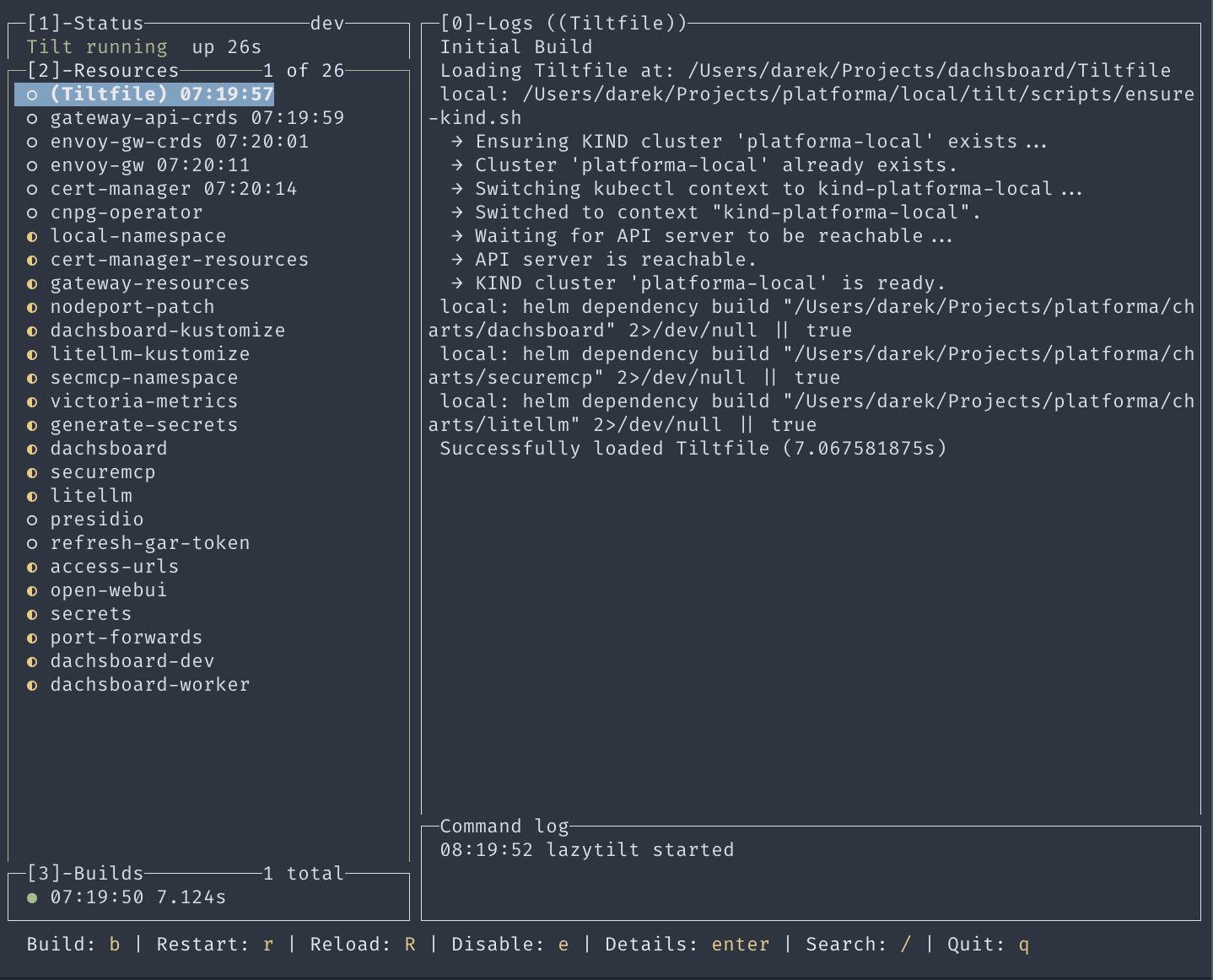
lazytilt is a terminal user interface for managing and monitoring a Tilt local development environment. Inspired by lazygit, it brings resource status, build history, logs, and common actions together in a keyboard-driven interface.
Written in Go, lazytilt connects to Tilt’s API and displays continuously updated information about the resources in the current project. Users can inspect pod details and endpoints, search resources, trigger builds, restart workloads, reload the Tiltfile, and enable or disable resources without leaving the terminal.
This is free and open source software.
Key Features
- Provides a resource overview with real-time OK, pending, and error states.
- Displays build history for the selected resource.
- Streams live logs with line and page scrolling.
- Shows resource details including pod information, endpoints, and builds.
- Offers fuzzy searching for quickly locating resources.
- Triggers builds and restarts selected resources.
- Reloads the project’s Tiltfile from the terminal interface.
- Enables and disables individual resources.
- Uses an accordion layout that expands the currently focused panel.
- Supports Vim-style navigation and keyboard shortcuts.
- Connects to the default or a user-specified Tilt API address.
Website: github.com/tdi/lazytilt
Support:
Developer: Dariusz Dwornikowski.
License: MIT License.
lazytilt is written in Go. Learn Go with our recommended free books and free tutorials.
 LinuxLinks helps you discover the best free and open source software for Linux. Explore our extensive collection of recommended applications, including alternatives to popular proprietary software. LinuxLinks helps you discover the best free and open source software for Linux. Explore our extensive collection of recommended applications, including alternatives to popular proprietary software.We also publish software reviews, Linux tutorials, hardware reviews, free programming books and articles covering the wider open source community. Browse our Linux resources to discover more. Know a useful free and open source Linux application we haven't covered? Suggest a program for inclusion. Has your software been featured on LinuxLinks? Display one of our Featured on LinuxLinks badges on your website or GitHub README. |
Please read our Comment Policy before commenting.