
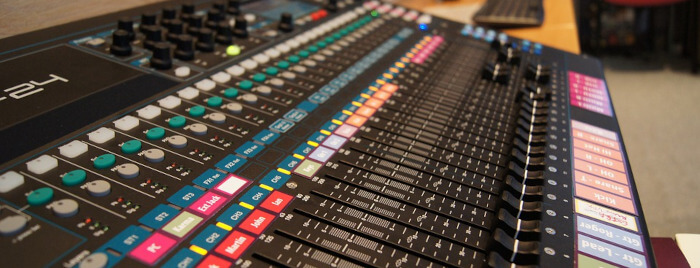
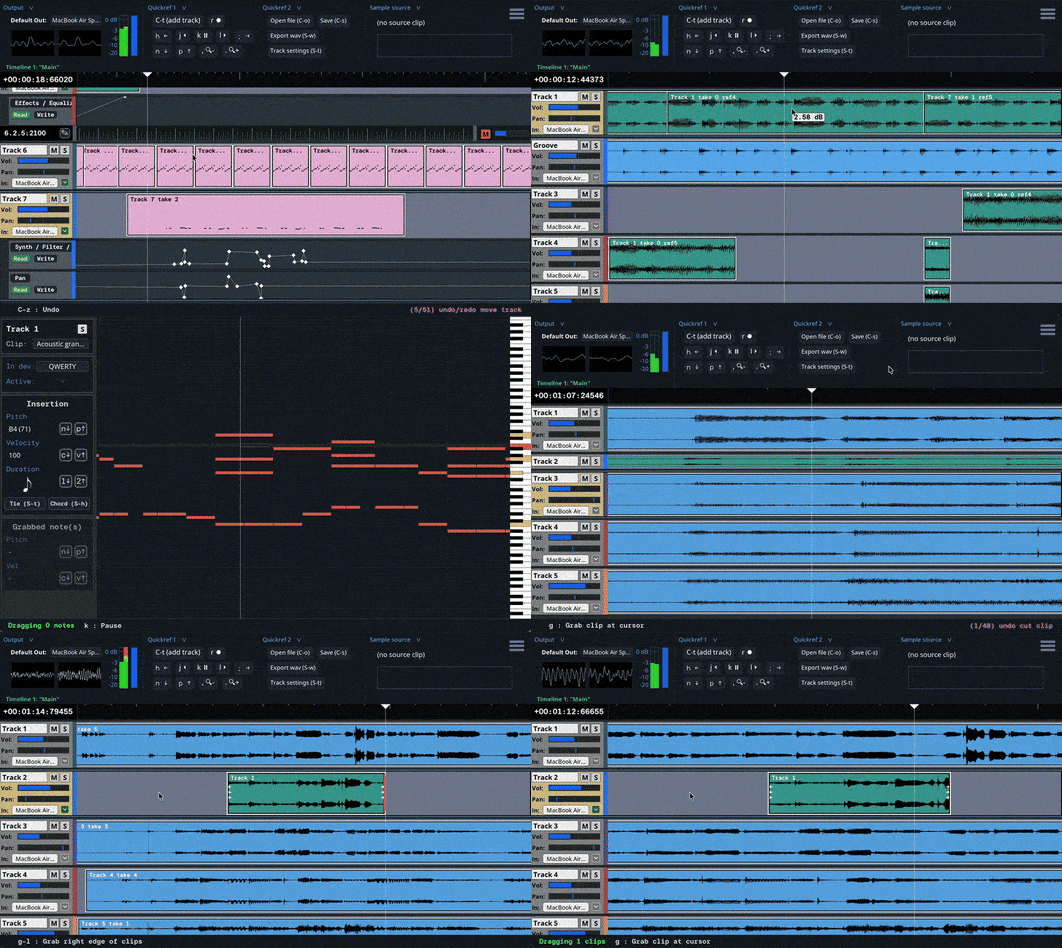
Jackdaw is a keyboard-focused digital audio workstation (DAW) designed to offer a direct, responsive, and tactile way to record, edit, and create music.
The software is built around keyboard commands, although most operations can also be performed with the mouse. Jackdaw supports multitrack audio recording, MIDI, automation, effects, audio routing, and a built-in synthesizer.
Jackdaw is a work in progress and has not received an official release.
This is free and open source software.
Key Features
- Keyboard-focused workflow with an extensive set of commands and shortcuts.
- Multitrack audio recording and playback.
- Edit, move, copy, paste, cut, and resize audio clips.
- Multiple timelines.
- Track volume and pan controls.
- Mute and solo tracks.
- Flexible audio routing between tracks.
- Mix automation for volume, pan, and effect parameters.
- Record automation changes during playback.
- Track effects with support for reordering, deleting, and restoring effects.
- MIDI recording and playback.
- Built-in synthesizer with four base oscillators and multiple waveform types.
- Up to seven unison voices for each base oscillator.
- Frequency and amplitude modulation.
- ADSR amplitude and filter envelopes.
- White noise generator.
- Resonant low-pass filter.
- Polyphonic and monophonic synthesis modes.
- Support for up to 24 synthesizer voices by default.
- Portamento and polyphonic portamento modes.
- Save and load synthesizer presets.
- QWERTY piano emulator for playing and recording MIDI without an external controller.
- Piano roll for creating and editing MIDI clips.
- Note quantization with an adjustable quantization amount.
- Bind physical MIDI controllers to synthesizer parameters.
- Read MIDI files.
- JLily notation for creating MIDI clips using a limited LilyPond-inspired syntax.
- Click tracks and tempo controls.
- Loop playback.
- Command lookup for finding operations and their keyboard shortcuts.
- Export the mixdown to a WAV file.
- Collects no data and does not connect to the internet.
- Supports Linux and macOS.
Website: github.com/chvolow24/jackdaw
Support:
Developer: Charlie Volow
License: GNU General Public License v3.0
Jackdaw is written in C. Learn C with our recommended free books and free tutorials.
Related Software
| Digital Audio Workstations | |
|---|---|
| Ardour | Record, edit and mix with this digital audio workstation |
| MusE | Full featured MIDI and audio sequencer with recording and editing |
| Bespoke | Software modular synthesizer with a large range of modules |
| Zrythm | Automated and intuitive digital audio workstation |
| Rosegarden | Sophisticated MIDI (and audio) sequencer and notation editor |
| Qtractor | Audio/MIDI multi-track sequencer |
| Radium | Music editor sporting a sleek interface |
| LMMS | Digital audio workstation |
| Helio | Music sequencer for desktop and mobile platforms |
| Seq66 | MIDI sequencer and live-looper |
| Stargate | All-in-one DAW and plugin suite |
| MAGDA | Built for automation, transformation, and fast musical iteration |
| Jackdaw | Keyboard-focused digital audio workstation |
| Generic DAW | Early-in-development, cross-platform digital audio workstation |
Read our verdict in the software roundup.
 Explore our carefully curated directory of recommended free and open source software, covering every major software category. Explore our carefully curated directory of recommended free and open source software, covering every major software category.The directory forms part of our extensive collection of articles for Linux enthusiasts. It includes hundreds of detailed reviews, together with free and open source alternatives to proprietary software from companies such as Google, Microsoft, Apple, Adobe, IBM, Cisco, Oracle, and Autodesk. LinuxLinks also covers interesting projects worth exploring, Linux-compatible hardware, free programming books and tutorials, and much more. Know a useful free and open source Linux application that we haven’t covered? Tell us about it using our submission form. |
Please read our Comment Policy before commenting.