
Last Updated on June 28, 2024
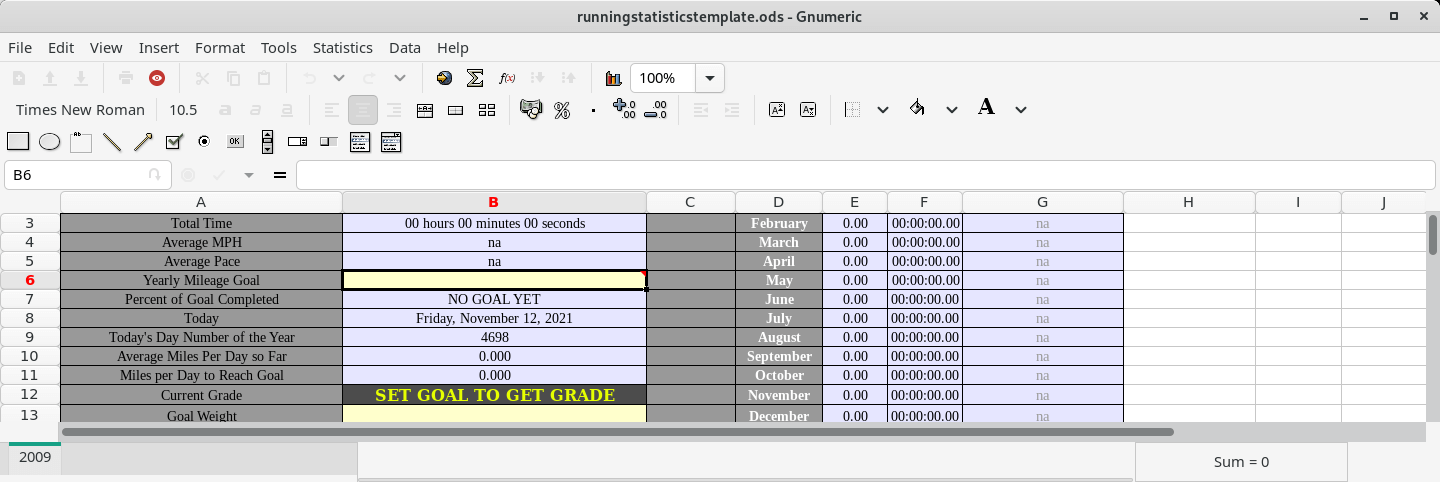
The Gnumeric spreadsheet is part of the GNOME desktop environment: a project to create a free, user friendly desktop environment.
Gnumeric has the ability to import and export data in several file formats, including CSV, Microsoft Excel, HTML, LaTeX, Lotus 1-2-3, OpenDocument and Quattro Pro; its native format is the Gnumeric file format, an XML file compressed with gzip.
It includes all of the spreadsheet functions of the Microsoft Excel and many functions unique to Gnumeric. Pivot tables are not yet supported but are planned for future versions.
Features include:
- Core capabilities:
- Functions:
- 100% of the worksheet functions in MS Excel.
- 154 functions not found in MS Excel.
- Basic support for financial derivatives (Black Scholes).
- Basic support for telecommunication engineering.
- Analytics:
- Advanced Statistical analysis.
- Extensive Random Number generation.
- Linear and Non-linear solvers.
- Computation:
- Inter sheet dependencies.
- 3D dependencies.
- Implicit intersection.
- Implicit iteration.
- Dynamic dependencies.
- User defined names (for ranges and functions).
- Arrays values and formulas.
- Misc:
- Summary information.
- Cell contents.
- Toolbar for common operations.
- Zoom.
- Multiple Views.
- AutoFilter.
- Goal Seek to determine break-even points.
- Tabulation tools (mail merge for spreadsheets).
- Monte Carlo simulation tools.
- Hyper Links.
- Validation.
- Protection.
- Sheet objects:
- Lines, Arrows, ellipses, squares.
- Buttons, Scrollbars, Checkboxes.
- Images, Charts.
- Printing:
- Cell contents.
- Style information.
- Per sheet printer setups.
- Print preview.
- Print options:
- Page orientation.
- 6 margins + paper size.
- Headers + footers.
- Grid lines, comments, headings.
- Print order.
- Formats:
- All builtin Excel-like formats: number, currency, accounting, date, time, percentage, fraction, scientific, text, special.
- Compatible format description language.
- Styles:
- Borders – outer and inner, colors, diagonals, 13 line types.
- Colors – foreground, background, 18 pattern types.
- Fonts – font name, size, style (bold/italic), color.
- Horizontal alignments – general, left, right, center, fill, justify, center across selection.
- Vertical alignments – top, center, bottom, justify.
- Cell Merging, spanning, and wrapping.
- Charting:
- Pie plots.
- Ring plots.
- Bar/Col plots.
- Autofill:
- Autofill for various sequences is supported.
- Automatic guessing of input:
- Gnumeric will try to parse user entered input as a number with a format applied (so you can enter dates directly, and they will be stored as a number + a format to render it).
- Functions:
- International:
- Gnumeric has been localized to various languages, and we welcome new contributions. It handles numeric formats properly for various countries and languages.
- Import filters:
- XML (gnumeric format).
- MS Excel ™ 2,3,4,5,95,97,2k,XP.
- Applix (4, 5).
- HTML (various).
- CSV (comma separated values).
- Lotus 1-2-3 .wk1 format.
- GNU oleo (rudimentary).
- Quattro Pro.
- OpenOffice (sxc, not the older binary format).
- Export filters:
- XML (gnumeric format).
- MS Excel ™ 5,95,97,2k,XP (including dual stream).
- HTML (3.2, 4, xhtml).
- LaTeX, Troff.
- PDF, EPS, DVI.
- CSV.
- Batch Processing:
- Translation from one file format to another.
Website: www.gnumeric.org
Support: Mailing List
Developer: The GNOME Project
License: GNU GPL v2
Gnumeric is written in C. Learn C with our recommended free books and free tutorials.
| Explore Linux | |
|---|---|
 | Best Free and Open Source Software - A huge collection of recommended free and open source software covering every major category. |
 | In-depth Linux Software Reviews - Detailed assessments of Linux software covering features, usability and overall quality. |
 | The Big List of Active Linux Distros - An extensive collection of actively developed Linux distributions. |
 | Open Source Alternatives - Alternatives to software and services from Google, Microsoft, Apple, Adobe, IBM, Autodesk, Oracle and others. |
 | Essential Linux System Tools - Indispensable utilities for monitoring, maintaining and managing Linux systems. |
 | Linux Productivity Tools - Useful utilities for improving productivity and streamlining everyday tasks. |
 | Alternatives to Popular CLI Tools - Modern alternatives to familiar command-line utilities supplied with Linux systems. |
 | Awesome Free Linux Game Tools - Tools, utilities and companion software that improve gaming on Linux. |
 | Machine Learning on Linux - Machine learning and deep learning software, self-hosted applications and practical tools. |
 | Saving Money with Linux - Practical ways to reduce electricity consumption and lower computing costs with Linux. |
 | Linux Candy - Fun, entertaining and sometimes delightfully quirky software from the lighter side of Linux. |
Please read our Comment Policy before commenting.