

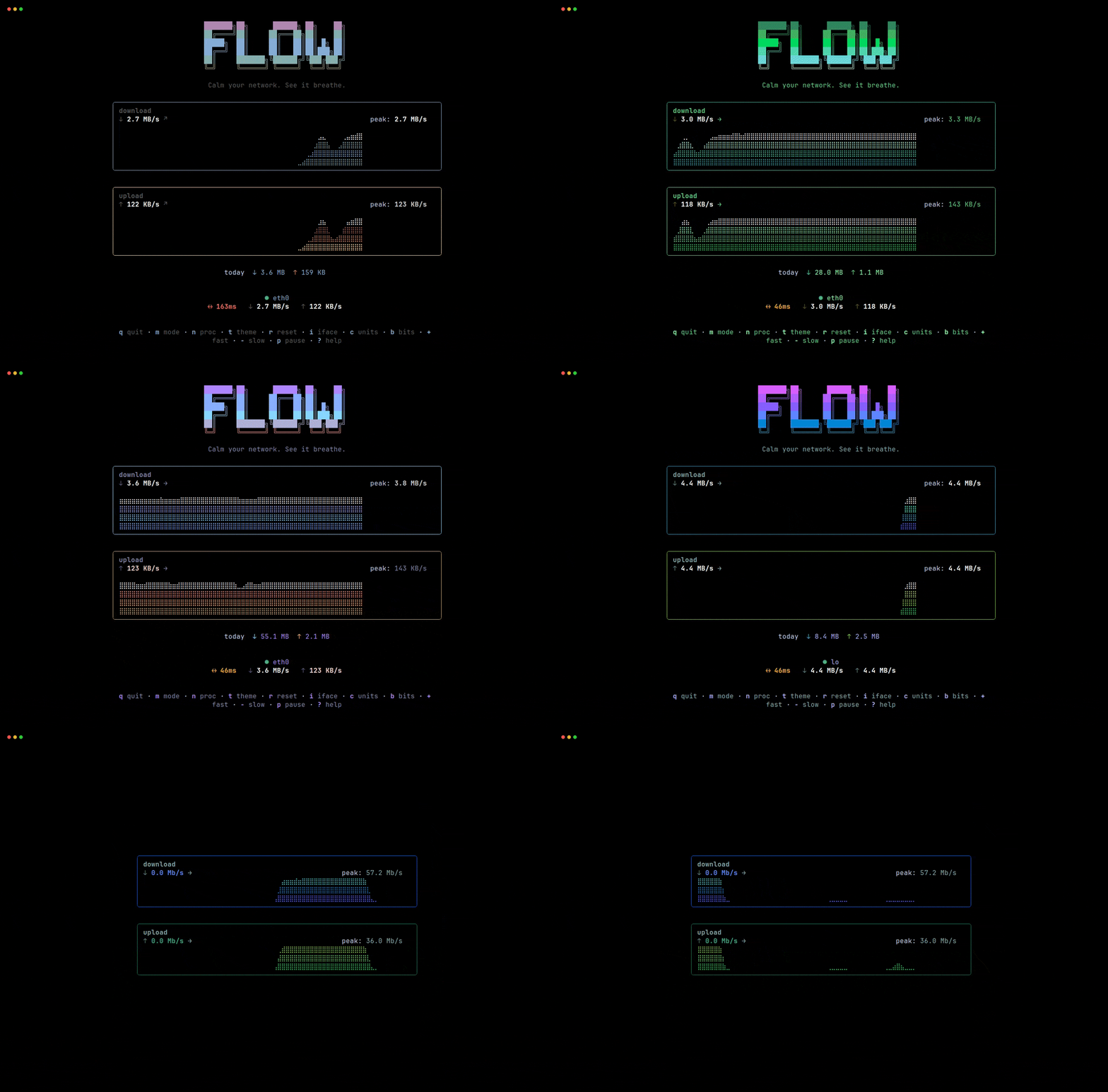
Flow is a terminal dashboard focused on real-time network throughput.
It provides a clean, responsive view of download and upload speeds without the additional system metrics found in general-purpose system monitors.
The interface adapts to the available terminal dimensions and offers multiple display modes ranging from a full dashboard to single-line output suitable for status bars.
This is free and open source software.
Key Features
- Real-time download and upload throughput.
- Live latency indicator.
- Network processes panel showing active processes sorted by connection count.
- Braille-grid waveform rendering at 30 frames per second.
- Four responsive display modes.
- Automatic unit scaling from B/s to GB/s.
- Session peak tracking and daily traffic totals.
- Directional indicators show traffic trends.
- Eight built-in themes.
- Supports displaying throughput in bits or bytes per second.
- Interactive adjustment of sampling and refresh intervals.
- JSON and plain-text output modes for scripts.
- Optional TOML configuration.
- Cross-platform support – runs on Linux, macOS, and Windows.
Website: github.com/programmersd21/flow
Support:
Developer: programmersd21
License: MIT License
flow is written in Go. Learn Go with our recommended free books and free tutorials.
 Explore our carefully curated directory of recommended free and open source software, covering every major software category. Explore our carefully curated directory of recommended free and open source software, covering every major software category.The directory forms part of our extensive collection of articles for Linux enthusiasts. It includes hundreds of detailed reviews, together with free and open source alternatives to proprietary software from companies such as Google, Microsoft, Apple, Adobe, IBM, Cisco, Oracle, and Autodesk. LinuxLinks also covers interesting projects worth exploring, Linux-compatible hardware, free programming books and tutorials, and much more. Know a useful free and open source Linux application that we haven’t covered? Tell us about it using our submission form. |
Please read our Comment Policy before commenting.