

DuckStation is a simulator/emulator of the Sony PlayStation 1 console, focusing on playability, speed, and long-term maintainability. The goal is to be as accurate as possible while maintaining performance suitable for low-end devices. “Hack” options are discouraged, the default configuration should support all playable games with only some of the enhancements having compatibility issues.
A PS1 or PS2 “BIOS” ROM image is required to to start the emulator and to play games. You can use an image from any hardware version or region, although mismatching game regions and BIOS regions may have compatibility issues. A ROM image is not provided with the emulator for legal reasons, you should dump this from your own console using Caetla or other means.
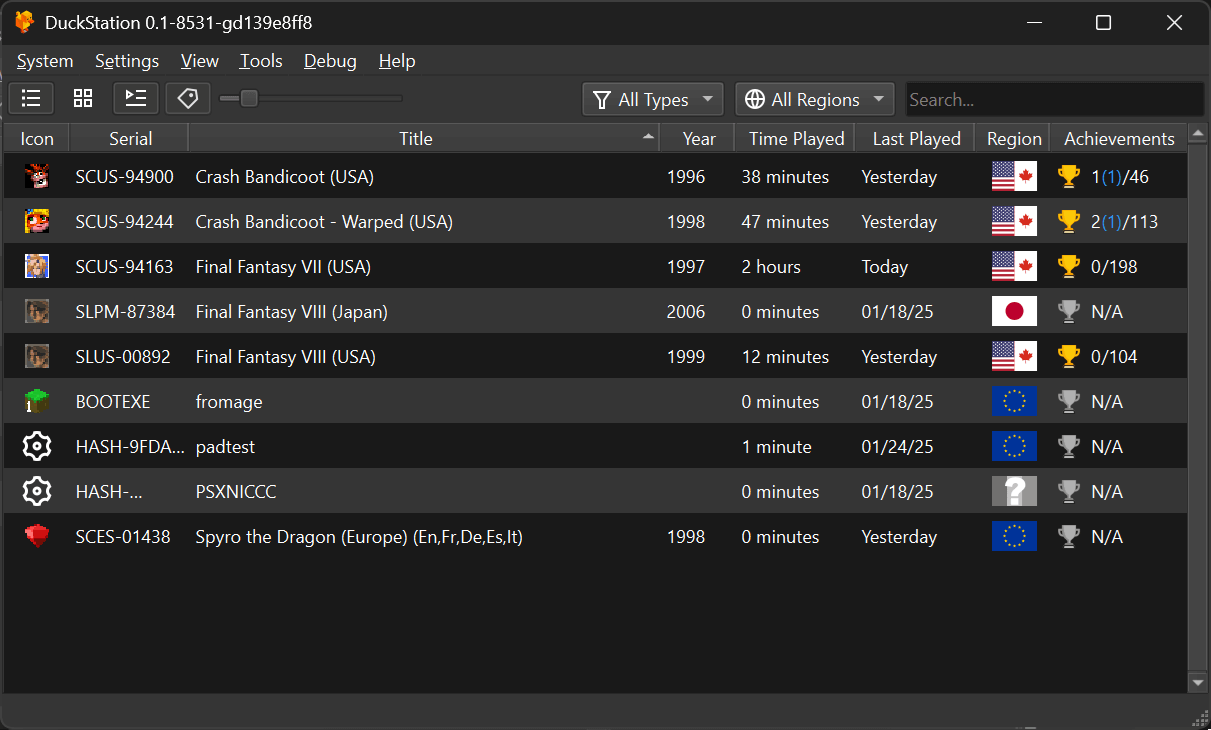
DuckStation features a fully-featured frontend built using Qt, as well as a fullscreen/TV UI based on Dear ImGui.
This is not open source software.
Features include:
- CPU Recompiler/JIT (x86-64, armv7/AArch32, AArch64, RISC-V/RV64).
- Hardware renderer supporting D3D11, D3D12, OpenGL, Vulkan and Metal APIs.
- Upscaling, texture filtering, and true colour (24-bit) in hardware renderers.
- PGXP for geometry precision, texture correction, and depth buffer emulation.
- Accurate blending via Rasterizer Order Views/Fragment Shader Interlock.
- Texture replacement system in hardware renderers.
- Vectorized and multi-threaded software renderer.
- Motion adaptive deinterlacing.
- Adaptive downsampling filter.
- Screen rotation for vertical or “TATE” shmup games.
- Post processing shader chains (GLSL and Reshade FX).
- Border overlays/bezels displayed around game content.
- “Fast boot” for skipping BIOS splash/intro.
- Save state support, with runahead and rewind.
- Windows, Linux, macOS support.
- Supports reading directly from CD, bin/cue images, raw bin/img files, MAME CHD, single-track ECM, MDS/MDF, and unencrypted PBP formats.
- Preloading of disc images to RAM to avoid disk sleeping hitches.
- Merging of multi-disc games in game list/grid with memory cards shared between discs.
- Automatic loading/applying of PPF patches.
- Direct booting of homebrew executables.
- Direct loading of Portable Sound Format (psf) files.
- Time stretched audio when running outside of 100% speed.
- Digital and analog controllers for input (rumble is forwarded to host).
- GunCon and Justifier lightgun support (simulated with mouse).
- NeGcon support.
- Controller presets and per-game configuration.
- Qt and “Big Picture” UI.
- Automatic updates with preview and latest channels.
- Automatic content scanning – game titles/hashes are provided by redump.org.
- Optional automatic switching of memory cards for each game.
- Supports loading cheats from existing lists.
- Memory card editor and save importer.
- Emulated CPU overclocking.
- Integrated and remote debugging.
- Multitap controllers (up to 8 devices).
- RetroAchievements.
- Discord Rich Presence.
- Video capture with Media Foundation (Windows) and FFmpeg (All Platforms) backends.
- Free camera function.
- Parallel port cartridge emulation.
Website: github.com/stenzek/duckstation
Support:
Developer: Connor McLaughlin
License: Creative Commons Attribution Non Commercial No Derivatives 4.0 International
DuckStation is written in C++. Learn C++ with our recommended free books and free tutorials.
Return to Video Console Game Emulators
| Explore Linux | |
|---|---|
 | Best Free and Open Source Software - A huge collection of recommended free and open source software covering every major category. |
 | In-depth Linux Software Reviews - Detailed assessments of Linux software covering features, usability and overall quality. |
 | The Big List of Active Linux Distros - An extensive collection of actively developed Linux distributions. |
 | Open Source Alternatives - Alternatives to software and services from Google, Microsoft, Apple, Adobe, IBM, Autodesk, Oracle and others. |
 | Essential Linux System Tools - Indispensable utilities for monitoring, maintaining and managing Linux systems. |
 | Linux Productivity Tools - Useful utilities for improving productivity and streamlining everyday tasks. |
 | Alternatives to Popular CLI Tools - Modern alternatives to familiar command-line utilities supplied with Linux systems. |
 | Awesome Free Linux Game Tools - Tools, utilities and companion software that improve gaming on Linux. |
 | Machine Learning on Linux - Machine learning and deep learning software, self-hosted applications and practical tools. |
 | Saving Money with Linux - Practical ways to reduce electricity consumption and lower computing costs with Linux. |
 | Linux Candy - Fun, entertaining and sometimes delightfully quirky software from the lighter side of Linux. |
Please read our Comment Policy before commenting.