

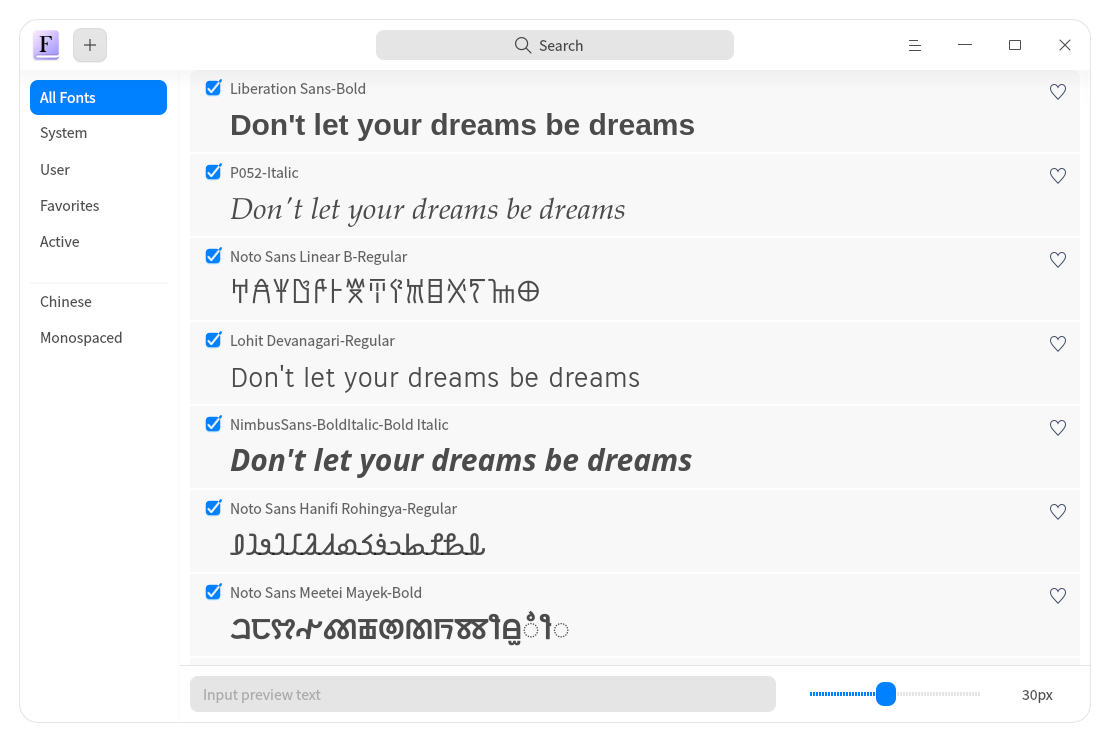
Deepin Font Manager is a graphical utility for managing fonts on the Linux desktop. Developed by the Deepin community, it provides an interface for installing and removing typefaces, inspecting their properties and reviewing fonts already available on the system.
The application is designed to simplify the process of adding fonts without manually copying files into font directories. Users can select several font files for installation, preview their appearance and examine information recorded in their metadata. Deepin Font Manager also distinguishes between available and installed fonts, helping users identify whether a particular typeface is already present. Its integration with the Deepin desktop and file manager provides access to the directories containing installed fonts.
This is free and open source software.
Key Features
- Graphical interface for managing font collections.
- Install individual font files.
- Batch installation of multiple fonts.
- Remove fonts that are no longer required.
- Preview typefaces before installation.
- Display font metadata, including family, style and type.
- Show font descriptions, copyright information and other available properties.
- Automatically detect whether a font is already installed.
- Display installation and removal status messages.
- Browse installed font families in a list.
- Distinguish user-installed fonts from other available typefaces.
- Open font directories through Deepin File Manager.
- Support for translated interface text.
Website: github.com/linuxdeepin/deepin-font-manager
Support:
Developer: Deepin Community
License: GNU General Public License v3.0
Deepin Font Manager is written in C++. Learn C++ with our recommended free books and free tutorials.
Related Software
| Font Managers | |
|---|---|
| Font Manager | Simple tool suitable for the needs of most desktop users |
| Deepin Font Manager | Manage your fonts |
| Pardus Font Manager | Lightweight font management application |
| fnt | apt for fonts |
| ZFontManager | Preview, organise, install and activate fonts |
| Embellish | Install, remove, update and preview Nerd Fonts |
| Lipi | Search, preview and install fonts from Google Fonts |
| FontGet | Install and manage fonts from the command line |
| Fonty Python | Find, view and manage font files of all kinds |
Read our verdict in the software roundup.
 LinuxLinks helps you discover the best free and open source software for Linux. Explore our extensive collection of recommended applications, including alternatives to popular proprietary software. We also publish software reviews, Linux tutorials, hardware reviews, free programming books and articles covering the wider open source community. Browse our Linux resources to discover more. Know a useful free and open source Linux application we haven't covered? Suggest a program for inclusion. Has your software been featured on LinuxLinks? Display one of our Featured on LinuxLinks badges on your website or GitHub README. |
Please read our Comment Policy before commenting.