

CoreX is a Linux hardware monitor that helps you keep track of system health and performance from a desktop dashboard.
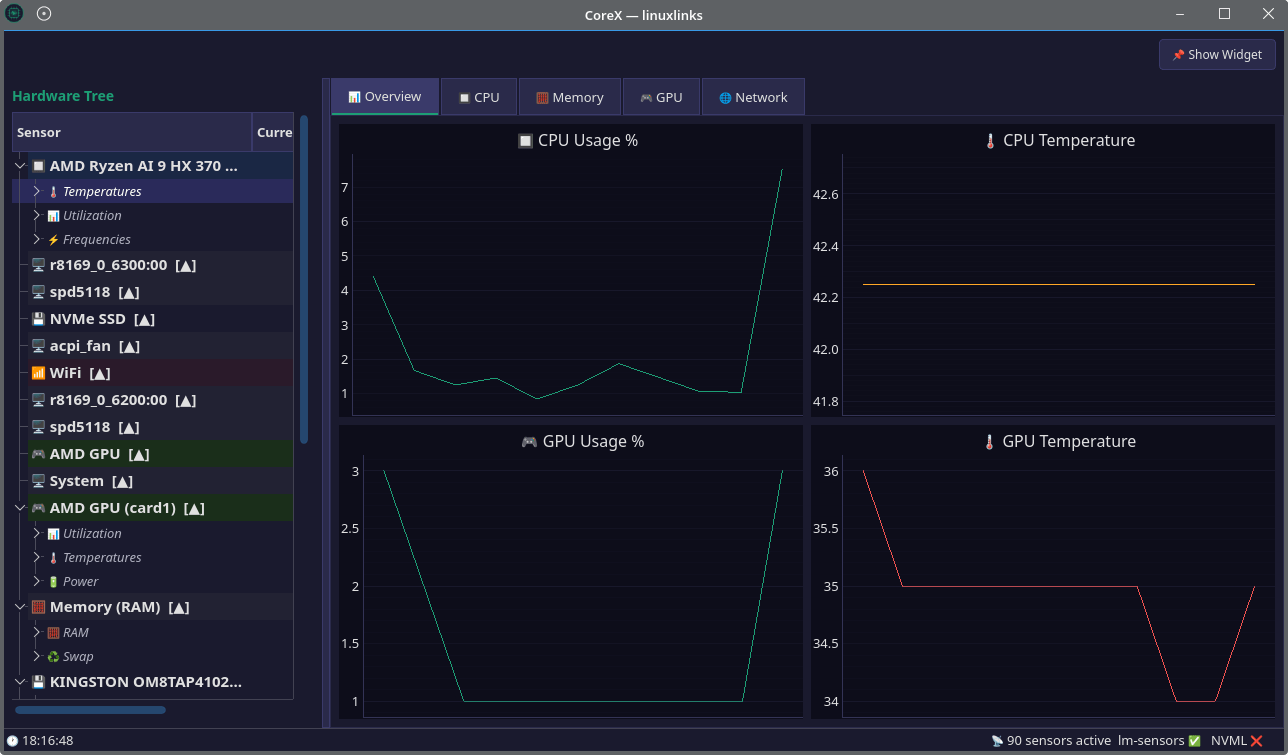
It’s designed to make sensor data easy to follow with a compact on-screen widget, a hardware tree for browsing components, and live monitoring views that are useful when gaming, working, or diagnosing a system.
This is free and open source software.
Key Features
- Provides an always-on-top draggable widget for live system metrics.
- Shows a hardware tree covering CPU, GPU, RAM, disk, and network devices.
- Uses real sensor names instead of generic labels such as temp1 or temp2.
- Includes live charts for CPU, GPU, memory, network, and storage activity.
- Supports both AMD and Nvidia GPUs.
- Offers an automatic sensor identification wizard.
- Uses a dark theme throughout the interface.
Website: github.com/Edewin/corex
Support:
Developer: Eduard Soltuzu
License: MIT License
CoreX is written in Python. Learn Python with our recommended free books and free tutorials.
Related Software
| System Resource Monitoring GUI Tools | |
|---|---|
| Mission Center | Monitor CPU, memory, disk, network and GPU usage |
| System Monitoring Center | GTK-based multi-featured system monitor |
| Plasma System Monitor | KDE-based tool |
| System Monitor | View and manage system resources |
| Resources | GNOME-based tool |
| jdSystemMonitor | Desktop-independent system monitor |
| xfce4-taskmanager | Monitor system resources |
| Monitorets | Small utility application for monitoring resources |
| LXTask | Lightweight task manager for LXDE |
| Usage | GNOME lightweight system monitoring application |
| xosview2 | X11 system monitor |
Read our verdict in the software roundup.
 Explore our comprehensive directory of recommended free and open source software. Our carefully curated collection spans every major software category. Explore our comprehensive directory of recommended free and open source software. Our carefully curated collection spans every major software category.This directory is part of our ongoing series of informative articles for Linux enthusiasts. It features hundreds of detailed reviews, along with open source alternatives to proprietary solutions from major corporations such as Google, Microsoft, Apple, Adobe, IBM, Cisco, Oracle, and Autodesk. You’ll also find interesting projects to try, hardware coverage, free programming books and tutorials, and much more. Discovered a useful open source Linux program that we haven’t covered yet? Let us know by completing this form. |