
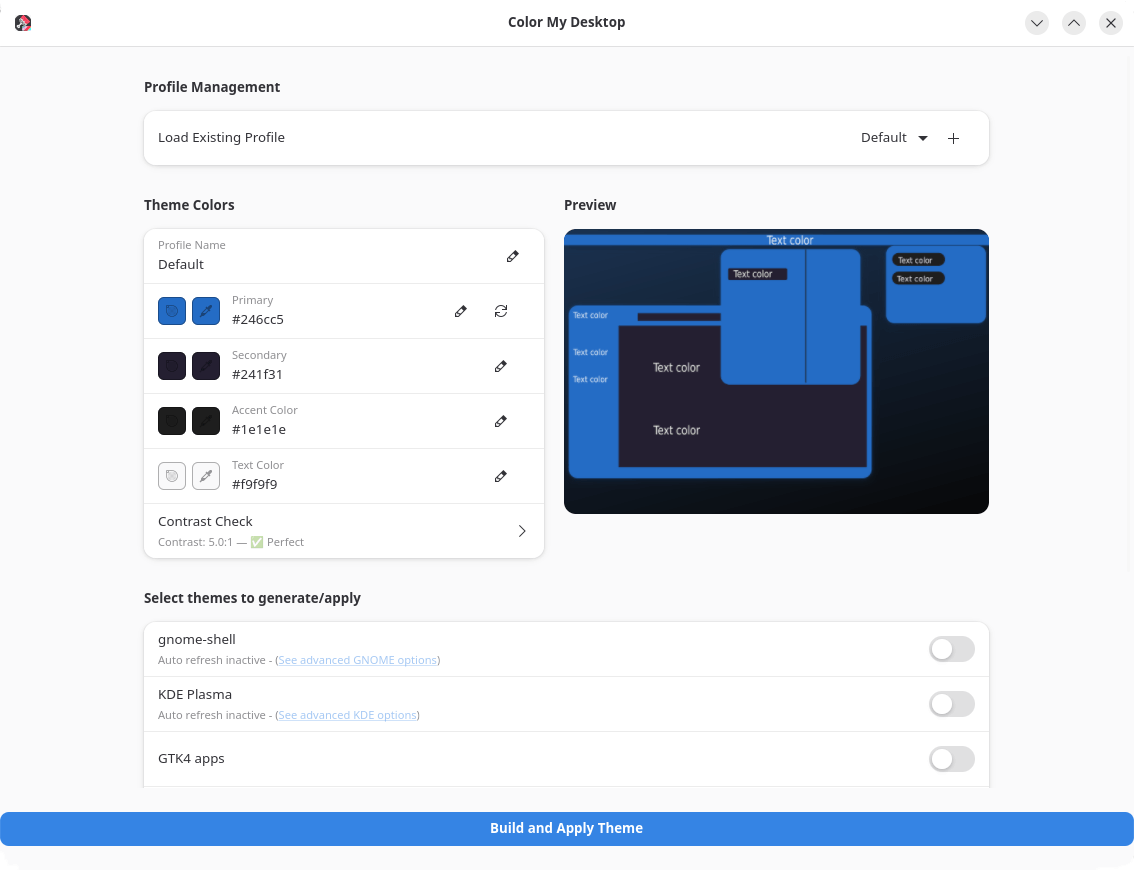
Color My Desktop is an easy to use tool for creating, managing, and applying custom color palettes to custom generated themes for the gnome-shell/ KDE-Plasma / GTK4 apps.
It also includes options for creating Vesktop, Zen-browser, and YouTube themes with your colors, allowing for easy and uniform customization of your desktop environment.
This is free and open source software.
Key Features
- Picking hex color values for
- Primary (main color used on top bar, window bar, and main window elements)
- Secondary (used for window backgrounds and some accents)
- Tertiary (used mostly for accents and some backgrounds)
- Text color.
- Apply colors to / create themes for
- GNOME.
- KDE-Plasma.
- Zen-browser.
- Youtube (Zen browser only).
- Vesktop.
- Papirus Icons.
- GTK4 Apps.
Website: github.com/Schwarzen/colormydesktop
Support:
Developer: Schwarzen
License: Apache License 2.0
Color My Desktop is written in Python. Learn Python with our recommended free books and free tutorials.
 Explore our carefully curated directory of recommended free and open source software, covering every major software category. Explore our carefully curated directory of recommended free and open source software, covering every major software category.The directory forms part of our extensive collection of articles for Linux enthusiasts. It includes hundreds of detailed reviews, together with free and open source alternatives to proprietary software from companies such as Google, Microsoft, Apple, Adobe, IBM, Cisco, Oracle, and Autodesk. LinuxLinks also covers interesting projects worth exploring, Linux-compatible hardware, free programming books and tutorials, and much more. Know a useful free and open source Linux application that we haven’t covered? Tell us about it using our submission form. |
Please read our Comment Policy before commenting.