
Last Updated on March 24, 2022
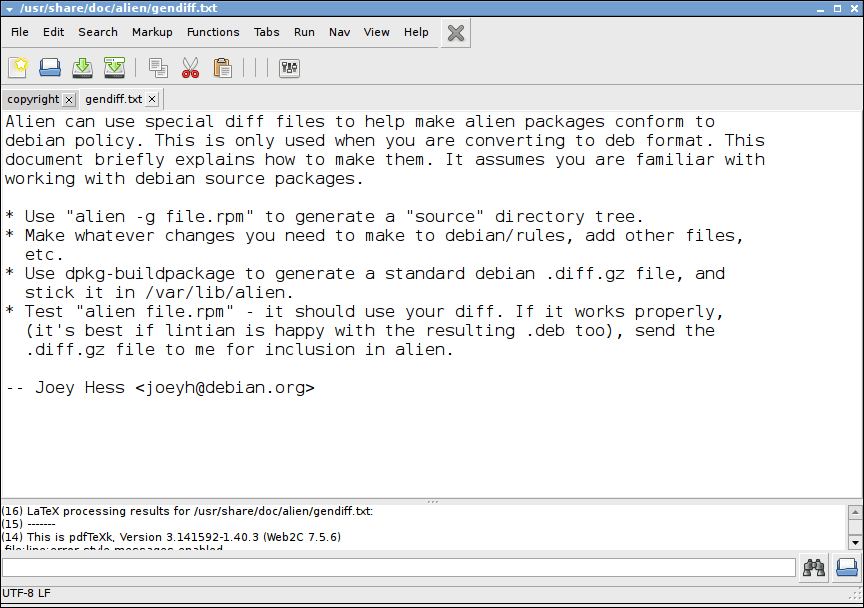
TEA is a GTK-based text editor that provides a wide range of text-processing functions (over 100) and syntax highlighting, yet the software has a very small footprint.
It can read the following formats: Plain text, OpenDocument, OpenOffice.org SWX, KWord KWD and AbiWord.
TEA can handle all charsets that Linux supports through the iconv library.
Features include:
- Built-in file manager Kwas.
- Spell checker (using aspell).
- Tabbed layout engine.
- Multiply encodings support.
- Code snippets, sessions and templates support.
- RTF-reader.
- SRT-subtitles preview with Mplayer in a current subtitles position.
- Text analyzer called UNITAZ.
- Hot keys customizations.
- “Open at cursor”-function for HTML-files and images.
- Misc HTML tools.
- Bracket matching.
- Preview in external browsers.
- String-handling functions such as sorting, reverse, format killing, trimming, filtering, conversions etc.
- Bookmarks.
- Drag’n’drop support (with text files and pictures).
- Built-in image viewer (PNG, JPEG, GIF, WBMP, BMP).
Website: sourceforge.net/projects/tea-editor
Support:
Developer: Peter Semiletov and many contributors
License: GNU GPL v3
TEA is written in C and C++. Learn C with our recommended free books and free tutorials. Learn C++ with our recommended free books and free tutorials.
| Explore Linux | |
|---|---|
 | Best Free and Open Source Software - A huge collection of recommended free and open source software covering every major category. |
 | In-depth Linux Software Reviews - Detailed assessments of Linux software covering features, usability and overall quality. |
 | The Big List of Active Linux Distros - An extensive collection of actively developed Linux distributions. |
 | Open Source Alternatives - Alternatives to software and services from Google, Microsoft, Apple, Adobe, IBM, Autodesk, Oracle and others. |
 | Essential Linux System Tools - Indispensable utilities for monitoring, maintaining and managing Linux systems. |
 | Linux Productivity Tools - Useful utilities for improving productivity and streamlining everyday tasks. |
 | Alternatives to Popular CLI Tools - Modern alternatives to familiar command-line utilities supplied with Linux systems. |
 | Awesome Free Linux Game Tools - Tools, utilities and companion software that improve gaming on Linux. |
 | Machine Learning on Linux - Machine learning and deep learning software, self-hosted applications and practical tools. |
 | Saving Money with Linux - Practical ways to reduce electricity consumption and lower computing costs with Linux. |
 | Linux Candy - Fun, entertaining and sometimes delightfully quirky software from the lighter side of Linux. |
Please read our Comment Policy before commenting.