

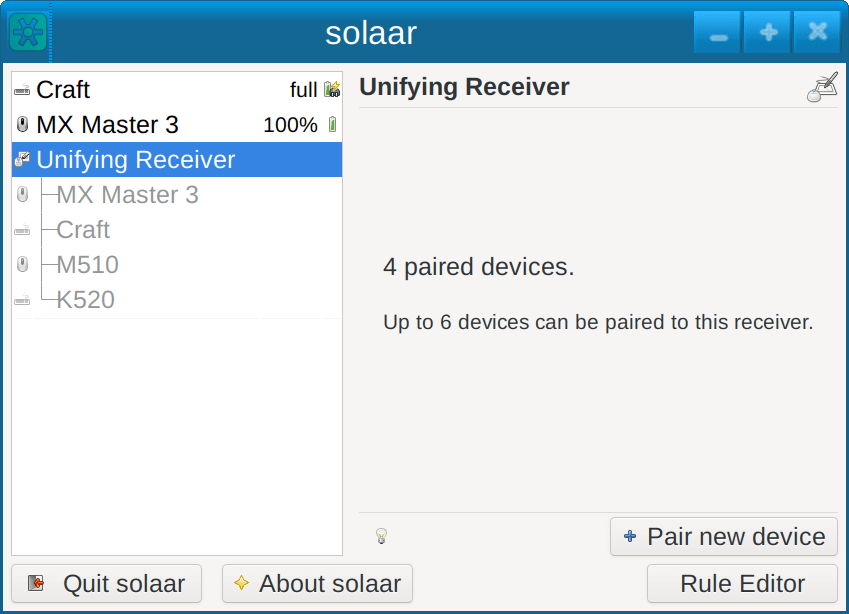
Solaar is a Linux manager for many Logitech keyboards, mice, and trackpads that connect wirelessly to a USB Unifying, Bolt, Lightspeed, or Nano receiver; connect directly via a USB cable; or connect via Bluetooth. Solaar does not work with peripherals from other companies.
Solaar can pair and unpair a Logitech device showing the Unifying logo with any Unifying receiver, and pair and unpair a Logitech device showing the Bolt logo with any Bolt receiver, and can pair and unpair Lightspeed devices with Lightspeed receivers for the same model. Solaar can pair some Logitech devices with Logitech Nano receivers, but not all Logitech devices can be paired with Nano receivers. Logitech devices without a Unifying or Bolt logo generally cannot be paired with Unifying or Bolt receivers.
Solaar runs as a regular user process, albeit with direct access to the Linux interface that lets it directly communicate with the Logitech devices it manages using special Logitech-proprietary (HID++) commands. Each Logitech device implements a different subset of these commands. Solaar is thus only able to make the changes that a particular device supports.
Solaar is not a device driver and does not process normal input from devices. It is therefore unable to fix problems that arise from incorrect handling of mouse movements or keycodes by Linux drivers or other software.
Solaar can be used as a GUI application, the usual case, or via its command-line interface. The Solaar GUI is meant to run continuously in the background, monitoring devices, making changes to them, and responding to some messages they emit. To this end, it is useful to have Solaar start at user login so that changes made to devices by Solaar are applied at login and throughout the user’s session.
This is free and open source software.
Features include:
- Pairing/unpairing of devices with receivers.
- Configuring device settings.
- Custom button configuration.
- Running rules in response to special messages from devices.
Website: github.com/pwr-Solaar/Solaar
Support:
Developer: Daniel Pavel
License: GNU General Public License v2.0
Solaar is written in Python. Learn Python with our recommended free books and free tutorials.
| Explore Linux | |
|---|---|
 | Best Free and Open Source Software - A huge collection of recommended free and open source software covering every major category. |
 | In-depth Linux Software Reviews - Detailed assessments of Linux software covering features, usability and overall quality. |
 | The Big List of Active Linux Distros - An extensive collection of actively developed Linux distributions. |
 | Open Source Alternatives - Alternatives to software and services from Google, Microsoft, Apple, Adobe, IBM, Autodesk, Oracle and others. |
 | Essential Linux System Tools - Indispensable utilities for monitoring, maintaining and managing Linux systems. |
 | Linux Productivity Tools - Useful utilities for improving productivity and streamlining everyday tasks. |
 | Alternatives to Popular CLI Tools - Modern alternatives to familiar command-line utilities supplied with Linux systems. |
 | Awesome Free Linux Game Tools - Tools, utilities and companion software that improve gaming on Linux. |
 | Machine Learning on Linux - Machine learning and deep learning software, self-hosted applications and practical tools. |
 | Saving Money with Linux - Practical ways to reduce electricity consumption and lower computing costs with Linux. |
 | Linux Candy - Fun, entertaining and sometimes delightfully quirky software from the lighter side of Linux. |
Please read our Comment Policy before commenting.