

wfh is a command-line utility that synchronises local development files with a remote machine using rsync. It is designed for workflows where developers prefer to edit files locally but need to build, test or execute their applications on another system.
This arrangement is useful when the remote environment contains dependencies, services or hardware that are unavailable locally. Developers can continue using their preferred editor or IDE while keeping the remote working directory synchronised with local changes.
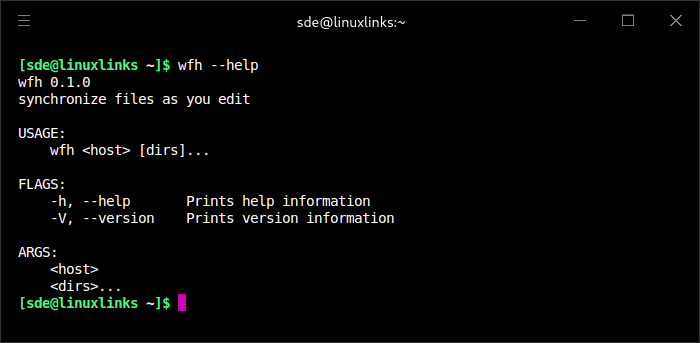
wfh continuously monitors local directories and initiates synchronisation when files change. It is designed for use from a terminal rather than requiring a persistent background daemon.
The project is particularly suited to workflows where most source files are managed through Git and where unnecessary directories, such as locally generated dependencies, should not be transferred to the remote host.
This is free and open source software.
Key Features
- Monitor local directories for filesystem changes.
- Automatically synchronise local file changes with a remote host.
- Uses rsync for file transfer.
- Supports development workflows involving local editing and remote execution.
- Runs as an interactive terminal utility without requiring a dedicated synchronisation daemon.
- Designed for development projects where source files are managed through Git.
Website: github.com/kzys/wfh
Support:
Developer: Kazuyoshi Kato
License: MIT License
wfh is written in Rust. Learn Rust with our recommended free books and free tutorials
| Explore Linux | |
|---|---|
 | Best Free and Open Source Software - A huge collection of recommended free and open source software covering every major category. |
 | In-depth Linux Software Reviews - Detailed assessments of Linux software covering features, usability and overall quality. |
 | The Big List of Active Linux Distros - An extensive collection of actively developed Linux distributions. |
 | Open Source Alternatives - Alternatives to software and services from Google, Microsoft, Apple, Adobe, IBM, Autodesk, Oracle and others. |
 | Essential Linux System Tools - Indispensable utilities for monitoring, maintaining and managing Linux systems. |
 | Linux Productivity Tools - Useful utilities for improving productivity and streamlining everyday tasks. |
 | Alternatives to Popular CLI Tools - Modern alternatives to familiar command-line utilities supplied with Linux systems. |
 | Awesome Free Linux Game Tools - Tools, utilities and companion software that improve gaming on Linux. |
 | Machine Learning on Linux - Machine learning and deep learning software, self-hosted applications and practical tools. |
 | Saving Money with Linux - Practical ways to reduce electricity consumption and lower computing costs with Linux. |
 | Linux Candy - Fun, entertaining and sometimes delightfully quirky software from the lighter side of Linux. |
Please read our Comment Policy before commenting.