
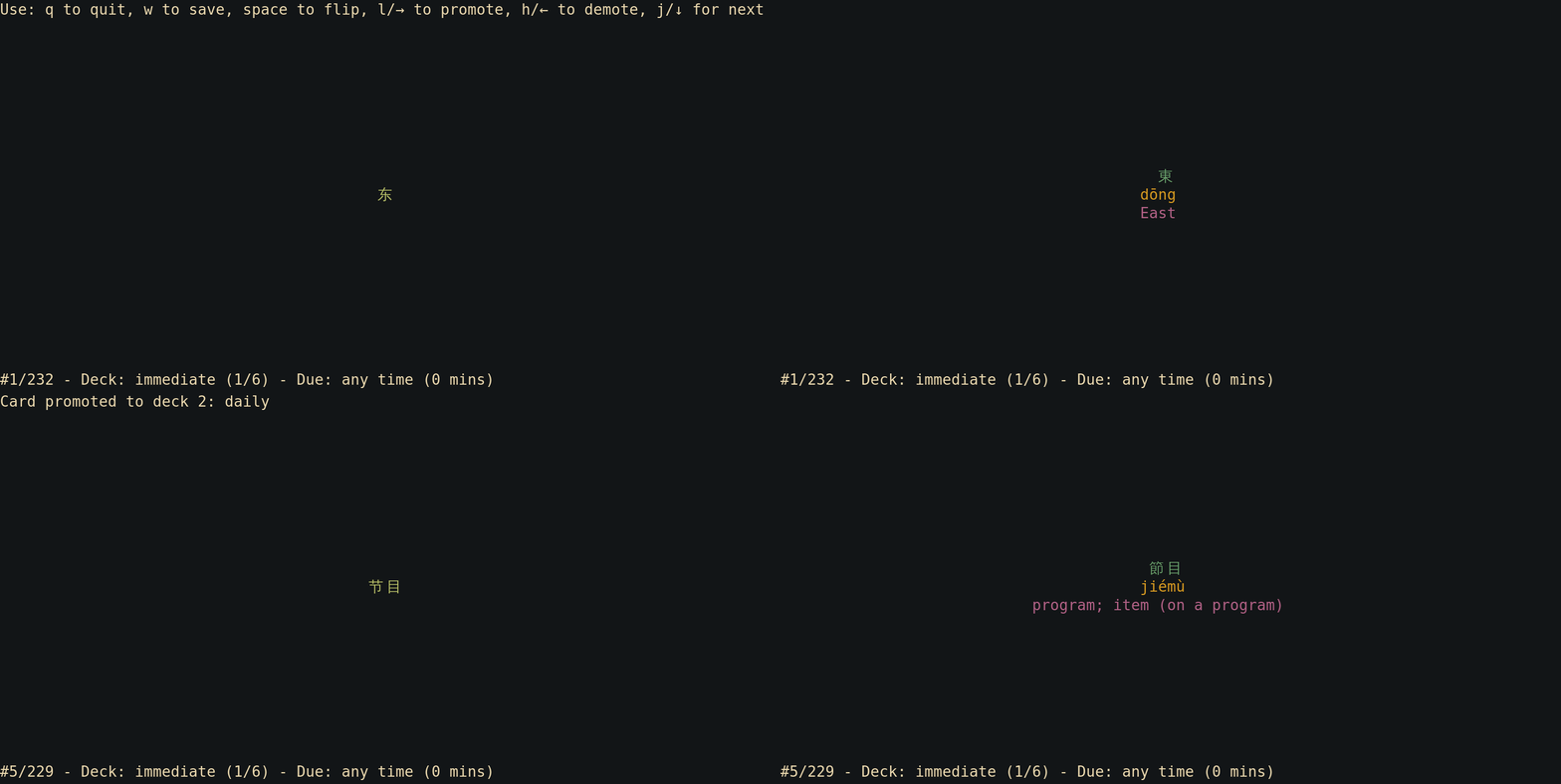
Vocage is a minimal terminal-based flashcard and vocabulary trainer built around a simple spaced-repetition workflow. Cards move between user-defined decks, with each deck assigned its own presentation interval, so material that is recalled confidently appears less often while troublesome material can return sooner. Although vocabulary learning is the obvious use case, the same model works for any question-and-answer material.
The program deliberately keeps its data model transparent. Cards live in tab-separated text files, and study progress is stored in those same files by adding fields for the current deck and the next due time. There is no separate collection database to manage. The files remain editable in a text editor or spreadsheet and can be processed with normal command-line tools or kept under version control.
Vocage is highly configurable without becoming a full card-authoring environment. Columns can be selected for each side of a card, more than two sides can be defined, deck names and intervals are configurable, and several compatible TSV files can be loaded together. Learners can switch between due and all cards, unseen and previously presented cards, and random or ordered presentation while moving cards between decks with the keyboard.
The standard interface provides colours, Unicode support and both arrow-key and Vim-style navigation. A minimal mode disables the richer TUI for use from scripts or other command-line software. This combination makes Vocage particularly attractive to users who want their study material to remain plain, inspectable data rather than being tied to an application-specific editor or database.
This is free and open source software.
Key Features
- Stores flashcards in simple tab-separated text files that can be edited with standard tools.
- Keeps the current deck and next due time inside the same TSV files as the cards.
- Lets you define which columns appear on each side of a card and supports more than two sides.
- Offers configurable deck names and presentation intervals for spaced-repetition workflows.
- Loads multiple TSV files together when they use the same column layout.
- Can switch between due and all cards, seen and unseen cards, and random or ordered presentation.
- Provides keyboard controls for promoting and demoting cards between decks.
- Offers Unicode and colour support together with arrow-key and Vim-style navigation.
- Includes a minimal mode for scripting and integration with other command-line software.
Website: codeberg.org/proycon/vocage
Support:
Developer: Maarten van Gompel
License: GNU General Public License v3.0
Vocage is written in Rust. Learn Rust with our recommended free books and free tutorials.
Related Software
| Terminal-Based Flashcard Software | |
|---|---|
| hashcards | Plain text-based spaced repetition system for flashcards |
| repeater | Like a lightweight, text-based Anki you run in your terminal |
| mdfc | Learn with flashcards and spaced repetition |
| tui-deck | TUI frontend for Nextcloud Deck |
| Revise | TUI Anki client |
| trrc | ToRRential Card processor |
| hascard | Minimal command-line utility for reviewing notes |
| HardV | Billed as a powerful cross-platform flashcard program |
| Vocage | Minimalistic terminal-based vocabulary-learning tool |
| carddown | Spaced repetition for markdown notes |
| Flashdown | Spaced repetition using flashcards in Markdown |
| studyFlash | Learn flashcards in your terminal |
Read our verdict in the software roundup.
 Explore our carefully curated directory of recommended free and open source software, covering every major software category. Explore our carefully curated directory of recommended free and open source software, covering every major software category.The directory forms part of our extensive collection of articles for Linux enthusiasts. It includes hundreds of detailed reviews, together with free and open source alternatives to proprietary software from companies such as Google, Microsoft, Apple, Adobe, IBM, Cisco, Oracle, and Autodesk. LinuxLinks also covers interesting projects worth exploring, Linux-compatible hardware, free programming books and tutorials, and much more. Know a useful free and open source Linux application that we haven’t covered? Tell us about it using our submission form. |
Please read our Comment Policy before commenting.