

This is a series where I hand-pick an open source Linux application each week that has not previously been covered on LinuxLinks. Each application must meet a very high standard.
Super Productivity is a privacy-focused task manager. It’s less a simple to-do app and more a local-first personal work cockpit. It combines task management, time tracking, Pomodoro/focus tools, a visual schedule planner, work logs, exports, and developer-oriented integrations in one app.
Installation
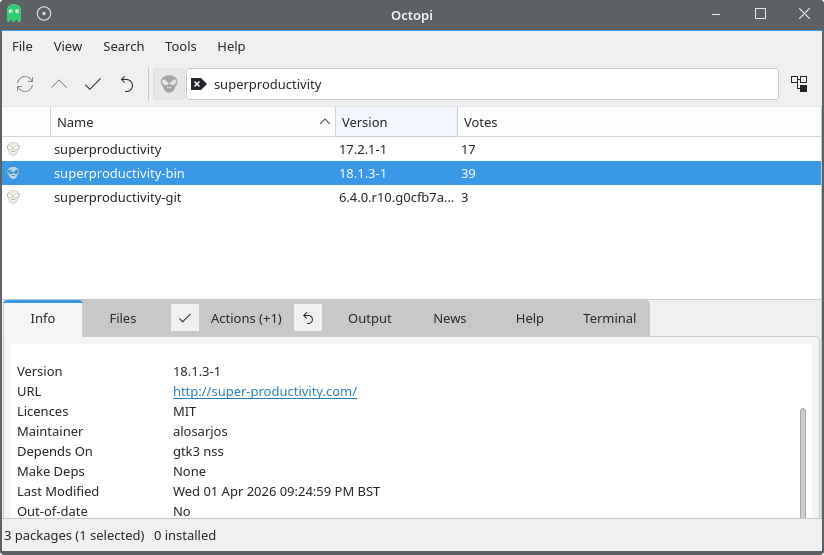
I evaluated the software using CachyOS, an Arch-based distribution. There are a few packages in the AUR. I used the binary package.
There’s a deb packages for Debian/Ubuntu, an RPM for Fedora/RHEL/openSUSE-style distros. For other distributions, you can install the software with Flatpak, use the AppImage, or Snap.
Besides Linux, the software runs on macOS, Windows, Android, iOS, and the web. x86_64 and ARM architectures are supported. My evaluation is restricted to Linux.
In Operation
At first start, you’re asked the following question.
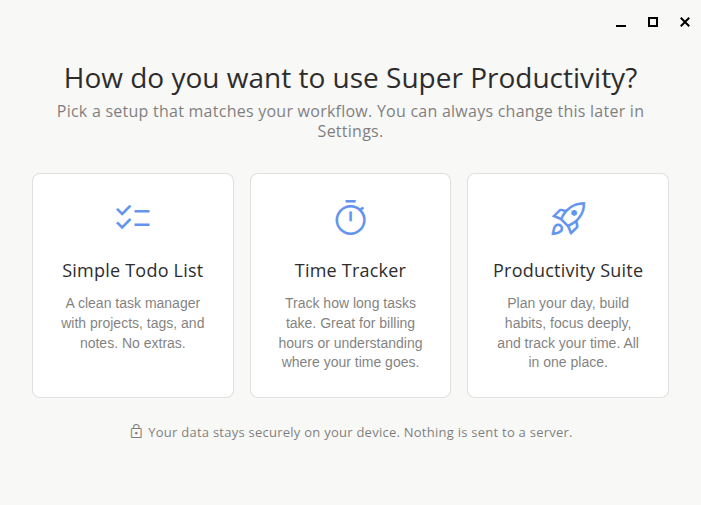
I started with a simple todo list.
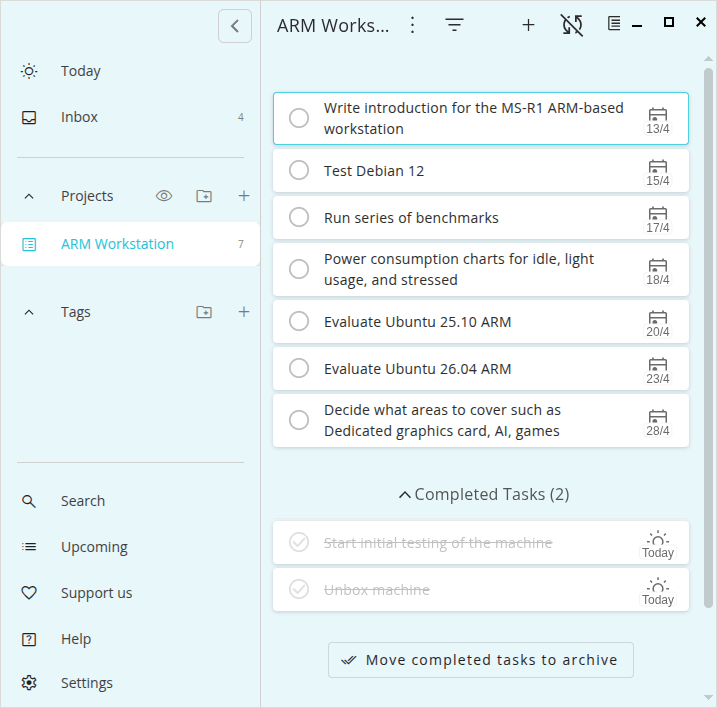
The UI is impressive with lots of nice touches. But the program is so much more than a simple task manager or time tracker.
You’ll want to turn on more of the app features which is available in Settings.
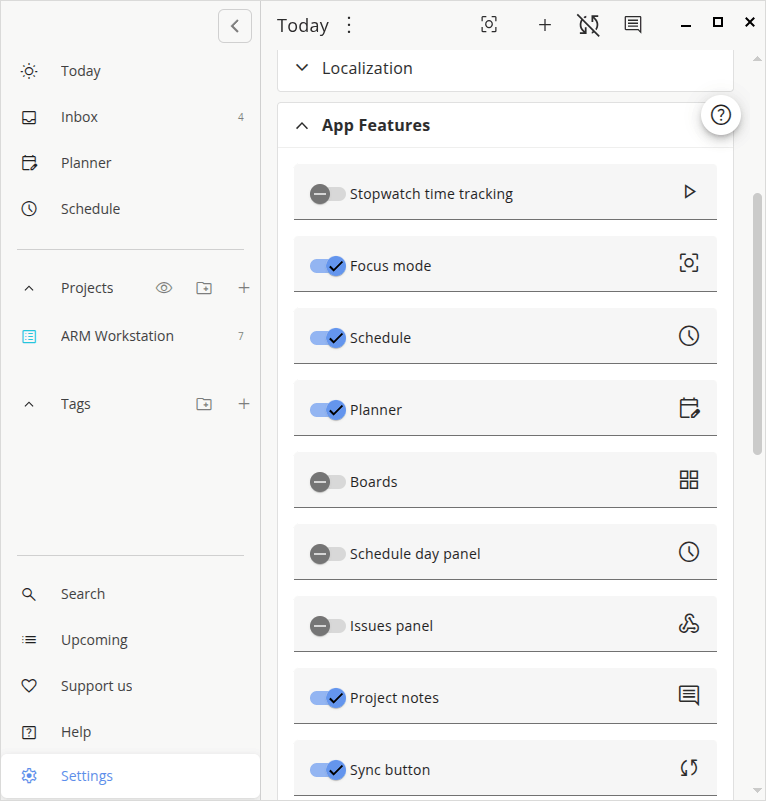
What it actually does is unusually broad for an open source app. You can capture tasks with subtasks, notes, due dates, projects, tags, and color coding; switch between list, Kanban-style, Eisenhower, and planner views; estimate work; drag tasks into time slots; run timers or Pomodoro sessions directly from tasks; compare estimated vs actual time; review work logs; and export summaries in CSV, JSON, or plain text. On top of that, it can pull work from tools like Jira, GitHub, GitLab, Gitea, OpenProject, and others, while also supporting calendar overlays and plugins.
The biggest strength is consolidation without a subscription tax. Most people stitch together some mix of Todoist, Toggl, a Pomodoro timer, a calendar, and maybe issue-tracker integrations. Super Productivity’s best idea is that these are all really parts of the same workflow: decide what matters, block time for it, do it, track how long it took, and review the gap between plan and reality. That makes it especially strong for people who do focused work in blocks rather than people who just want a lightweight reminder list.
The app’s whole philosophy is local-first: tasks, notes, and logs stay on your device unless you explicitly turn on sync, and even then the sync target is your storage provider rather than the company’s servers. The project also emphasizes no telemetry, no forced sign-in, and data export with no vendor lock-in. For freelancers, contractors, or anyone uncomfortable putting client names, billable hours, and personal routines into a SaaS black box, that is a real differentiator, not just marketing fluff.
The software is useful for someone whose real backlog lives in an issue tracker but who wants a calmer personal execution layer than the browser tabs and notifications that usually come with Jira or GitHub.
The planner is also better than I expected. This is not just a task list with dates bolted on. The schedule planner is built around drag-and-drop blocks, day and week views, capacity visualization, and estimated-vs-actual feedback loops.
Key Features at a glance
- Combines task management with timeboxing and time tracking.
- Supports projects, subtasks, tags, notes, and bookmarks for organising work.
- Includes focus-oriented tools such as a Pomodoro timer, break reminders, and anti-procrastination aids.
- Integrates with Jira, Trello, GitHub, GitLab, Gitea, OpenProject, Linear, ClickUp, Azure DevOps, and CalDAV.
- Supports backup and synchronisation via Dropbox and WebDAV.
- Respects user privacy with local data storage, no account requirement, and no telemetry.
- Real plugin system adding lots of functionality. There are plugins which are reviewed and guaranteed by the Super Productivity team. There are also community plugins. You should only use plugins from trusted sources.
- Customization – change the appearance, layout and worflow, integrations, data and backup control.
- Offers desktop, web, Android, and iOS builds.
Summary
Super Productivity is one of the best free and open source personal productivity apps I’ve researched for serious solo work, especially if you care about privacy, offline reliability, and combining tasks with actual time tracking.
Its strengths are real and unusually coherent. Strong developer integrations, built-in deep-work tooling, and unusually strong privacy/local-first design. Its weaknesses are also real: it asks more of the user, it is weaker at collaboration and knowledge management, and some web/sync/calendar pieces are less frictionless. It’s built for power users.
Super Productivity can feel like a power tool before it feels like a friendly tool. That flexibility is great once you’ve settled into it, but it also means more modes, more views, more configuration, and more choices than simpler rivals. It’s also not the best choice as a collaborative team workspace. The calendar side looks useful but not fully calendar-native.
Website: github.com/super-productivity/super-productivity
Support:
Developer: Johannes Millan
License: MIT License
Super Productivity is written in TypeScript. Learn TypeScript with our recommended free books and free tutorials.
Related Software
| Graphical Task Managers | |
|---|---|
| Super Productivity | Todo app with timeboxing & time tracking capabilities |
| Makagiga | To-do manager, RSS reader, notepad, widgets, image viewer |
| Vikunja | To-do app to organize your life |
| TreeSheets | Free form data organizer |
| Planify | Keep track of all your tasks, projects, and goals |
| Lotti | AI-powered context manager |
| Task Coach | Friendly useful todo manager with composite tasks support |
| Zanshin | KDE software to manage your day to day actions |
| sleek | todo manager based on the todo.txt syntax |
| GTG | Personal tasks and TODO list items organizer |
| Kanri | Modern offline Kanban board |
| OpenTodoList | Simple todo and task management |
| Mindwtr | Getting Things Done (GTD) productivity system |
| Endeavour | Personal task manager for GNOME |
| Errands | Manage your tasks |
| WHPH | Productivity app |
| cfait | Take control of your TODO list |
| Aion-Task | Cyclic TODO task manager |
| Progressive | Keep track of your tasks |
| Finitodo | Graphical task/todo list manager |
| Diurnals | Get daily Todoist notifications |
| Nottodbox | Organize notes, to-dos and diaries |
| KomoDo | Todo manager |
| Reminduck | Simple reminder app |
| TowDow | Tasks and process management |
| Progress | Simple Kanban board manager |
| FromScratch | Auto-saving scratchpad built with Electron |
| Done | To-do lists reimagined |
Read our verdict in the software roundup.
| GUI Time Tracking | |
|---|---|
| Super Productivity | Todo app with timeboxing & time tracking capabilities |
| ActivityWatch | Automated time tracking application |
| Kimai | Web based software that tracks work time, and classifies it |
| Pomotroid | Simple and visually-pleasing Pomodoro timer |
| Project Hamster | Time tracking applet for the GNOME desktop environment |
| Time Tracker | Simple time-tracker program for GNOME |
| Time Cop | Billed as a time tracking app that respects your privacy |
| Tockler | Tracks time by monitoring your active window title |
| Task Coach | Designed to deal with composite tasks |
| dotProject | Web-based, multi-user, multi-language project management application |
| KTimetracker | Todo management and time tracking application |
| Kapow | Punch clock program designed to track time |
| Pomodorolm | Simple, good looking and configurable pomodoro tracker with tray icon |
| Timetrack | Simple timetrack app for GNOME |
| Flowkeeper | Pomodoro Technique desktop timer |
| Valot | Modern time tracking application |
| Furtherance | Track your time |
| TimeSlotTracker | Java based time tracking tool |
| Play Timer | Native-feeling timers |
| Flowtime | Spend your time wisely |
| Samaya | Minimalist Pomodoro timer for your desktop |
| Baralga | Simple and lightweight time tracking |
| TimeIT | Unobtrusive time tracker |
| dxtime | Small program for time tracking using wxWidgets, wxSQLite, and SQLIte3 |
| Sessions | Focus with timed work intervals |
| Pomolin | Minimalist Pomodoro timer |
| zomodoro | Simple pomodoro made with Qt |
| Toggl Desktop | Toggl time tracking client |
| Solanum | Balance working time and break time |
| Rachota | Designed for personal timetracking of projects |
| KTeaTime | Timer for steeping tea |
| Khronos | Simple tool to let you track the time spent on a task |
| Charm | Cross-platform software for professionals |
Read our verdict in the software roundup.
 Explore our comprehensive directory of recommended free and open source software. Our carefully curated collection spans every major software category. Explore our comprehensive directory of recommended free and open source software. Our carefully curated collection spans every major software category.This directory is part of our ongoing series of informative articles for Linux enthusiasts. It features hundreds of detailed reviews, along with open source alternatives to proprietary solutions from major corporations such as Google, Microsoft, Apple, Adobe, IBM, Cisco, Oracle, and Autodesk. You’ll also find interesting projects to try, hardware coverage, free programming books and tutorials, and much more. Discovered a useful open source Linux program that we haven’t covered yet? Let us know by completing this form. |