

Restic Browser is a graphical application for exploring and restoring existing Restic backup repositories. It offers a straightforward way to inspect the contents of encrypted backups without having to use Restic’s command-line interface.
The application is focused entirely on accessing previously created backups. It does not provide backup scheduling, repository maintenance or tools for creating new backup jobs. This narrower approach makes it useful as a companion to an existing backup setup.
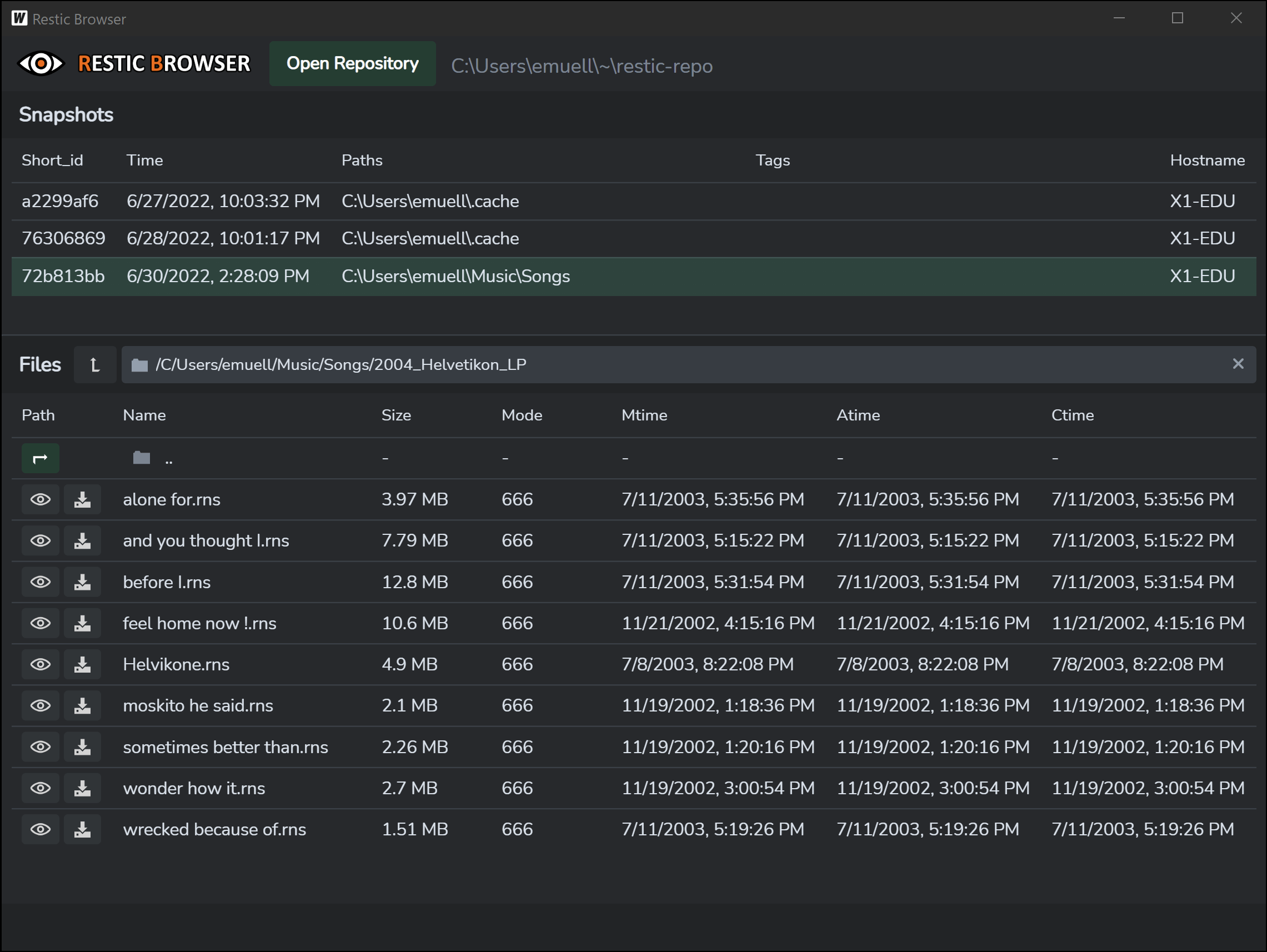
Users can open repositories stored locally or on remote services, select a snapshot and navigate through its files and directories. Individual items can be restored to a chosen location or opened using their associated desktop applications.
Restic Browser is built using Tauri and provides a native desktop window rather than requiring a separately hosted web service.
This is free and open source software.
Key Features
- Browse snapshots contained in existing local and remote Restic repositories.
- Navigate directory structures and inspect files within individual snapshots.
- Restore selected files or complete directories to a specified location.
- Export selected files and directories as ZIP archives.
- Open backed-up files using their associated desktop applications after extraction to a temporary location.
- Keyboard shortcuts for opening repositories and navigating snapshots.
- Keyboard-controlled file selection, opening, exporting and restoration.
- Works with repositories produced by Restic independently of the software used to create the backups.
- Cross-platform support – runs on Linux, macOS, and Windows.
Website: github.com/emuell/restic-browser
Support:
Developer: Eduard Müller / taktik
License: MIT License
Restic Browser is written in TypeScript and Rust. Learn TypeScript with our recommended free books and free tutorials. Learn Rust with our recommended free books and free tutorials.
Related Software
| Restic Front-ends | |
|---|---|
| Déjà Dup | Hides the complexity of doing backups the Right Way |
| Backrest | Web UI and orchestrator for restic backup |
| Zerobyte | Backup automation for your remote storage |
| Restic Browser | Simple restic backup GUI built with Tauri |
| resticterm | Terminal-based UI written in C# |
| kubackup | Web UI written in Go |
| Pluton | Self-hosted backup management platform |
| Resticity | Cross-platform UI for restic, built with Wails |
| Restic Backup GX | Simple GUI built with Electron and Vue3 |
Read our verdict in the software roundup.
 LinuxLinks helps you discover the best free and open source software for Linux. Explore our extensive collection of recommended applications, including alternatives to popular proprietary software. We also publish software reviews, Linux tutorials, hardware reviews, free programming books and articles covering the wider open source community. Browse our Linux resources to discover more. Know a useful free and open source Linux application we haven't covered? Suggest a program for inclusion. Has your software been featured on LinuxLinks? Display one of our Featured on LinuxLinks badges on your website or GitHub README. |
Please read our Comment Policy before commenting.