

Pulsar OS is a desktop Linux distribution designed to reproduce the workflow and familiarity of other operating systems while retaining the flexibility of Linux.
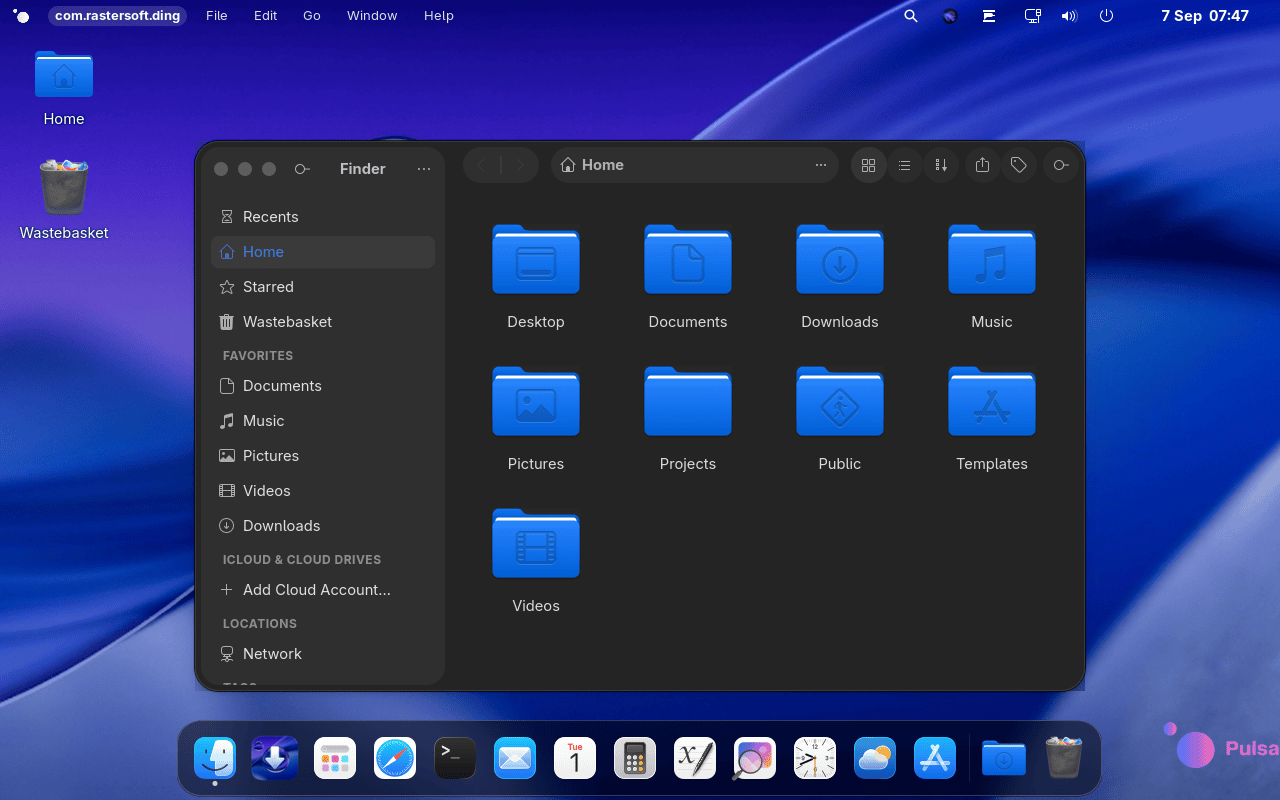
Its available edition, Bitten Fruit, is aimed primarily at users familiar with macOS. The desktop is based on GNOME but includes extensive modifications rather than simply applying a macOS-style theme. Pulsar OS is available with either Arch Linux or Debian as its base.
The Arch edition follows a rolling release model and provides access to newer packages and hardware support, while the Debian edition prioritises stability. Both are available with GRUB or rEFInd bootloaders.
Key Features
- Uses a customised GNOME desktop designed around a macOS-style workflow.
- Available in separate Arch Linux-based and Debian-based editions
- Provides its own Finder-style file manager with previews, tags and familiar navigation.
- Includes Spotlight-style searching for applications, documents, files and actions.
- Supports saving and restoring desktop sessions, including open applications and windows.
- Provides a built-in recovery environment for repairing, resetting or restoring the system.
- Includes system backup functionality inspired by Time Machine.
- Offers Mac-style and conventional Linux keyboard shortcut layouts.
- Provides graphical installation through the project’s own Pulsar Installer, with Calamares available as an alternative.
- Supports both GRUB and rEFInd bootloaders.
- Includes integration with cloud storage providers directly from the file manager.
| Working state: | Active |
| Desktop: | GNOME |
| Init Software: | systemd |
| Package Management: | Pacman, APT |
| Release Model: | Rolling, Fixed |
| Platforms: | x86_64 |
| Home Page: | os.inled.es |
| Developer: | Inled Group |
| This article is part of our Big List of Active Linux Distributions and Open Source Operating Systems. |
What's a Linux distribution ("distro")? |
| A distro provides the user with a desktop environment, preloaded applications, and ways to update and maintain the system. Each distro makes different choices, deciding which open source projects to install and provides custom written programs. They can have different philosophies. Some distros are intended for desktop computers, some for servers without a graphical interface, and others for special uses. Because Linux is an open source operating system, combinations of software vary between Linux distros. |
Please read our Comment Policy before commenting.